
Participant
April 2, 2024
Question

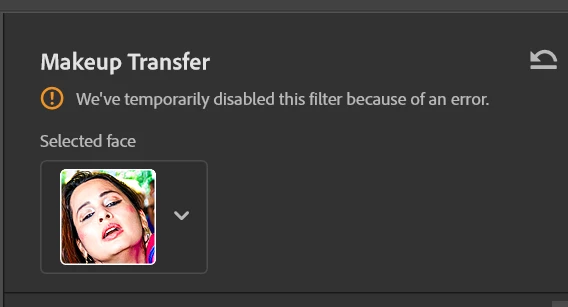
How to fix makeup transfer we have temporarily disabled this filter because of an error

  • April 2, 2024
  • 2 replies
  • 589 views

I am using latest enterprise account of Photoshop with all updates till today. When I am using makeup transfer filter, I am getting error. Please let me know how to fix eoor showing in makeup transfer filter window "we have temporarily disabled this filter because of an error" Its not showing what is error ? Appreciate help. 

Verion : 25.6.0 release 

OS : Winsows 11 enterprise version 

Reproduce issue : Open photo -> Open makeup transfer photo -> select file from computer to transfer makeup -> will show error in filter window
This topic has been closed for replies.

2 replies

Participant
April 16, 2024

@Adobecare from X post replied asking to attache system info, but their is no option to upload txt file. I can only upload image or gif file. I login to photoshop community but here also no option to uoload system information as text file. Can someone tell me how to send system info txt file requested by Adobecare ? 

Participant
April 20, 2024

System information text file attached as requested by @adobecare from X

Please help to fix makeup trasfer issue asap.

Participant
April 4, 2024

Funny support from Adobe for entrprise customers. No option given for enterprise user to submit issue to get help from customer support. Only option to login as admin. Is adobe aware that more 10,000 user based MNC's don't provied admin user name password to other employee 🙂 I am sure others also facing same issue but no solution. I tried deleting plugin folder but again facing same error. I have submitted bug report as well but no email and no response. Adobe must improve customer support for enterprise and normal user. Did any one else know how to contact adobe customer support to resolve issue ? appreciate your help.