
How to fix the problem in Photoshop with LAB?
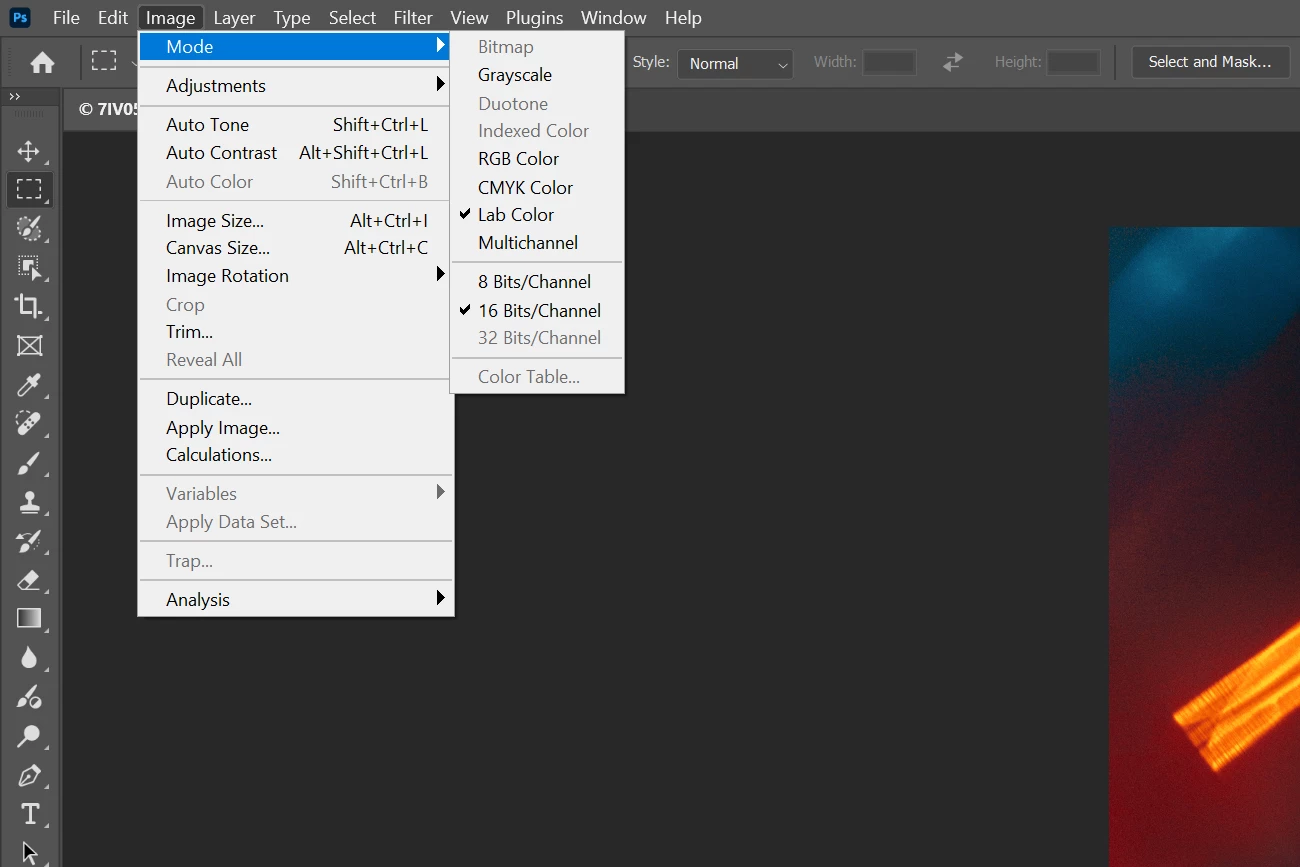
Hi everyone! I’m facing a strange bug in Photoshop that I can’t seem to fix. When I switch an image to LAB color mode, the option to create an adjustment layer for Curves becomes inactive. I've been using LAB in my workflow for nearly a decade and have never encountered anything like this. I perform this operation almost daily while working on my photos. But suddenly, yesterday, this issue started.
I haven’t made any changes to Photoshop settings or done anything new. I’ve tried switching the file to 8-bit and back to 16-bit, converting it between RGB and LAB, and testing with different file formats like JPEG and TIFF. I even reset all Photoshop settings and completely reinstalled the software. I toggled GPU hardware acceleration on and off, but nothing worked.
The most curious part is that I have actions that create an adjustment layer with Curves in LAB mode, applying specific corrections to the a and b channels, and these actions work fine. Photoshop can still create the Curves layer in LAB mode via actions, but the menu option remains grayed out and doesn’t let me do it manually.
I’m at a loss and don’t know what else to try. I really don’t want to reinstall my operating system only to find that it doesn’t solve the problem. Any advice?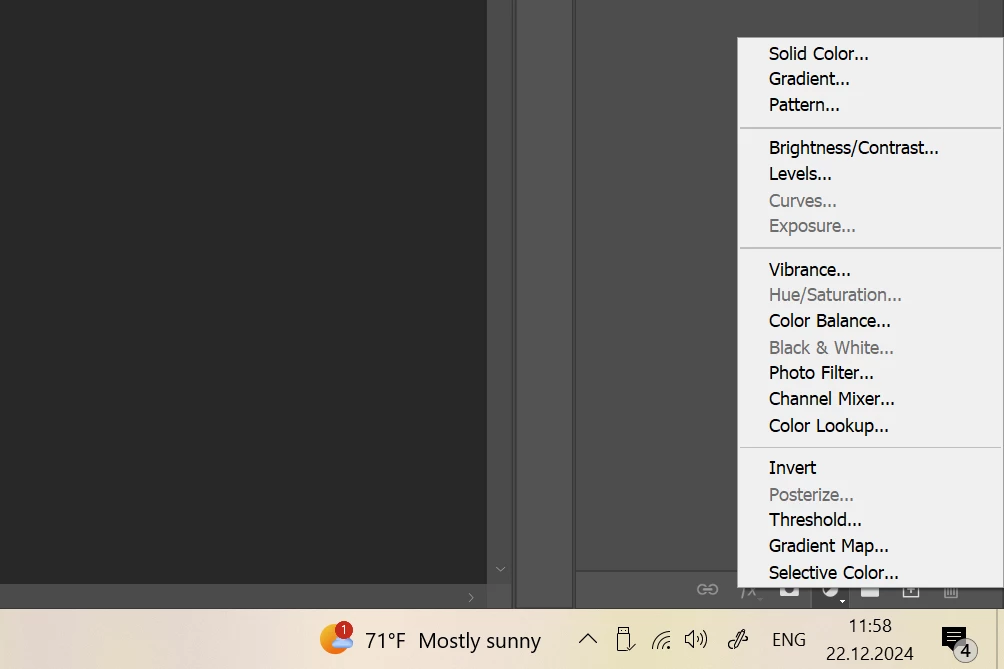


 AdChoices