
Question
How to frame an image in Photoshop
Hello
I have just started with Adobe Creative Suite. I have Photoshop, Lightroom and Bridge.
I have used Photoshop in the past, but this new Photoshop seems quite different.
My question is:
How can I add a frame/border to an image.
With the old Photoshop, there was a menu with a gallery of frames/borders, I am not sure what they were called.
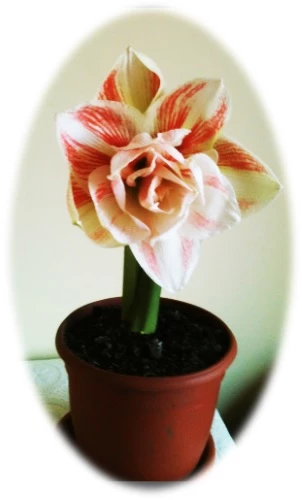
I am referring to the image being framed with effects such as: soft edge oval; metal frame; bevel rectangle etc. I have shown 2 examples of what I mean.
Does anyone know where this is now please.
Thank you.
 AdChoices