
January 15, 2026
Question

How to: Get a pattern/gradient to follow the curve of a shape in Photoshop

  • January 15, 2026
  • 2 replies
  • 151 views

I have a curved shower hose that I would like to photoshop a linear brushed metal texture onto. I would love some help getting the texture to follow the shape of the hose. Unfortunately warping isn't really getting me the look I'm after. 

I've created the texture by creating a rectangle, adding noise and then adding a motion blur. I do have a clipping mask of the hose and I feel I should be able to use the texture in a Smart Object but I'm not sure the best way to do this. 
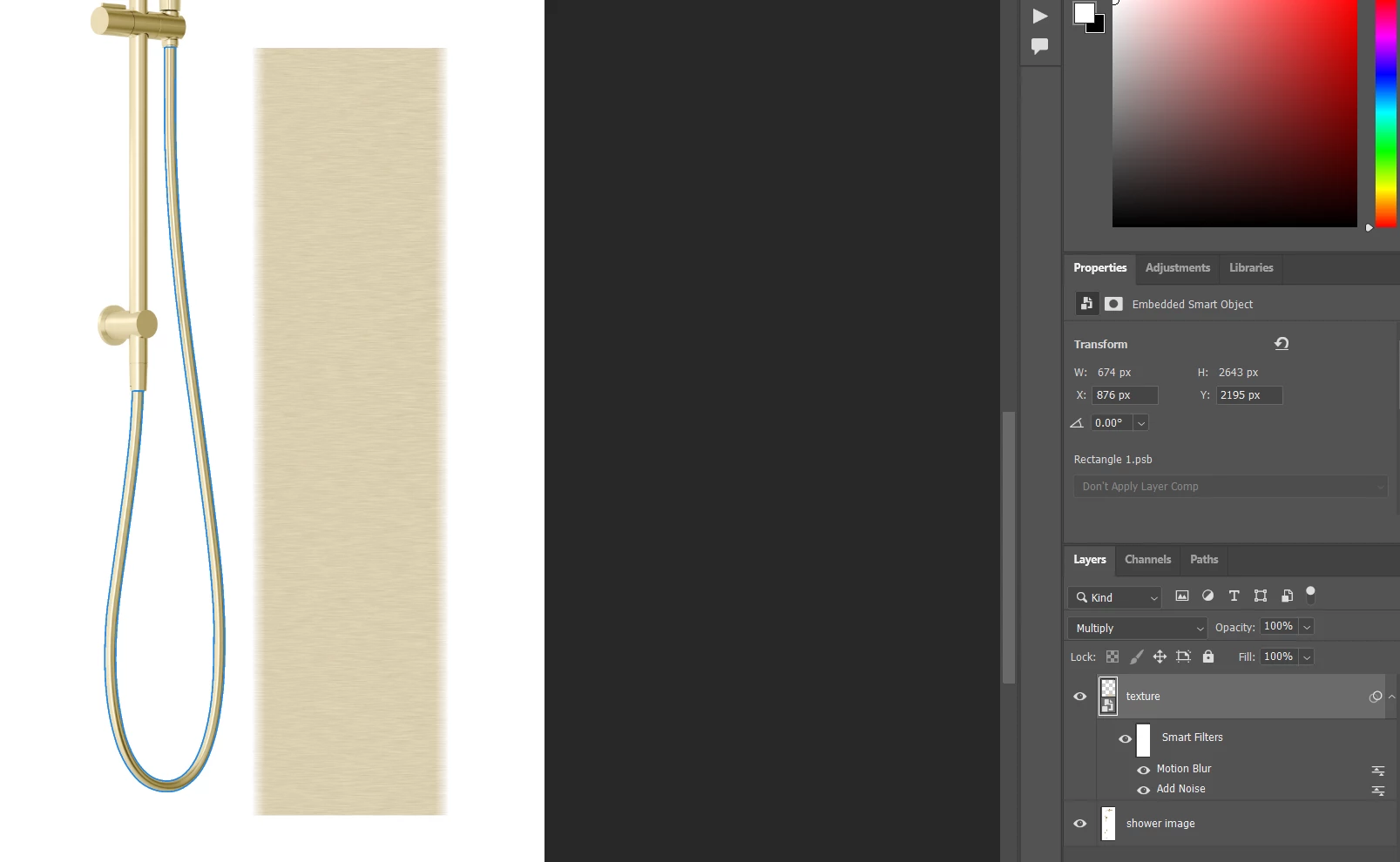
 

Example.png

2 replies

Trevor.Dennis
Community Expert
Community Expert
January 15, 2026

If you are OK with the texture running inline with the pipe's axis, then that is much easier.

Define the pipe with a workpath.

Stroke the path with a hard brush.

Add some noise to the pipe layer.

Now stroke the path with the Smudge tool with the pipe layer selected.  You will need to set up the smudge tool before doing this (brush size and strength).


That will give you the linear texture, but you'll need to give the pipe some depth.  I did this with Inner Glow which works better than inner shadow in this case, but you'll need to set the blend mode to Multiply as below.


image.png

You could give the pipe more depth by stroking again with the Dodge tool.

image.png

Trevor.Dennis
Community Expert
Community Expert
January 15, 2026

You have not made it clear what the texture should look like.  I did this with Eye Candy 7.

Is this the sort of look you are after? 

Do you want the texture perpendicular to the axis of the pipe, so it follows the pipe as it bends?  

How dense should the pattern be?

image.png

January 15, 2026

You're correct, the texture will look like your example, however in my example shown in the above right, the texture has horizontal brushwork lines instead of diagonal and no gradient. I figured I would overlay the texture onto the hose so it picked up the natural highlights and shadows that are already present on it. 


My objective is to get the direction of the lines in the brushwork to follow the curves of the hose. Below, I've quickly sketched up a very rough example of what I mean on the bottom section of the hose. (Please note that the red colour and thick line size shown below is not to illustrate the look I'm intending to emulate, only to illustrate the line direction of the metallic brushwork I'd like to achieve)Example 2.png