

bellevue scott
Inspiring
November 7, 2023
Answered

How to get rid of cropping handles or resizing handles

  • November 7, 2023
  • 1 reply
  • 927 views

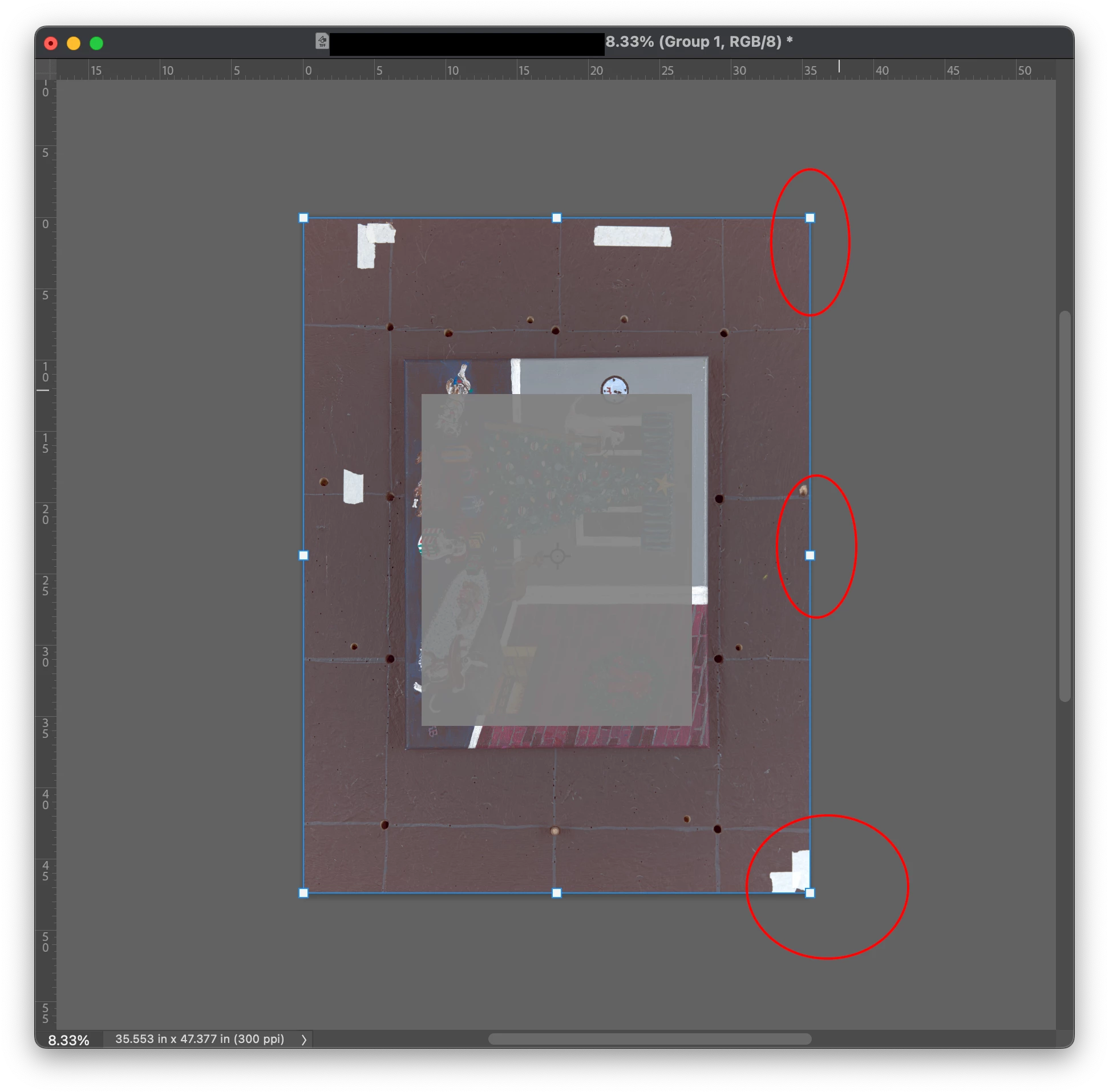
I've noticed in recent version of PS that the crop handles keep reappearing when I don't want to see them. It's like they're always present. If I go into canvas resize, when I'm done, the crop handles appear. When I'm on a layer and have the move or grab tool selected, they're there. I know it wasn't always like this. How do I stop this behavior?  
 

This topic has been closed for replies.
Correct answer Kevin Stohlmeyer

@bellevue scott what tool are you selected on? With the first instance - choose the Move Tool and in the Options bar above uncheck "Show Transform Controls" with the second instance - it appears you are on the Crop Tool, which this is normal behavior for that tool.

1 reply

bellevue scott
Inspiring
November 7, 2023

And like this. It seems these resize or crop tools are constantly appearing and they didn't used to. Is there a way to get rid of them?

Kevin Stohlmeyer
Community Expert
Kevin StohlmeyerCommunity ExpertCorrect answer
Community Expert
November 7, 2023

@bellevue scott what tool are you selected on? With the first instance - choose the Move Tool and in the Options bar above uncheck "Show Transform Controls" with the second instance - it appears you are on the Crop Tool, which this is normal behavior for that tool.

bellevue scott
Inspiring
November 7, 2023

Thanks Kevin! Much appreciated. That's it. But for the crop tool, after your suggestion, I found this, and it reverts the crop tool to the legacy...  Those two things were the answer. thanks!