
Known Participant
Mar 24, 2025 10:08 PM UTC
Question

How to get rid of extra background palette

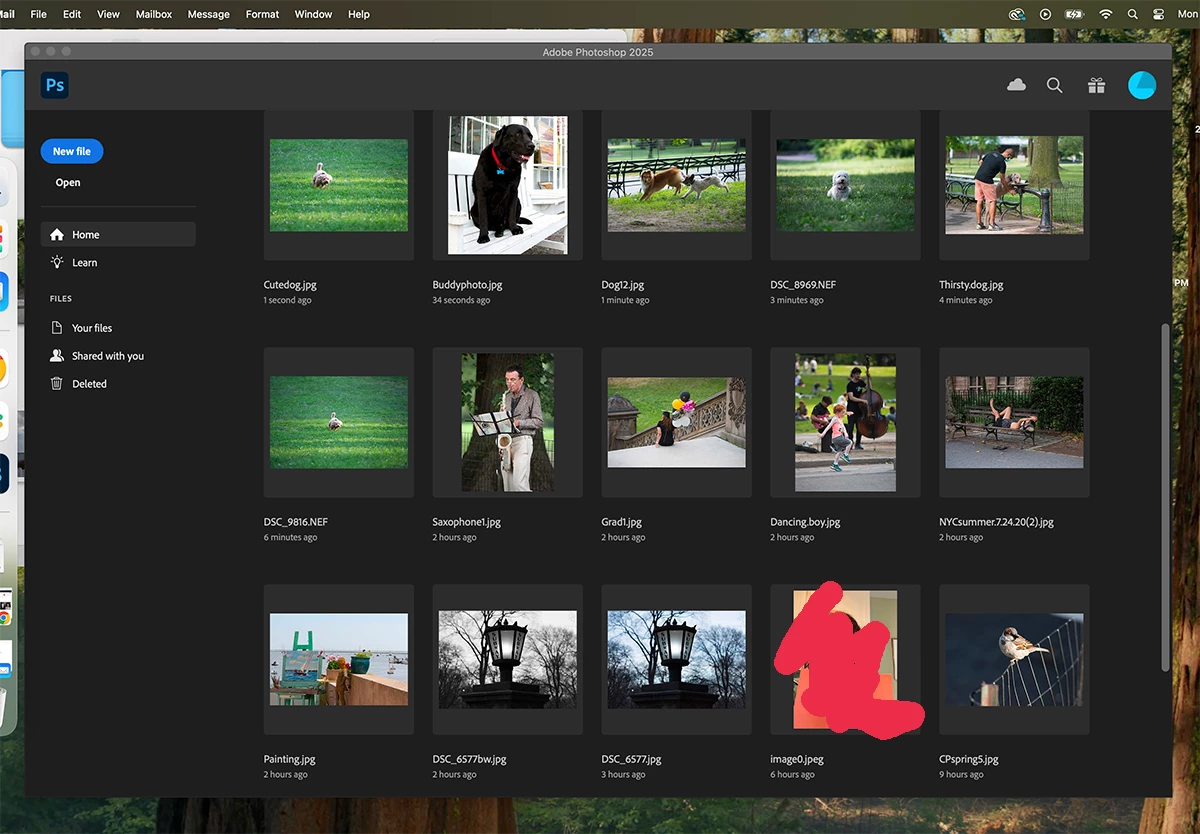
Hi, I am wondering how to get rid of this extra background palette that opens every time I open a photo and then I have to close it out each time. I don't see what the purpose is of this palette but it's annoying. Thanks. 
10 replies

Trevor.Dennis
Community Expert
Community Expert
Mar 25, 2025 2:31 AM UTC

You can at least get rid of the thumbnails by going File > Open Recent > Clear Recent File List

I find them suoer useful, and losing them is easily the worst part of having to reset Preferences.

Translate
Stephen Marsh
Community Expert
Community Expert
Mar 25, 2025 6:34 AM UTC
quote

You can at least get rid of the thumbnails by going File > Open Recent > Clear Recent File List

I find them suoer useful, and losing them is easily the worst part of having to reset Preferences.


By @Trevor.Dennis


Another "middle groud" option is not to populate the recent list, but still make use of storing links to opened files by using my "Photoshop Session Manager" script:


https://community.adobe.com/t5/photoshop-ecosystem-discussions/scripts-to-save-amp-restore-photoshop-sessions/m-p/14239969#U14946306


Translate
Trevor.Dennis
Community Expert
Community Expert
Mar 25, 2025 8:27 AM UTC

Whilst I do like the Recent Files list, it occurs to me just how much I use Bridge.  You can drag your current project folder into the Favourite area, and sort its contents by Date Modified, which is much more controlable and flexible than Recent Files.  You can arrange thumbs manually, and batch rename keeping that order.  I have a workshop this week, and started the prep by opening Powerpoint.  Before making a single slide I thought, 'what the heck am I doing?  It was way better to use Bridge together with Photoshop.  Have layered demo images with much control over how they looked, and reveal a layer at a time while demonstrating the point of each image/layer. Tab the UI on and off to make the most of limited screen space.  I have gone from hating using a laptop for Photoshop, to realising that it is entirely doable. Essspecially with todays high pixel density screens.  

Translate
Semaphoric
Community Expert
Community Expert
Mar 24, 2025 10:15 PM UTC

Go to Edit > Preferences > General, and in the Options section, un-check the Auto Show the Home Screen box.

Translate
Known Participant
Mar 24, 2025 10:21 PM UTC

Thank you. But that is un-checked. 


Translate
Semaphoric
Community Expert
Community Expert
Mar 24, 2025 10:38 PM UTC

Okay, this seems to work: with the box un-checked, reset the current Workspace, or load a different one.

Translate