yes,That's about what I mean,the hard part is I don't know the rules, and I don't know how to compute it.
龚亮g64532194 wrote yes,That's about what I mean,the hard part is I don't know the rules, and I don't know how to compute it. |
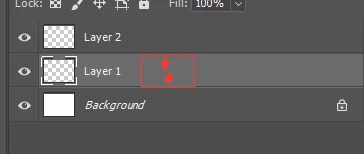
It's straight math. If the thumbnail is set to Large, and the document is 1000 X 800 pixels, then the layer height will be:
800 / 1000 = 0.8 so 78 (width in pixels) X 0.8 = 62.4
You monitor can't show fractions of a pixel, so I'm guessing that the thumbnail would be 78 X 62 pixels
If the document was 800 X 1000 pixels, the thumbnail height is going to be 78 pixels so, in this case, the thumbnail width will be 62 pixels.
You can test it using screen shots and pasting into Photoshop.
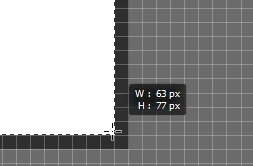
Zoom way in so you can see the pixel grid, and drag a selection around the thumbnail.
The heads up will show the pixel size.
In this case you can see my estimate was one pixel out in one direction, and half a pixel in the other. I suspect this will be always be repeatable and predictable.
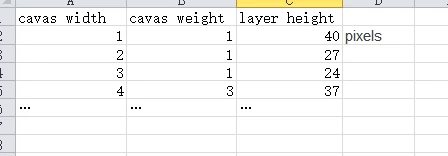
[EDIT] I have just realised that you have an Excel screen shot in your first post, so you could make a very simple worksheet to give you those sizes.





 AdChoices