Inspiring
December 10, 2025
Answered

How to make an envelope?

  • December 10, 2025
  • 3 replies
  • 214 views

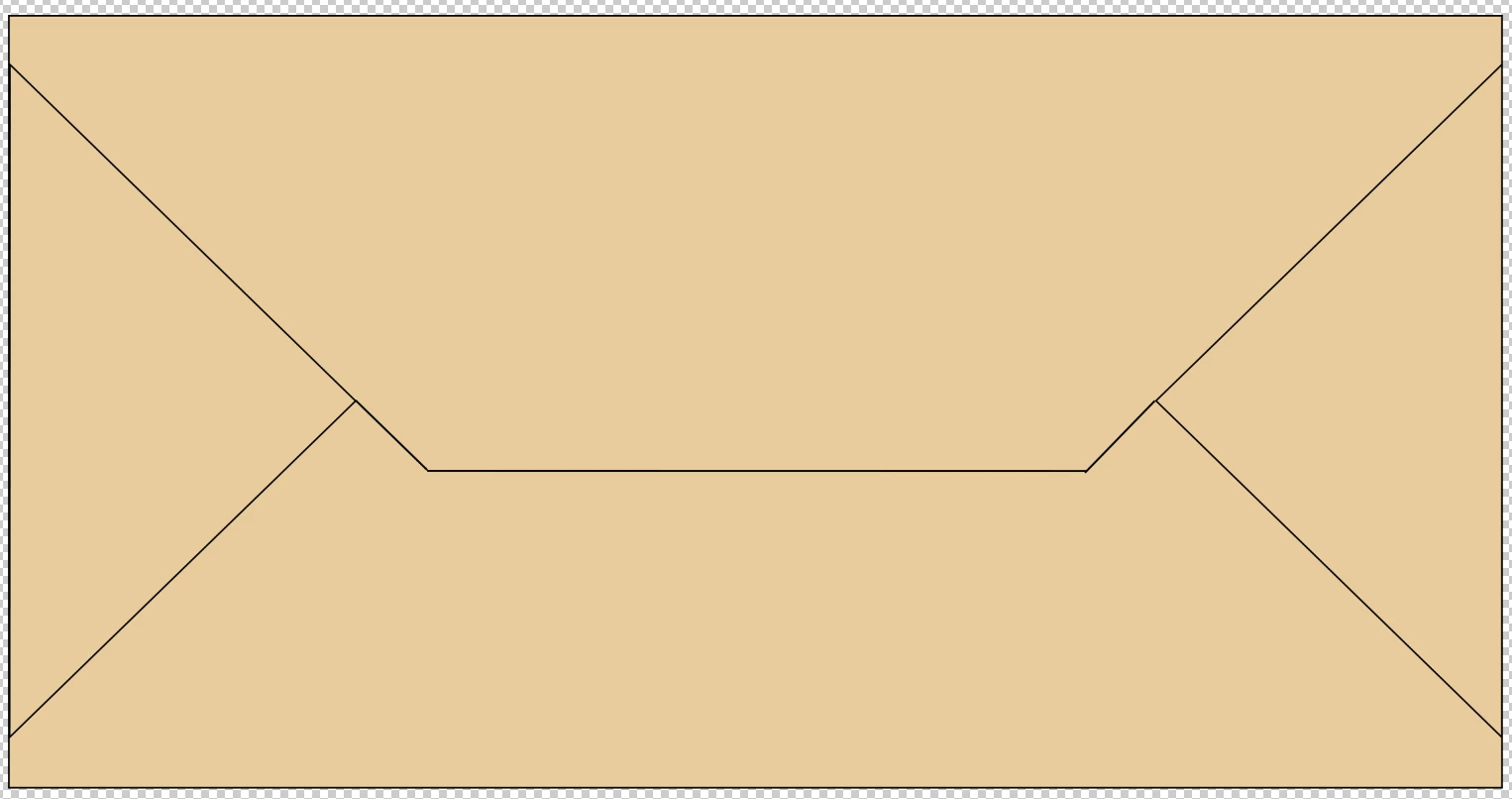
I'm trying to make this one. First, I made a square on prefered dimensions. On both side, I created a triangle. I then had to created two lines to extend the one side of the triangle. Lastly another line to connect the extended lines from the triangle. But something is of. I can't get the lines to meet perfectly. Also, when trying to put another color on the top section. Both the top and bottom section is colored. So how to I gain 100% controll over all four parts?

I tried making a shape (the top one) with the pen took, but I wasn't able to manually adjust the lengthts. 

Any help please.
Skjermbilde 2025-12-10 kl. 09.56.47.png

Correct answer Conrad_C

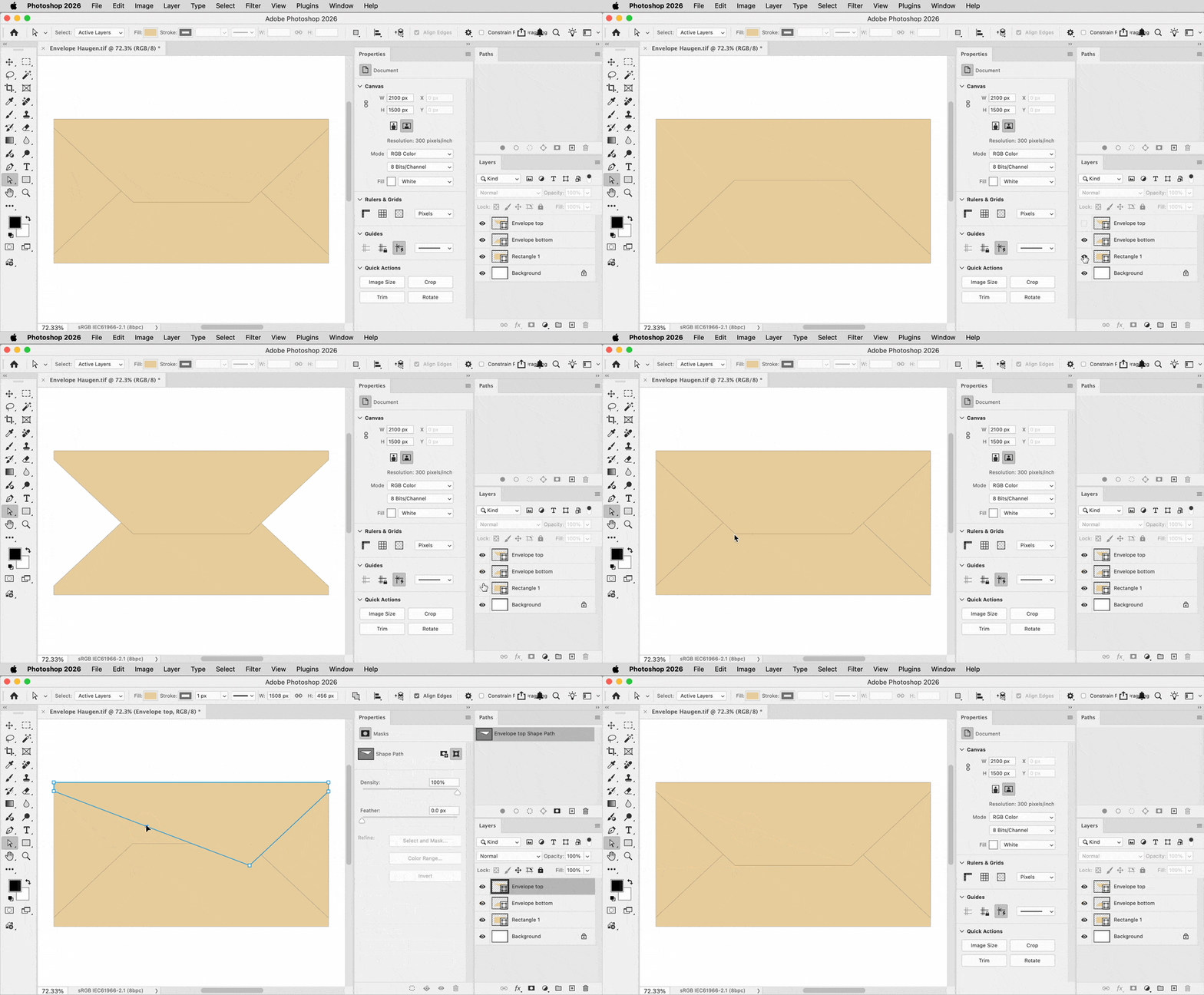
This can be done with three closed shape layers. In the demo below, mine has a rectangle shape layer at the bottom, a Pen tool shape layer for the lower fold, and another Pen tool shape layer for the upper fold. The two fold layers started out as rectangle shape layers that I edited with the Pen tool. On a selected shape layer, any point can be selected and moved using the Direction Selection tool. Tip: If you’re in the middle of editing with the Pen tool, you can temporarily activate the Direct Selection tool by holding down the Command (macOS) or Ctrl (Windows) key so that you don’t have to manually switch tools all the time. 


By creating them as closed shapes, the corners always meet perfectly because each shape layer is just one path.


Envelope Haugen.gif

3 replies

Legend
December 10, 2025

You might look on Adobe Exchange or Stock, or search online, I'd bet there are downloadable templates for any kind of envelope you wanted with bleeds and trim marks.

Conrad_C
Community Expert
Conrad_CCommunity ExpertCorrect answer
Community Expert
December 10, 2025

This can be done with three closed shape layers. In the demo below, mine has a rectangle shape layer at the bottom, a Pen tool shape layer for the lower fold, and another Pen tool shape layer for the upper fold. The two fold layers started out as rectangle shape layers that I edited with the Pen tool. On a selected shape layer, any point can be selected and moved using the Direction Selection tool. Tip: If you’re in the middle of editing with the Pen tool, you can temporarily activate the Direct Selection tool by holding down the Command (macOS) or Ctrl (Windows) key so that you don’t have to manually switch tools all the time. 


By creating them as closed shapes, the corners always meet perfectly because each shape layer is just one path.


Envelope Haugen.gif

HaugenAuthor
Inspiring
December 10, 2025

Fantastic! Thank you! 🙂 

Trevor.Dennis
Community Expert
Community Expert
December 10, 2025

Are you trying to draw the shape in your screen shot?

Or are you trying to create a rectangle wityh fold lines to create the envelope?

Or something else entirely?

The more info you provide, the better people will be able to answer and help you.

HaugenAuthor
Inspiring
December 10, 2025

Yes, I'm trying to make the exact same. Yep, trying to make a rectangle with fold lines to create the envelope.