


Participant
Jul 10, 2023 8:18 AM UTC
Question

How to make perforated images.

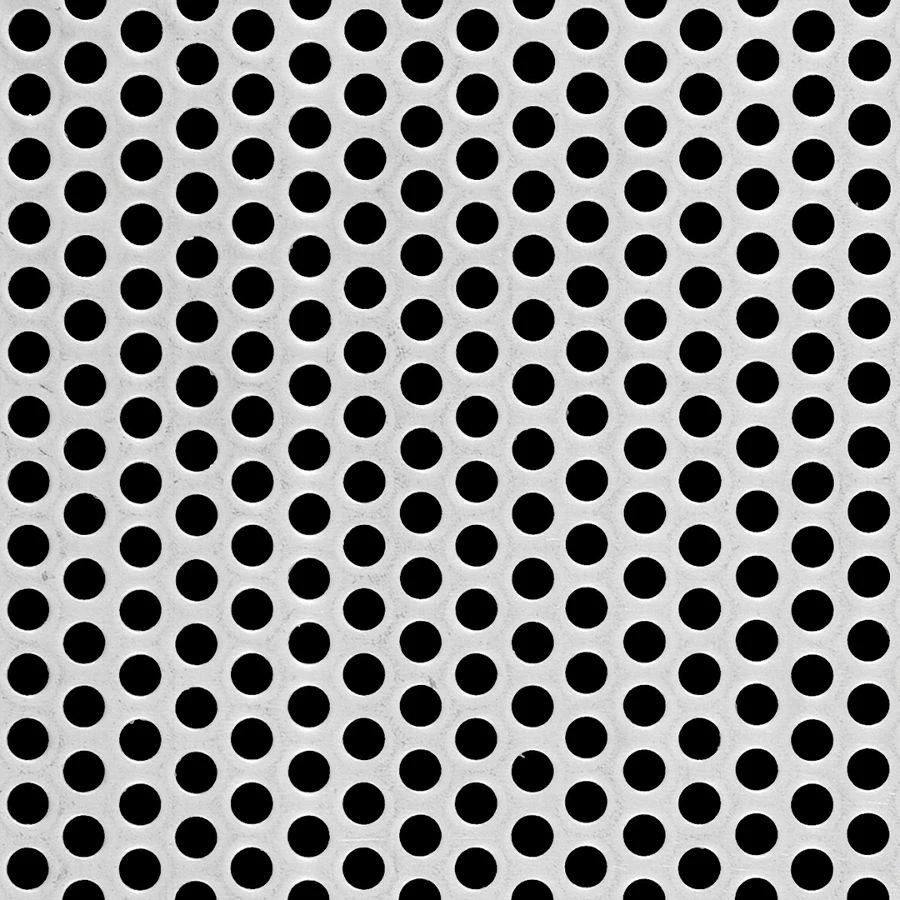
I'm trying to make an image to have the effect of a perforated image, where there are consistent holes behing cut out of the image and the holes should be able to be see through. Something similar to the image attatched,is there any way to do so?
This topic is closed to new replies. Start a new post to keep the conversation going.

3 replies

Kevin Stohlmeyer
Community Expert
Community Expert
Jul 10, 2023 1:18 PM UTC

Hi @javier30982807yttt use this image to make a selection of all the black dots then mask out your images?

Translate
Participant
Jul 13, 2023 2:55 PM UTC

Hi @Kevin Stohlmeyer I'm actually using another image which does not have any of those black dots. It is a plain image without dots, and wish to make evenly spaced dots which are "see through". Is there a simple way to do so?

Translate
Kevin Stohlmeyer
Community Expert
Community Expert
Jul 13, 2023 3:00 PM UTC

Instead of creating dots, why not just use another image as reference? Put it on a layer to create the selection and apply a mask to your image layer?

Translate