Nemnissis
Participating Frequently
January 30, 2026
Answered

How to Paste into a Layer Mask in Photoshop

  • January 30, 2026
  • 3 replies
  • 85 views

Hi there. I would like to do this.

https://youtu.be/Vzvv0DfvJm8?si=0kXVTHXUFwMWA6zZ

To paste a (black and white) image into a layer mask.
I've got it once to work and all the other times it doesnt work. I dont know why it works or why it doesnt work.
Can anyone shed some light on this?

Thanks a lot!!
    Correct answer Ged_Traynor

    @Ged_Traynor ​@Nemnissis try opening this layer in its own window

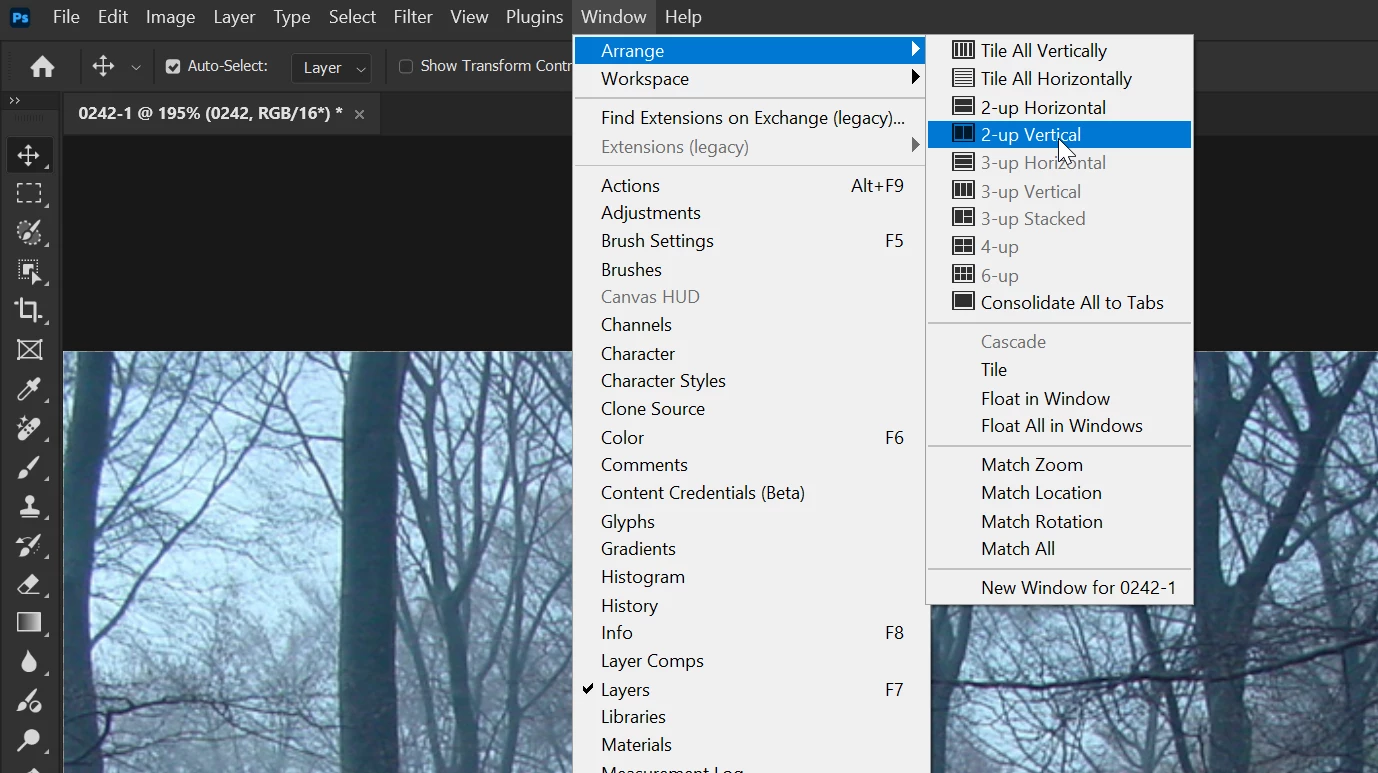
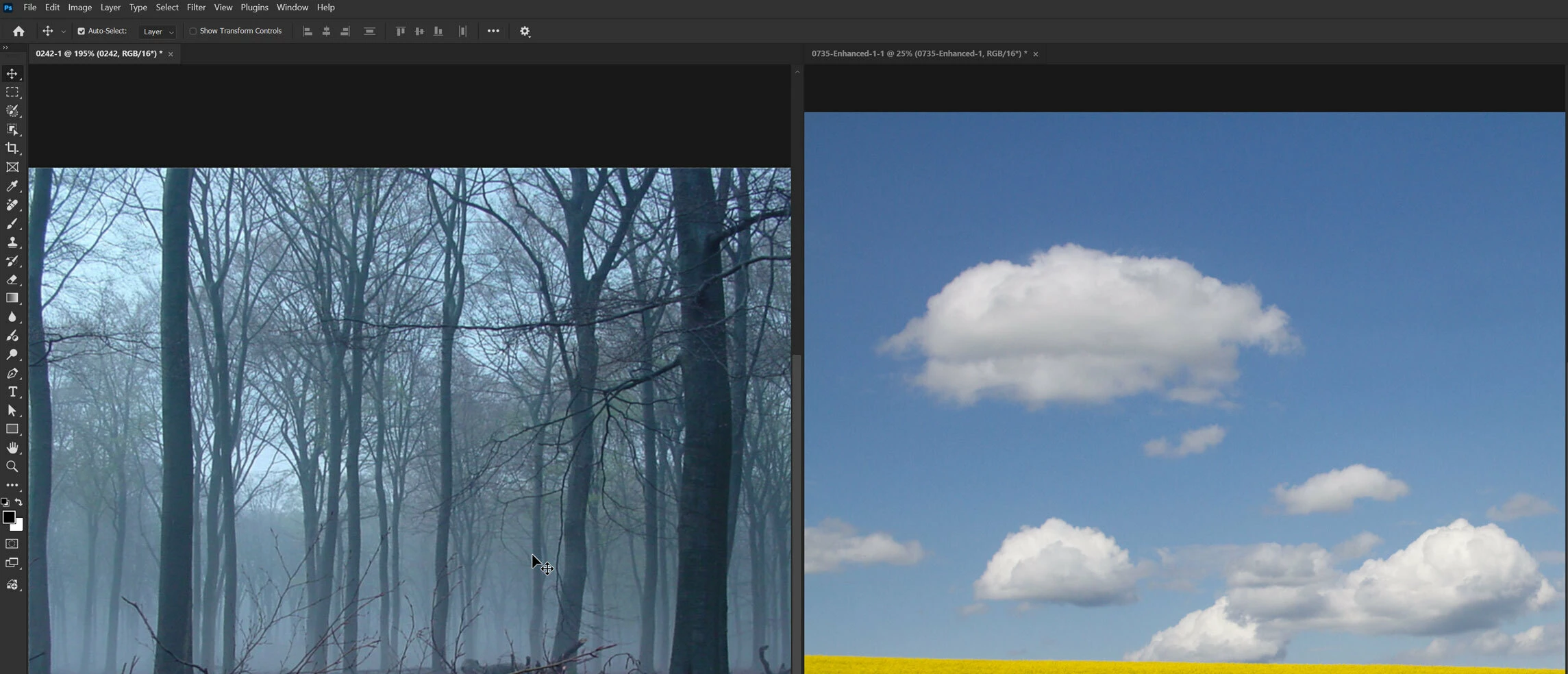
    Then go to Window > Arrange 2-up Vertical

    Your setup should look like this


    3 replies

    Genius
    January 30, 2026

    Going just from memory, option-click to load a mask, then you can treat it like any other black and white layer.

    creative explorer
    Community Expert
    Community Expert
    January 30, 2026

    @Nemnissis I agree with ​@Ged_Traynor , it worked for me as well. If you wanted a longer tutorial, try this: https://www.photoshopessentials.com/basics/how-to-paste-an-image-into-a-layer-mask-in-photoshop/

    But, Julieanne Kost did nailed it under 2 minutes! 

    m
    Ged_Traynor
    Community Expert
    Community Expert
    January 30, 2026

    @Nemnissis I just tested a few times on my system, and it’s working fine, with Photoshop version 27.3, can you post a screenshot of the Photoshop interface with all the pertinent panels opened

    Nemnissis
    NemnissisAuthor
    Participating Frequently
    January 30, 2026

    Thanks all for replying!
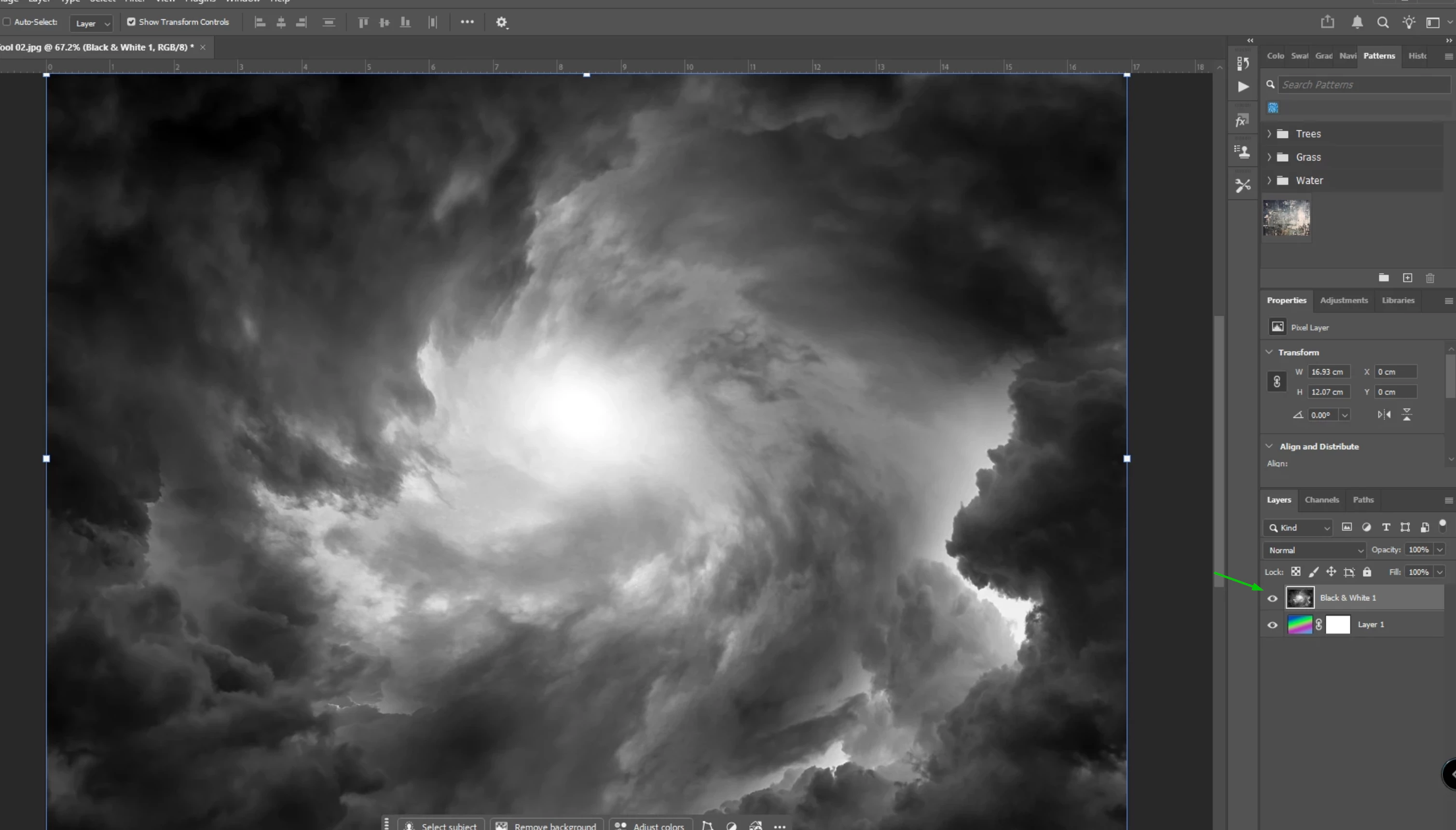
    here 2 screenshots:
     

    So this is the image i want to use as a mask. It had some color, so first i did single adjustment→ black and white then merge layers, to make it one layer again.  I select it, edit->Copy (no shortcuts). Select layer one, Alt click the mask thumbnail, edit->Paste (no shortcut). Nothing happens.


    ?
    I am on Photoshop 27.2.0
    Any help much appreciated.
     

    Nemnissis
    NemnissisAuthor
    Participating Frequently
    January 30, 2026

    I am updating now to 27.3 Let’s see if that helps…….