

How to Preserve Created or Modified Date on non-photograph PNG images in batch processing?
I have hundreds of large (1MB+) png files, mostly screenshots for documentation. Every month or 2, I batch convert all my PNG screenshots with a Photoshop action via Bridge. All that works great and I get JPG images with much lower filesize, as intended. But, really the only problem is that the JPG files don't preserve the date - not in Windows Explorer, nor in Bridge. They take today's date instead of the original creation date.
(Screenshots of my batch process:)
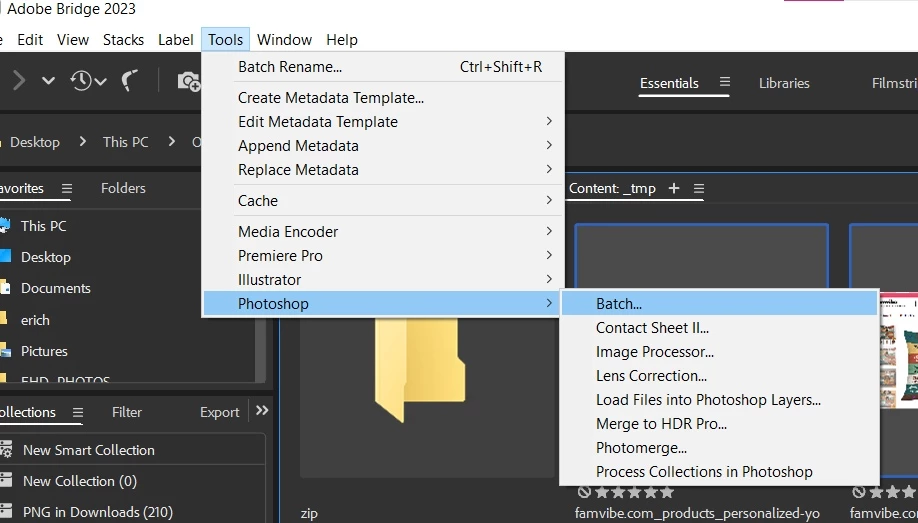
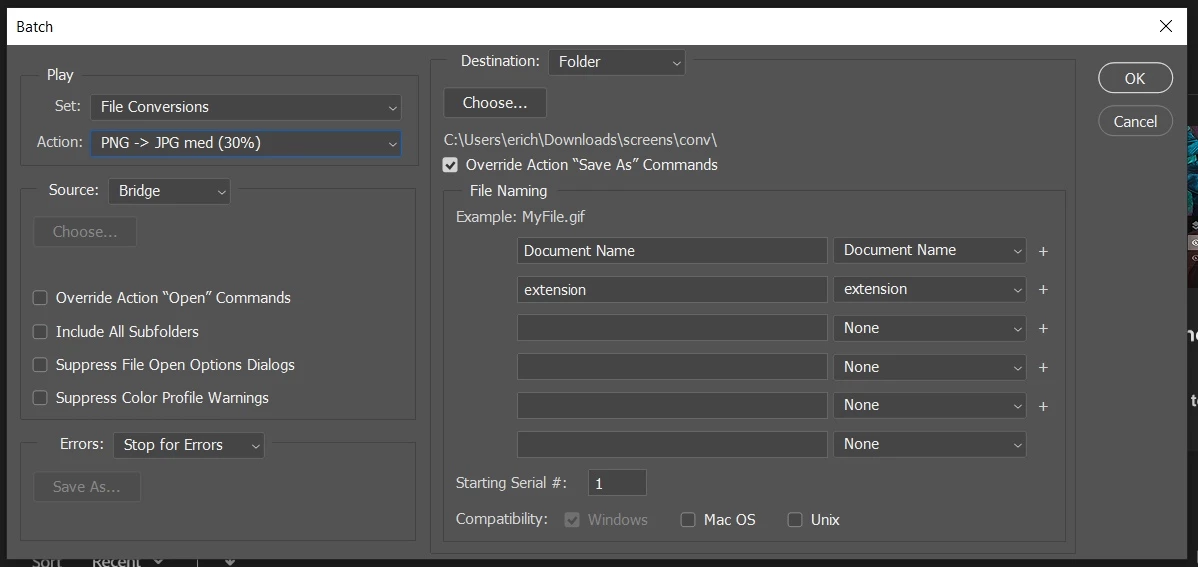
I have found lots of discussions on this forum about preserving EXIF data for camera RAW and JPEG file type, and this doesn't seem to apply to my PNG filetype. I have seen statements that this is "normal" behavior. In that case, I guess I'm doing something outside the norm (but not too far because there are others asking about how to do this as well)
Here are some other details:
- I'm on Windows 10 64-bit
- I have CC sub and regularly use Photoshop and just started learning Bridge
I have not found any way to do this with my setup and it seems like such a simple thing. This video about manually changing dates with a convoluted script in Mac was instructive. And @Conrad_C and @JJMack offered good insight in this forum post, but the OP still had questions at the end about Windows and I suspect the ungiven answers may have helped solve the issue I'm having (possibly).
I reached a dead end in my own research, so I am turning to the community experts for help. Is there anything I can do - with the software I already have (or trusted freeware) - to preserve dates on my converted non-photo images?
All help is appreciated.
 AdChoices