


How to prevent colour cast produced when converting a completely neutral B&W image to Greyscale Gamma 2.2
I'm consistently getting the same problem where the image is displayed with a strong colour cast when it's perfectly neutral after conversion to Grey Gamma 2.2 in PS. I am using Edit>Convert to Profile (Advanced) to select convert to Greyscale Gamma 2.2 The change is instantaneous as preview is selected. I have tried other Greyscale options and all give the same colour cast. My monitors are obviously fully calibrated.
I’ve now tried exported C1 files in Adobe RGB 98 and also Greyscale Gamma 2.2 and they too get the colour cast when converted and opened respectively in PS.
This is a B&W conversion from a normal colour digital camera and I get the same when using those from a Monochrome sensor too.
The image after conversion is perfectly neutral, it prints as such, but the strong cast in PS makes it nigh on impossible to make any meaningful changes and soft proofing is completely out of the question!!
I need to print using Grey Gamma 2.2 for the QuadToneRIP in the making of digital negatives for Pt/Pd prints.
I’ve been through the settings pages and nothing seems untoward. What can I do to rectify the situation please?
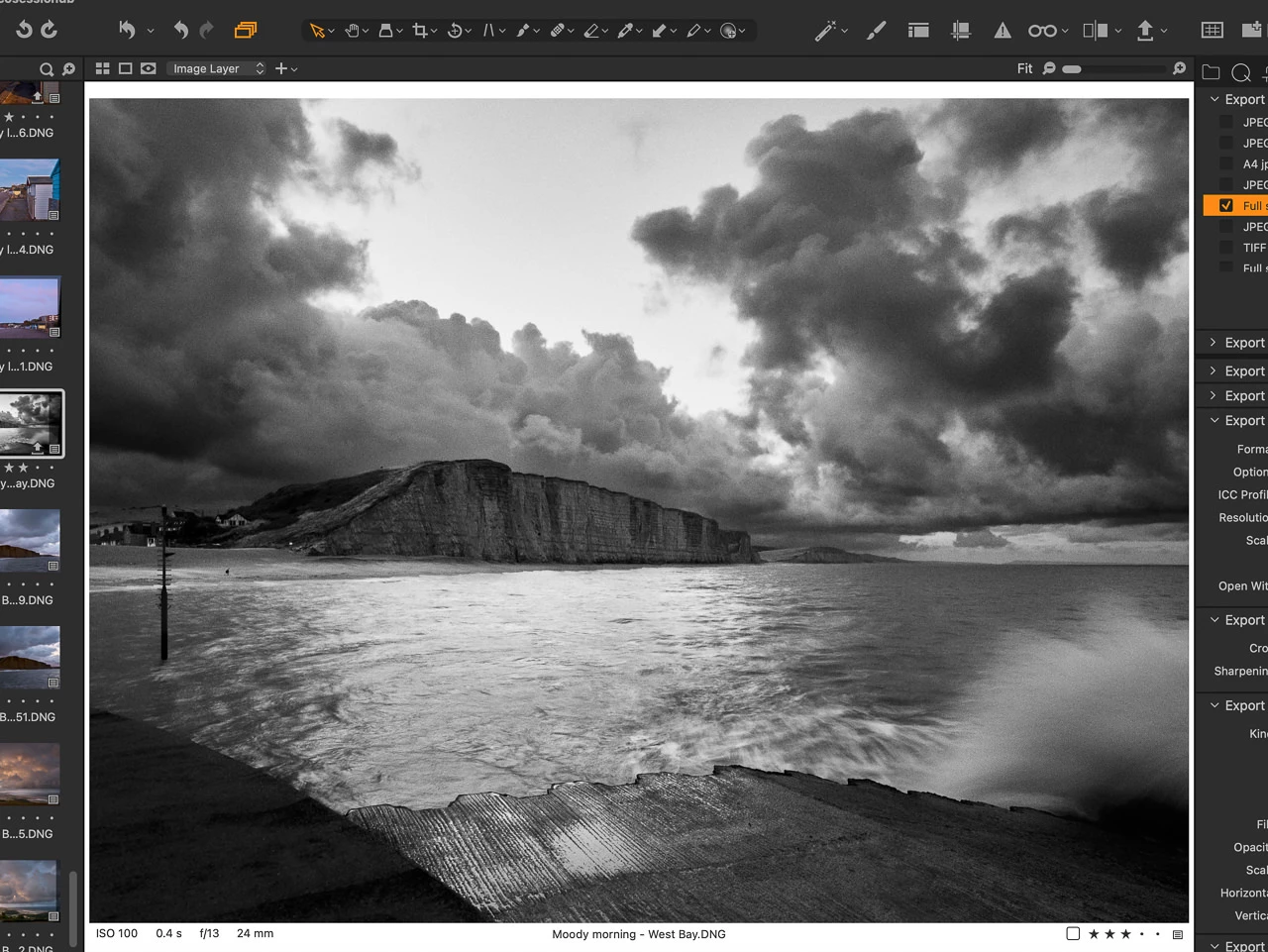
Capture One - No tint in B&W, all channels giving identical values.
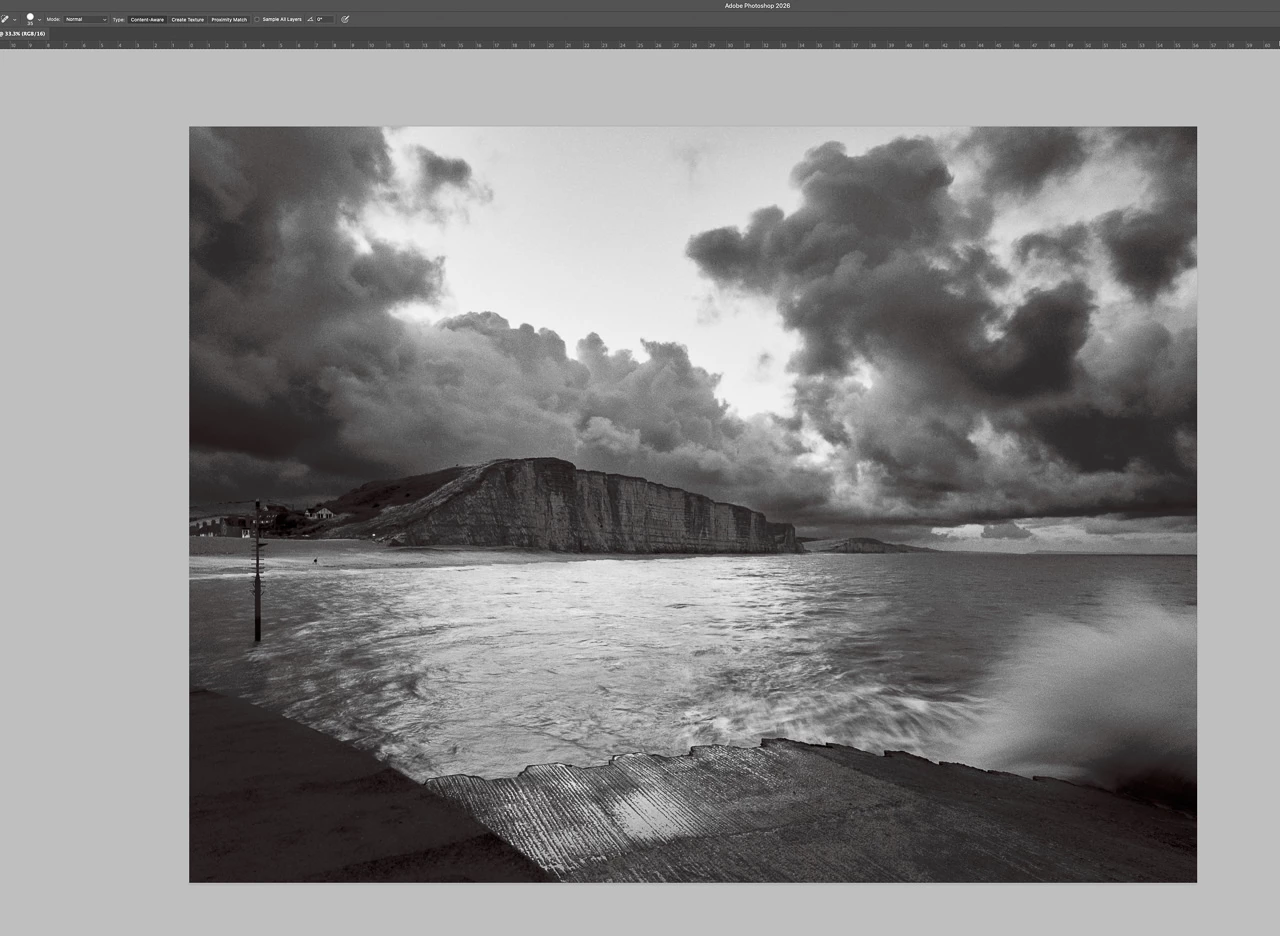
ProPhoto 16 bit RGB file viewed in latest Photoshop.
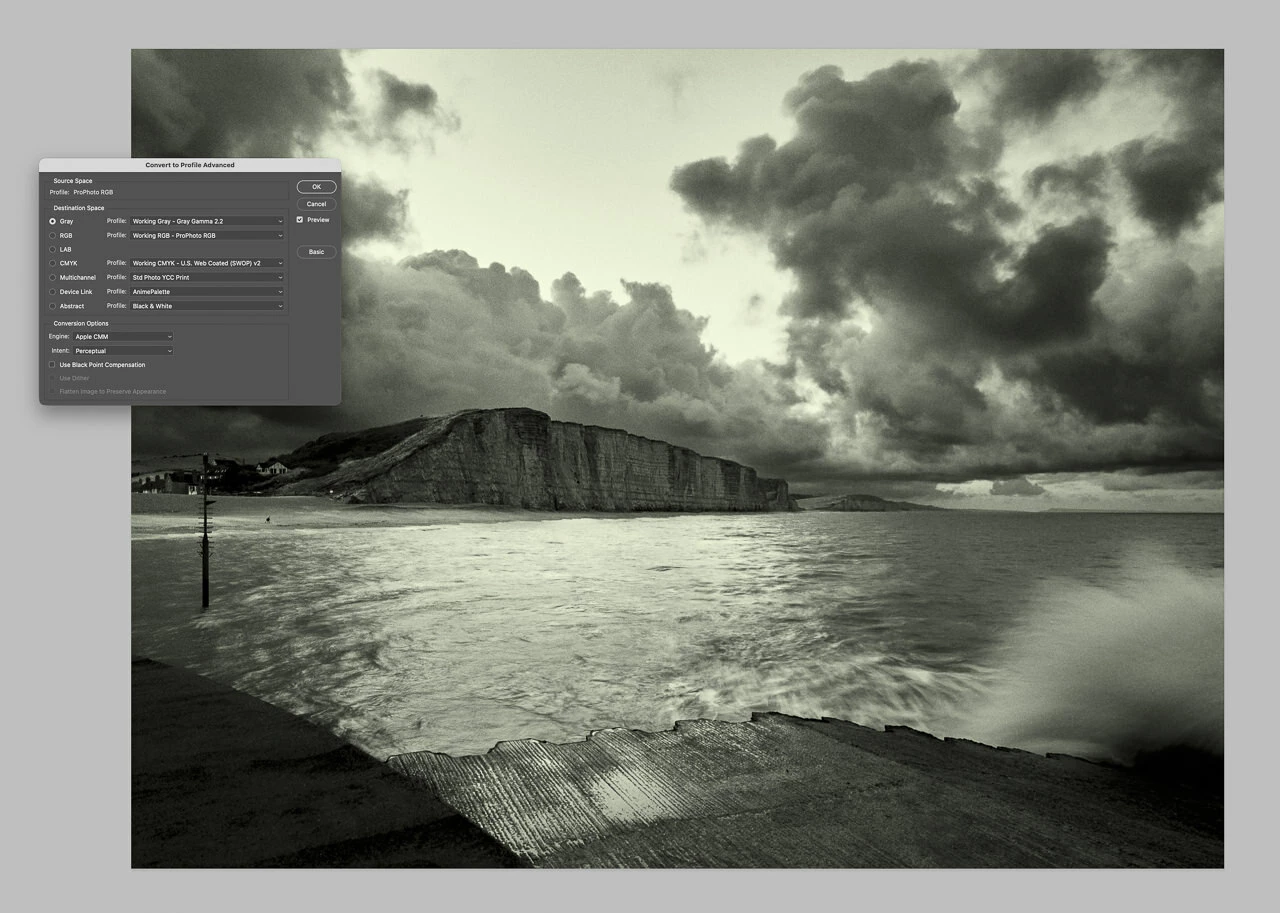
Same file with dialogue to change to Grey Gamma 2.2 via Convert to Profile advanced. Dialogue box shown open with image changing colour. It stays that colour when viewed in PS after conversion. All other greyscale options display the same colour cast.
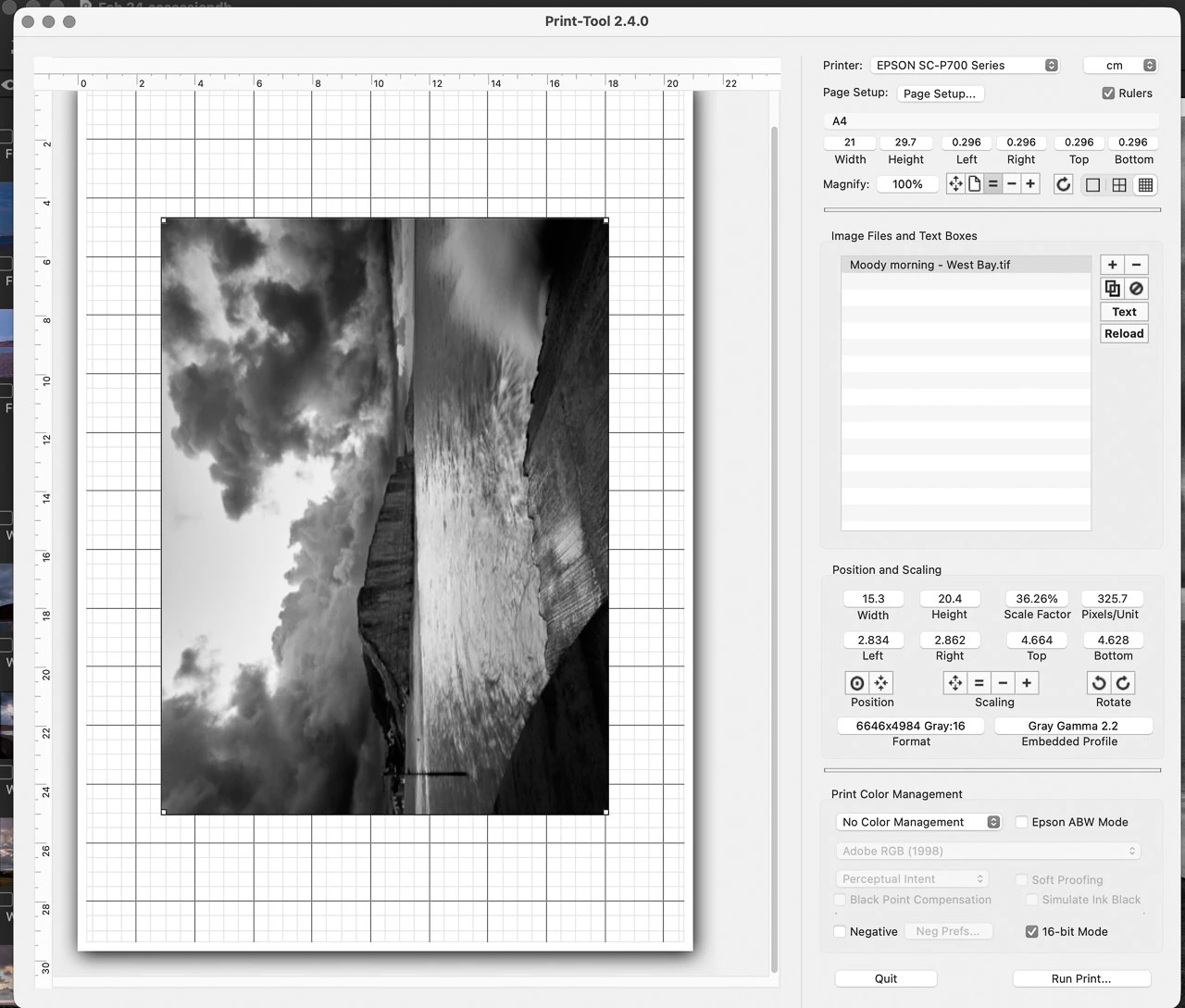
Same Grey Gamma 2.2 file viewed in Print tool. I'm using this for Digital Negatives for Pt/Pd printing. Obviously not shown here converted to a negative!

 AdChoices