I need to record a new action in Photoshop 27.7 and when I find it, it is grayed out. How can I record a new action in 27.7. For the record, it appears to me that Adobe has dumbed down the actions panel in favor of amateurs.
It isn’t dumbed down, actually they upgraded it. You’re right that they made the default presets a little more useful for beginners, but with a minor exception or two, they didn’t take anything away. Beginners can stick with the new Essentials actions (which can do more than the old actions could), but advanced users can get the usual things done in the Yours tab.
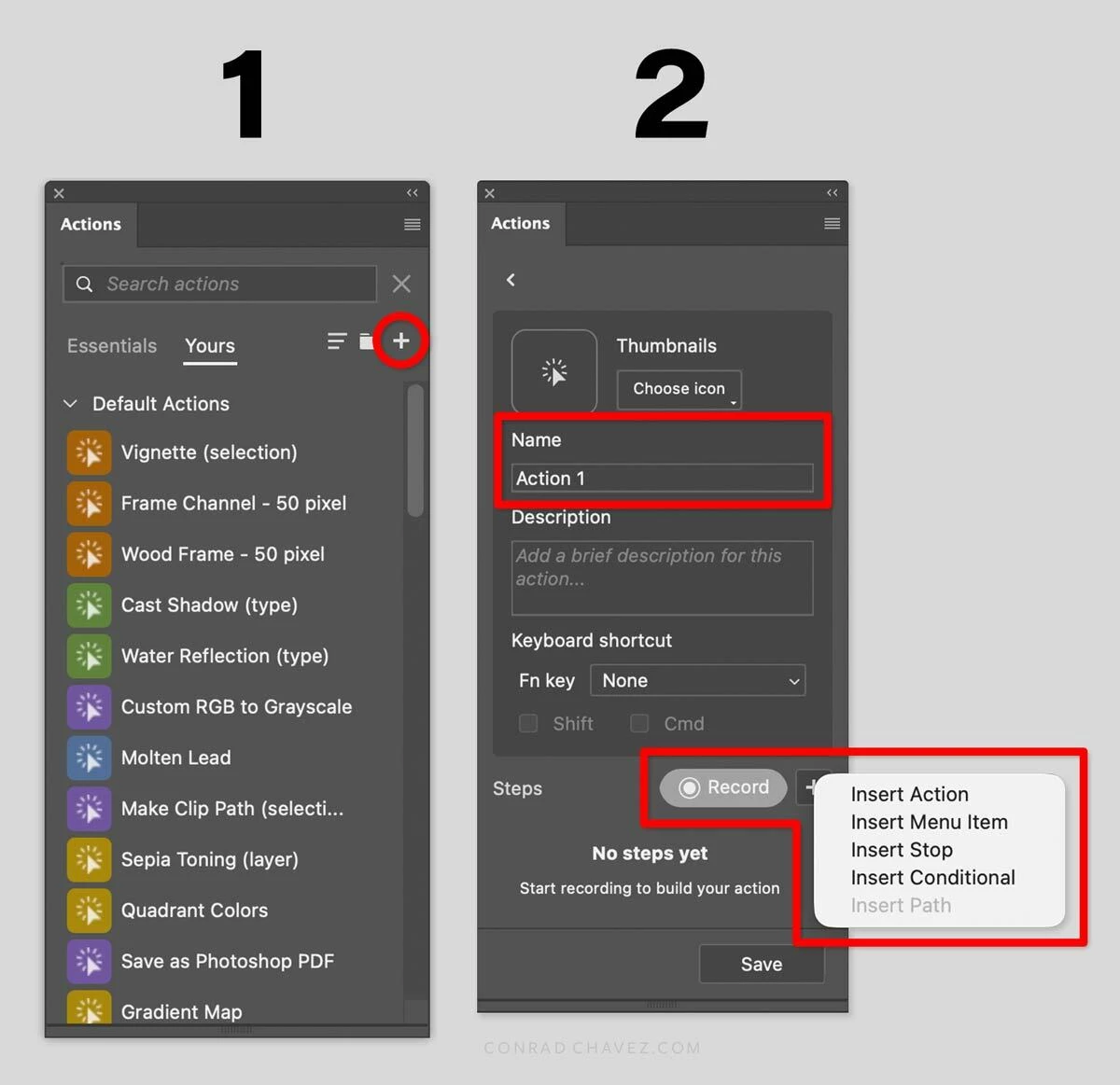
There are probably some good YouTube videos about it, but here’s a quick overview: If you want to create your own action, click the + icon. Your new action is added to the Yours tab of the panel, which is where Photoshop put all my old actions now. I usually just stay in the Yours tab.
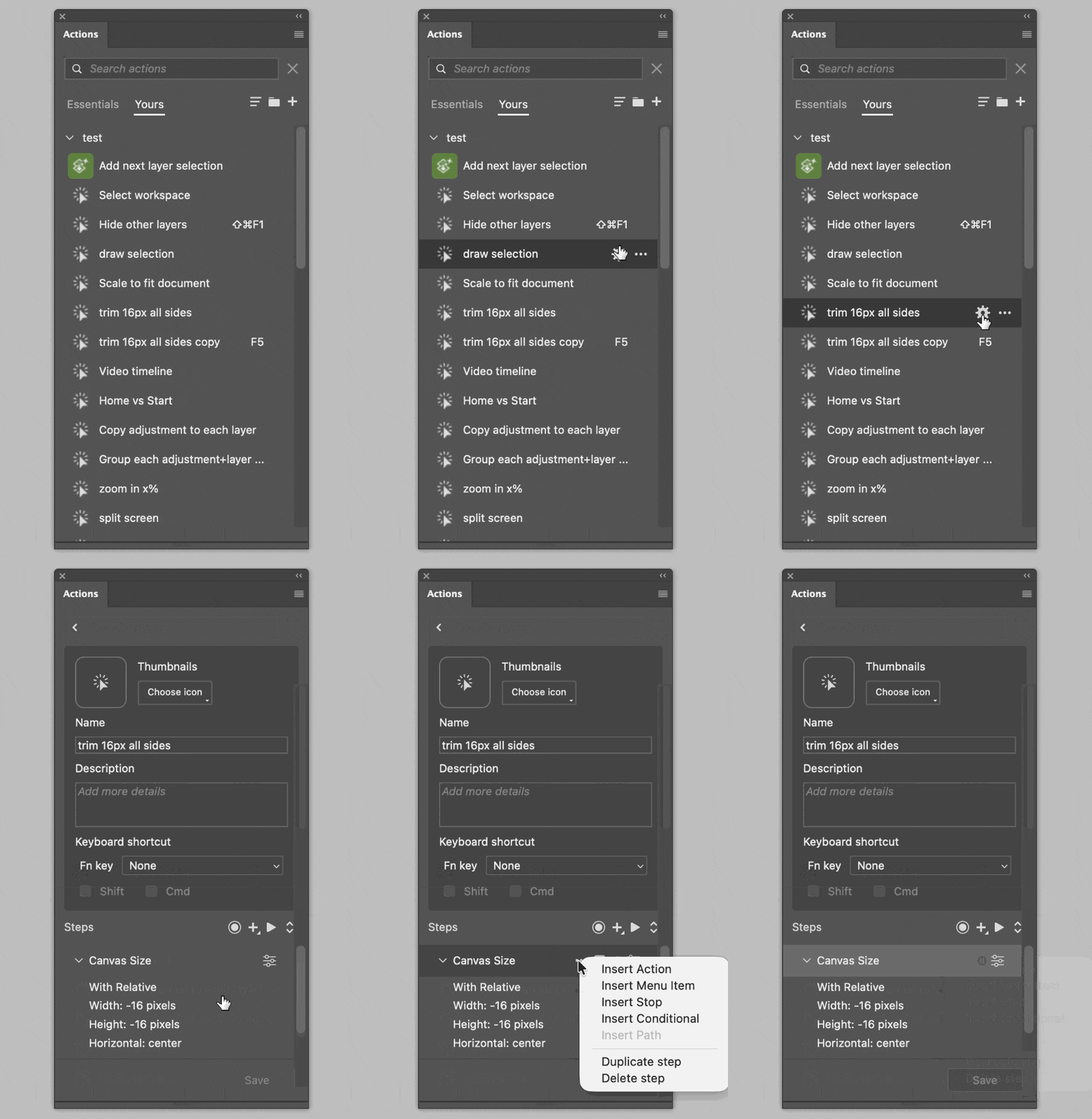
If you want to edit any of your actions, make sure you’re in the Yours tab, and hover over the action. Buttons will appear over that action, including a gear. Click the gear to edit that action. In the action steps, buttons also appear over each step on hover. The ellipsis (…) icon now gives you more immediate access to the step commands so you no longer have to go all the way up to the panel menu for those.
One of my complaints about the old Actions panel is that I like button mode, but if you wanted to create or edit any actions, you had to switch out of button mode. With the new Action panel, you don’t have to do that. It’s in button mode by default, but now you can actually create and edit actions immediately, saving steps.
It isn’t dumbed down, actually they upgraded it. You’re right that they made the default presets a little more useful for beginners, but with a minor exception or two, they didn’t take anything away. Beginners can stick with the new Essentials actions (which can do more than the old actions could), but advanced users can get the usual things done in the Yours tab.
There are probably some good YouTube videos about it, but here’s a quick overview: If you want to create your own action, click the + icon. Your new action is added to the Yours tab of the panel, which is where Photoshop put all my old actions now. I usually just stay in the Yours tab.
If you want to edit any of your actions, make sure you’re in the Yours tab, and hover over the action. Buttons will appear over that action, including a gear. Click the gear to edit that action. In the action steps, buttons also appear over each step on hover. The ellipsis (…) icon now gives you more immediate access to the step commands so you no longer have to go all the way up to the panel menu for those.
One of my complaints about the old Actions panel is that I like button mode, but if you wanted to create or edit any actions, you had to switch out of button mode. With the new Action panel, you don’t have to do that. It’s in button mode by default, but now you can actually create and edit actions immediately, saving steps.




 AdChoices