


Answered
How to recreate this halftone grid-style info poster effect in Illustrator or Photoshop?
Hi everyone,
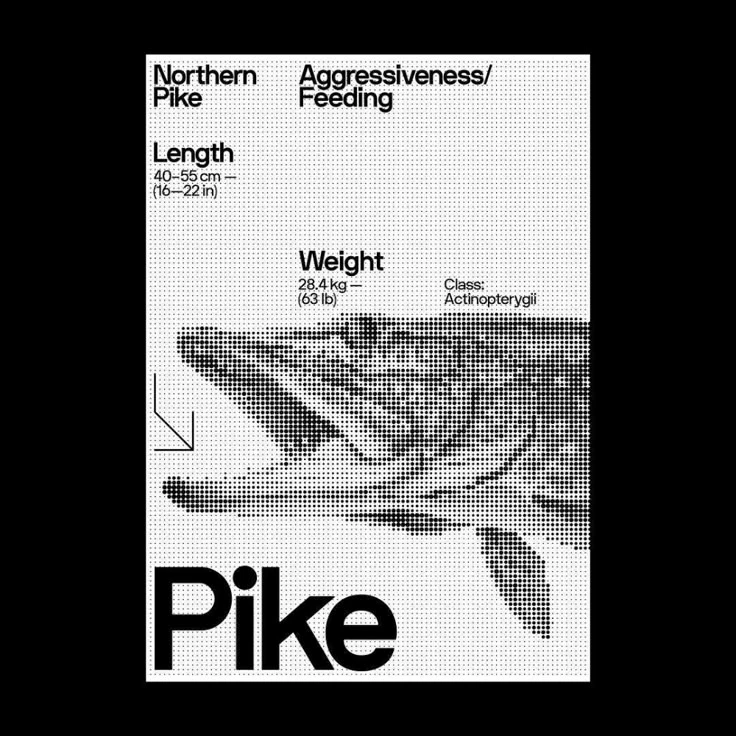
I’m looking to recreate a design like the one in the attached image — it has a bold, editorial layout with halftone-style illustration and clean typography. The dotted halftone effect forms the image of a fish, while the text is sharply set against a grid-like background. It feels very modular, almost like a scientific or retro display poster.
I’d love help figuring out:
How to create the halftone effect over an image cleanly, like this pixel/dot raster look
How to keep the layout clean and aligned — is there a smart way to set up a grid like this in Illustrator?
Best fonts or typographic approaches to match this bold, modern-scientific style
Any tips, tutorials, or plugin recommendations would be amazing. Thank you!

 AdChoices