


How to remove a mysterious blue box, NOT a layer, that has appeared over my layout?
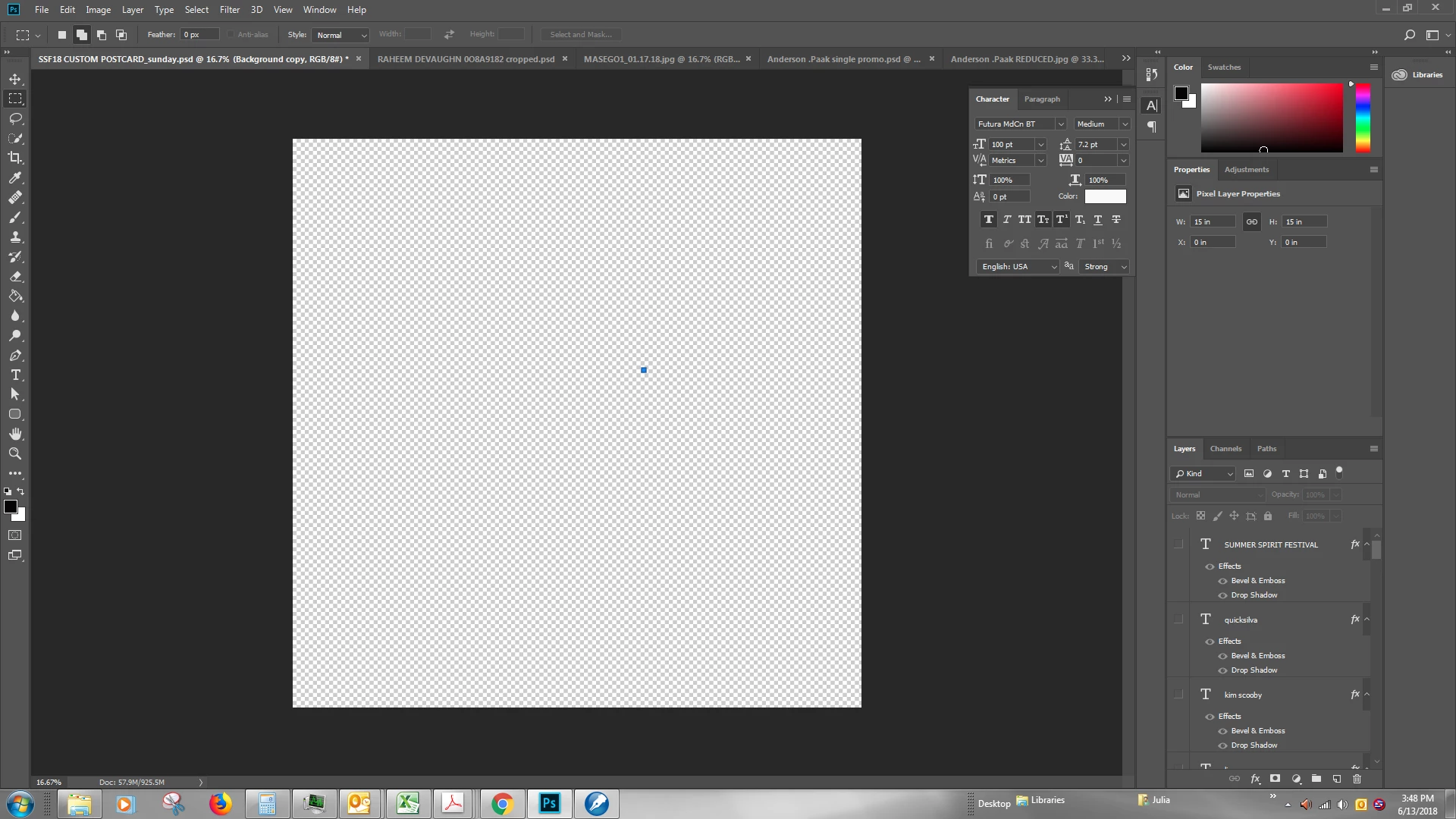
I've been designing a promotional postcard that has dozens of layers and have put a few days into it. Today, as I'm 80% done, a small blue box has appeared over top my design. I assumed I'd managed to either corrupt my base layer or to insert a shape unwittingly. I was surprised because, although I am not a graphics professional, I have using Photoshop for more than a year now and have designed dozens of similar works. I decided to deselect all the layers trying to find my error. It is down to blank canvas and the box remains. I've tried creating a new base layer, in hope it would overlay the box. Did not work. There are NO layers selected, so I knew that was a long shot, but I'm desperate. Help? I have searched on here and found info about layer bugs and a variety of different issues, but not this one. My other photoshop files are fine. No blue box. Including ones of similar size and complexity.
 AdChoices