
Known Participant
June 25, 2022
Answered

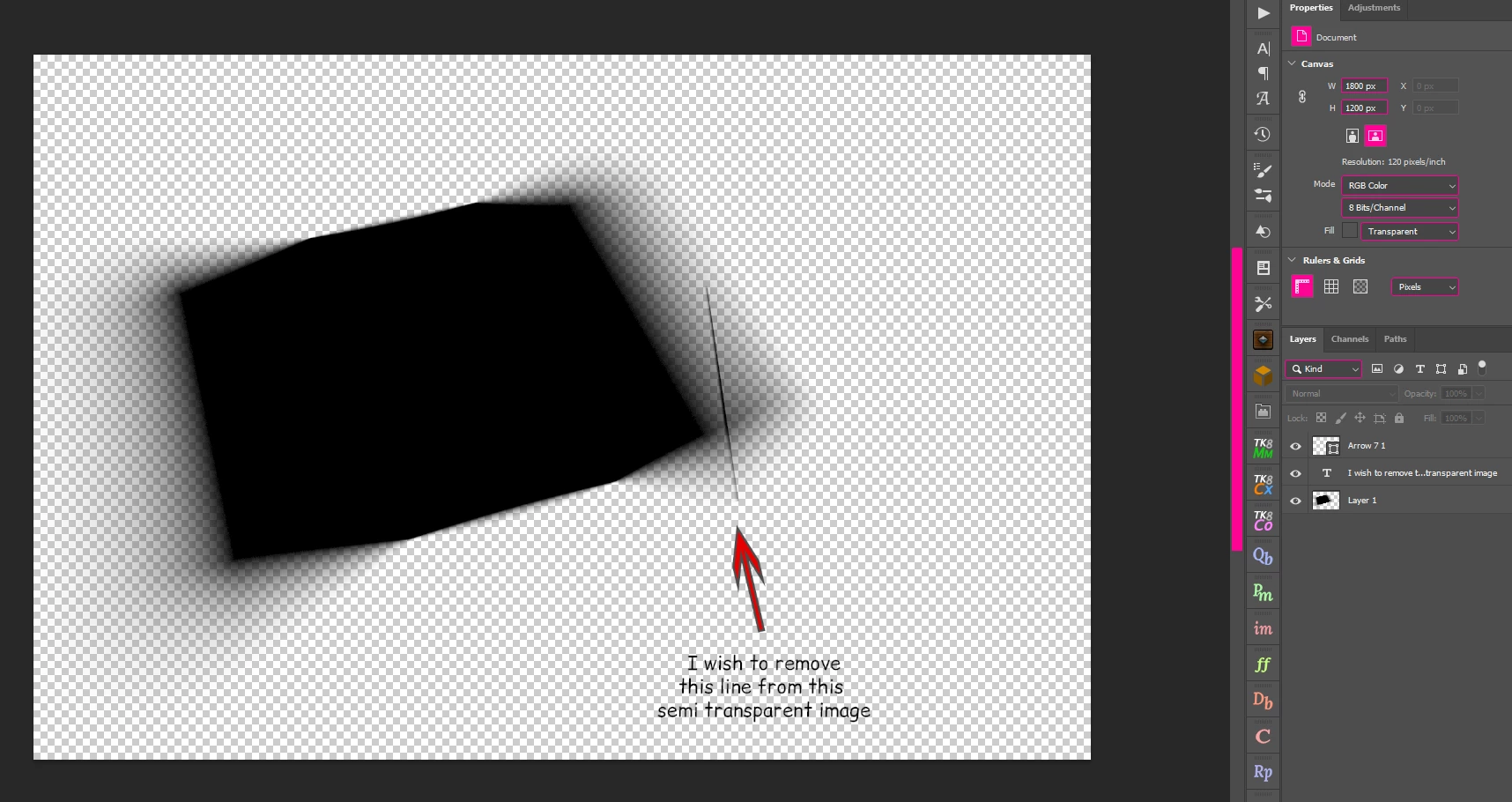
How to remove imperfections from a semi transparent image, but keep the same look

  • June 25, 2022
  • 3 replies
  • 1032 views
Hi Photoshop Experts I try to remove a black line on a semi transparent image, I tried to remove with the healing brush, content aware, and also clone stamp tool but I can't remove the black line the way I wish
Here is the video I recorded from the problem:
Also here is the file is somebody want to try it outm, here is the original file:
https://i.postimg.cc/sxQP3NHg/shadow.png
 
Correct answer davescm

Try making a layer mask from transparency (Layer > Layer Mask > From Transparency)

Then, on the layer mask, use the spot healing brush.

When happy - Apply the layer mask (Right click and Apply Layer Mask) to return to the layer with transparency.


Dave

3 replies

davescm
Community Expert
davescmCommunity ExpertCorrect answer
Community Expert
June 25, 2022

Try making a layer mask from transparency (Layer > Layer Mask > From Transparency)

Then, on the layer mask, use the spot healing brush.

When happy - Apply the layer mask (Right click and Apply Layer Mask) to return to the layer with transparency.


Dave

Zaki McZader
Inspiring
June 25, 2022

What Dave suggested works just fine.

Zesty_wanderlust15A7
Known Participant
June 25, 2022

Depends how critical you are or what comes under this shadow. I've seen PS do better when having to fill in for gradient fills. Can't get it invisible here...

At least it doesn't have the Patch Tool bug with this method.

Zesty_wanderlust15A7
Known Participant
June 25, 2022

You're not trying very much inside the tools? The modes/settings can be day and night.
I feel the Patch Tool in Content-Aware should do this, yet...

(1) I can't get it to not leave behind these "ant gaps"...? (This seems to be because I only selected the Patch Tool after drawing a rectangle. Drawing around it with the tool itself kinda gets you there or is the closest fix for me.)
(2) I see I also have the reported Patch Tool bug in some modes. How every PS version has such bugs in even the basic important tools boggles the mind...  I thought v23.3.1 was doable for a good while.

Jumpenjax
Community Expert
Community Expert
June 25, 2022

Hi, have you tried the healing or clone tool. Maybe you can take a piece from another corner, flip rotate to line up and then clone the lighter line in the gradient section.

Lee- Graphic Designer, Print Specialist, Photographer