
maxwithershins
Participant
May 13, 2026
Answered

How to Remove Vertical Lines from an Old Photo Restoration? Attachment Issues Too!
  • May 13, 2026
  • 5 replies
  • 73 views

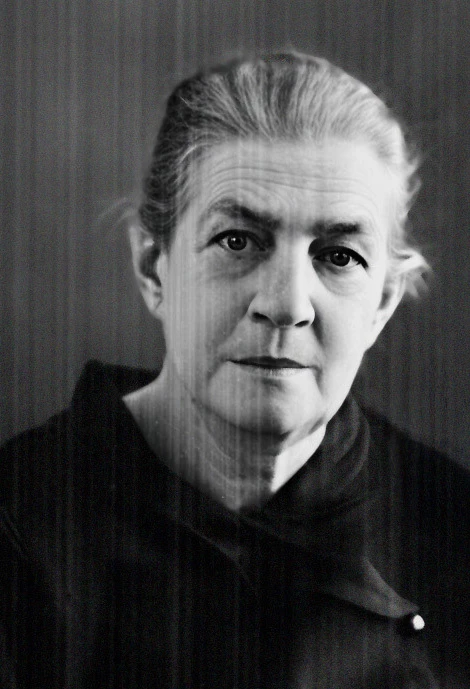
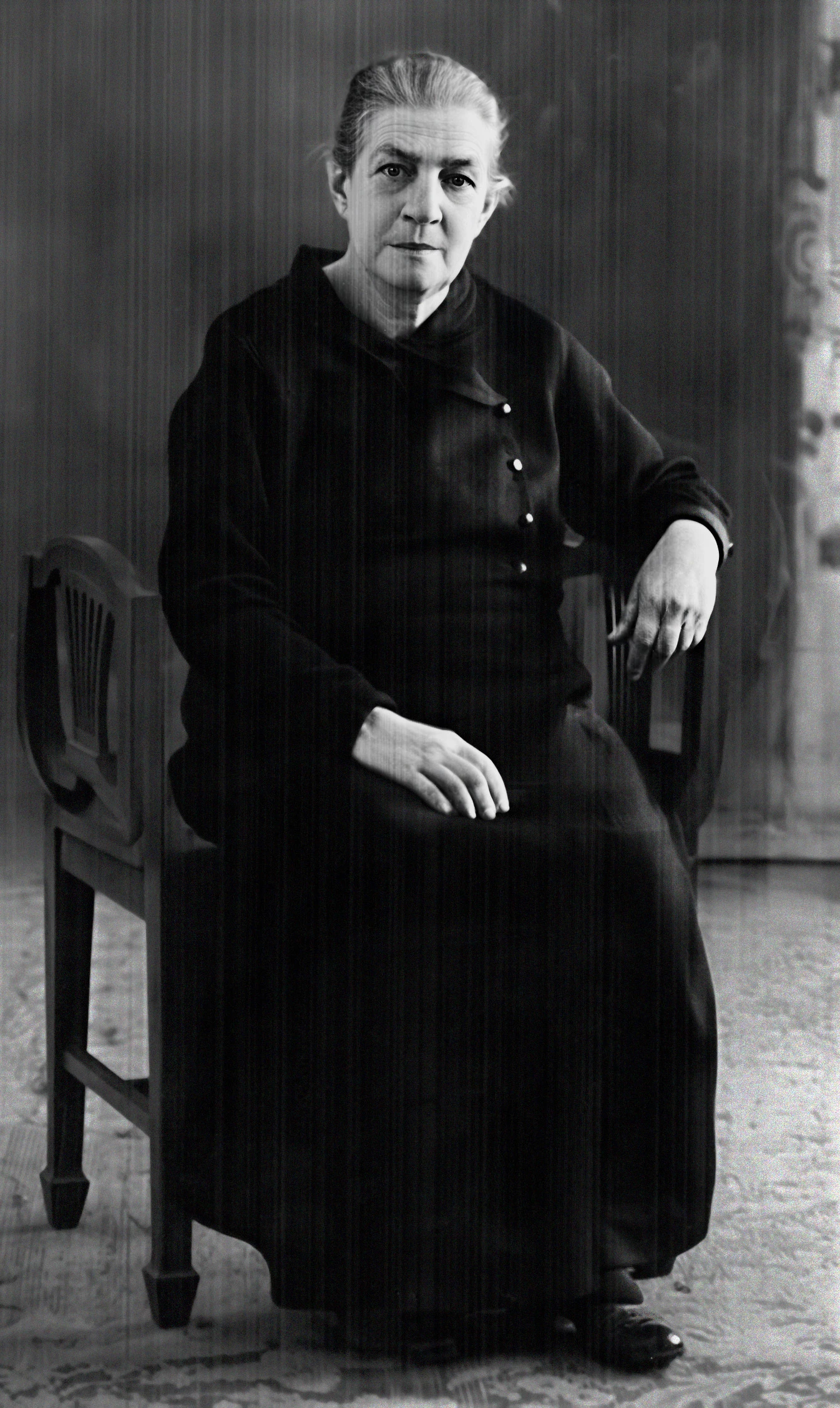
There are vertical lines throughout an old photo I'm restoring, and I haven't figured out how to eliminate them. Ideas welcome! Apparently there's no way to add an attachment here, which renders this query useless...

Ah; OK, here we go. I’m not sure if the lines were the result of a texture on the original photo, but I would like to remove them if possible.
    Correct answer maxwithershins

    Conrad and Trevor -

    I could not get your idea to work, Conrad. When using the entire photo (which I did not upload earlier, but will now), every time I tried it, Photoshop/Firefly (1 and 3) simply generated an entirely new image that had nothing whatsoever to do with the original. Beach scenes, flowers; totally random. Bizarre behavior, indeed!

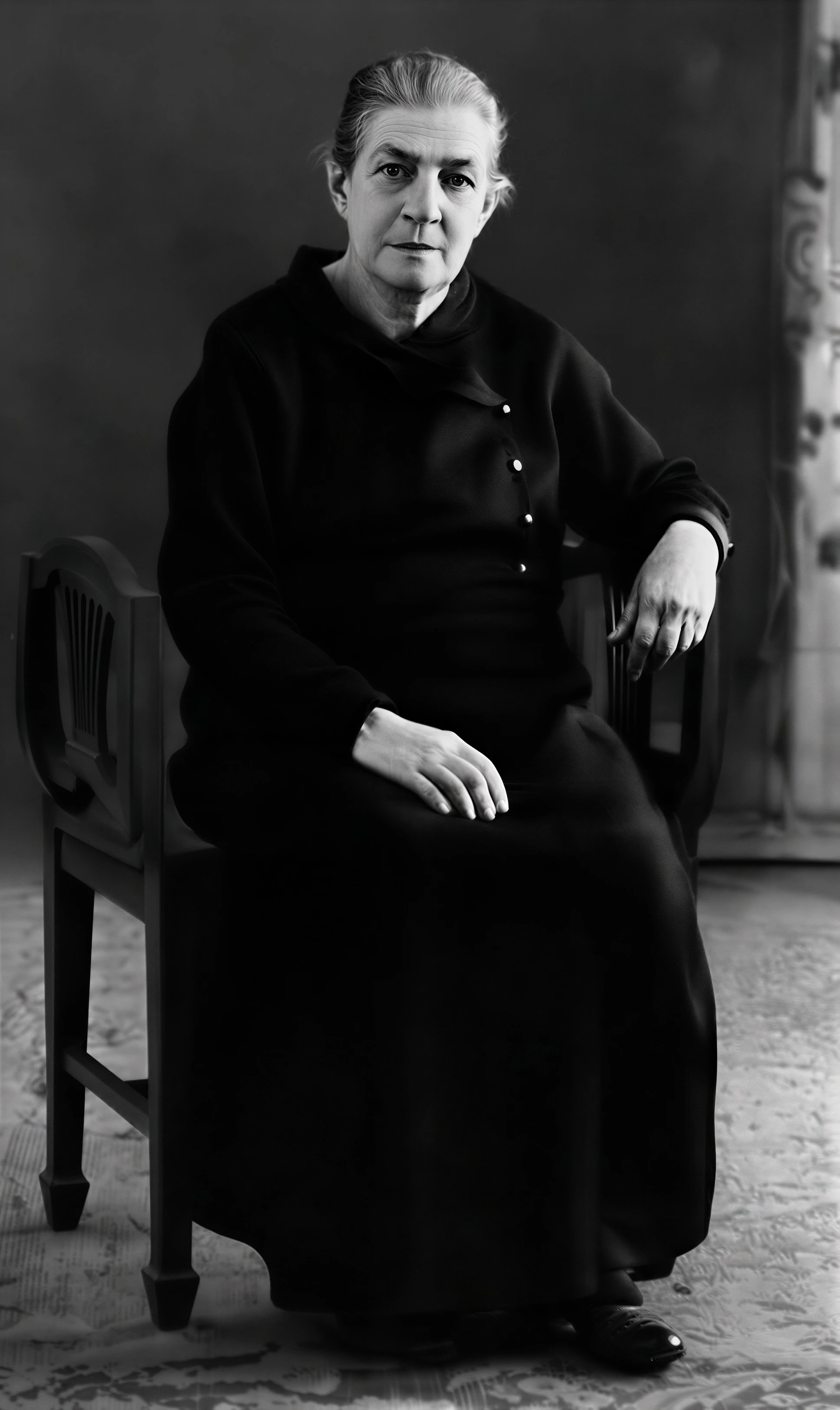
    But you all did give me the idea to use ‘outside’ A.I. methods, so I simply ran it through ChatGPT and it nailed it on the first try. No discernible (by me) changes to the subject, either, aside from a very slight reduction in overall resolution, which I fixed by running it through letsenhance one more time. Final result also attached.

    Thanks for the suggestions!


    5 replies

    maxwithershins
    Participant
    May 15, 2026

    Ah! I see. I missed that (which model was in use) when watching Conrad’s video earlier. Moot point, however; I’m still limping along on an Intel Mac, so cannot run anything newer than Photoshop 2025 26.11.5 Release. Which, of course, has only Firefly 1 and 3.

    So I’m afraid I’m no help with your Generative Credits question, either. I’ve never had to buy extra credits, as I’m on the full CC subscription.

    Very nearly time to upgrade the hardware. Long past time, actually.

    Thanks again for the suggestions.

    maxwithershins
    maxwithershinsAuthorCorrect answer
    Participant
    May 15, 2026

    Conrad and Trevor -

    I could not get your idea to work, Conrad. When using the entire photo (which I did not upload earlier, but will now), every time I tried it, Photoshop/Firefly (1 and 3) simply generated an entirely new image that had nothing whatsoever to do with the original. Beach scenes, flowers; totally random. Bizarre behavior, indeed!

    But you all did give me the idea to use ‘outside’ A.I. methods, so I simply ran it through ChatGPT and it nailed it on the first try. No discernible (by me) changes to the subject, either, aside from a very slight reduction in overall resolution, which I fixed by running it through letsenhance one more time. Final result also attached.

    Thanks for the suggestions!


    Trevor.Dennis
    Community Expert
    Community Expert
    May 15, 2026

    @maxwithershins None of the Firefly models would work in this instance.  Like you say, they tend to produce a completely different image with different people, that fit somewhat to the prompt you use.  The Flux models would get close, but the Gemini Nano Banana models are your safest bet.


    I was horrified when I saw someone with the CC Photography plan post a screen shot of their Generative Credits recently seeing that they only had 100 credits a month. Do you have the partner models as ab option?

    With a full CC subscription, with all of the apps, you get 4000 credits, plus another 4000 if you pay for Firefly Pro.  Gemini 3.1 has been using 10 credits for me with still images, but it can use up to 40 — I’d love to know how that works, and what would use the full 40 credits if anyone knows that?

    Photoshop (beta) has this tiny icon in the CTB that opens the very useful panel below. I suspect that most of this forum’s regular posters use the beta version by default, because it has the new features that have not yet made it to the Release version.


    Conrad_C
    Community Expert
    Community Expert
    May 14, 2026

    Sometimes lines like that can be caused by scanning a photo album where the pages cover the photos with clear plastic. The lines might be minor imperfections in the clear plastic that are not normally distracting, but more noticeable when scanned. A less likely cause is an old, defective scanner.


    I don’t do this very often, but based on other similar posts I’ve seen in this community, I gave it a try with the posted photo. The steps I used in the demo below are:

    1. Select All so that the Generative Fill button appears in the Contextual Task Bar.
    2. Click Generative Fill and enter a prompt. I used “Remove the unwanted vertical lines, leaving the woman unchanged” but maybe there’s a better one.

    The results weren’t perfect. Some lines weren’t removed, and the face got a little wider for some reason. But, if the results are a better starting point that saves a lot of time, maybe it’s worth it to make the few remaining adjustments. And again, maybe a different prompt or a different AI model would work better.


    Trevor.Dennis
    Community Expert
    Community Expert
    May 14, 2026

    Looking at your Prompt Conrad, I think we definitely need to add the ‘Keep the image/person/whatever’ to our prompts.  I was getting so used to trusting NB3.1 I omitted that from my prompt with my brother, and it changed his eye direction.  I could have used another ten points and run it again, but chose to do it manually.  


    One of the Photoshop channels I follow mentioned not using Eye Candy 7 nearly as much as they used to, and I realised it was the same with me.  It does do a half decent blood veins for eyes though.  This is 200%

    I definitely have to sometimes think about how to do stuff that I used to do routinely pre-Ai tools, so it’s not a bad idea to go old school now and again.

    Trevor.Dennis
    Community Expert
    Community Expert
    May 14, 2026

    I came across a similar issue a couple of days ago restoring old family photos. This is zoomed to 340%.  I knew from the start how I would probably fix it, but tried a bunch ways without success.


    I have Topaz Studio, which I have been using on some faded and blurry B&W scans, but in every case I’m using Nano Banana 3.1 as the final step.  My prompt for this was


    Remove vertical scan lines. Improve contrast. change focus making everything sharp. colorize.

    I couldn’t resist using a similar prompt on your image, (it only used 10 credits, and I have plenty).  NB is orders of magnitude better than Neural Filters at colorizing.

    Purists will say this is not the same person, but it looks like the same person, and non photographers will think it is amazing.  I could have specified the colour of her top, but NB is probably not a million miles out.

    You can up-res up to 6 times with Gigapixel using a range of models, although it can start to look over processed and plasticky if you go too far.  This is x6 using the Topaz Standard model in Gigapixel, with no additional sharpening.


    Legend
    May 14, 2026

    Bad scan. Someone in this community will have an idea how to use Ai to restore this image.

    Larry