
Participant
April 20, 2021
Answered

How to remove white edges around image non-manually

  • April 20, 2021
  • 2 replies
  • 18420 views

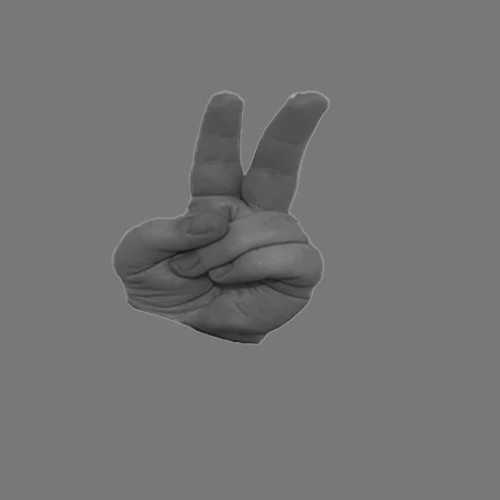
Hello there, for an experiment I needed to transform a lot (60) images of hands to suit certain paramters (size, grey background, 500x500 canvas size etc).


After batch transforming them all, quite a lot of them have a white halo/border that I can't seem to be able to remove without going in and getting a paintbrush manually. I've tried Layer -> Matting -> Remove white matte, but sadly this only resulted in a similar, black border being formed, which is just as undesirable. 


Any solutions on how to do this? 


Thank you so much for any help.
 

This topic has been closed for replies.
Correct answer Kukurykus

Yes of course, it's just like I said one of first step. Next one should be for ex. to add Mask User.

2 replies

Trevor.Dennis
Community Expert
Community Expert
April 20, 2021

I'd intended to use Select Subject followed by Select > Modify > Contract by a couple of pixels.  Then either copy the selection top a new layer, or invert the selection and delete the fringing.  It worked out the Select Subject largely ignored the white fringe though, so I just used Ctrl J to copy to a new layer.

What was left by this process was so slight it was an easy job to add a layer mask and paint out the remaining fringe with black.


One more point... Your original image was very flat and lacking in contrast, which makes the selection more difficult. If they are all like that, it might pay to use a curves or Camera RAW adjustment to improve that.  If they are all greyscale it might also be worth working in 16 bit. 

Kukurykus
Legend
April 20, 2021

Did you try 'Select Subject' as one of first steps of your action?

Participant
April 20, 2021

Yes, I have. I did that as well prior to this to be able to transform the image. Right now it selects the white halo around it


Kukurykus
KukurykusCorrect answer
Legend
April 20, 2021

Yes of course, it's just like I said one of first step. Next one should be for ex. to add Mask User.