Known Participant
Jan 30, 2024 11:50 PM UTC
Answered

How to remove x-y coordinates indicator when adjusting a path?

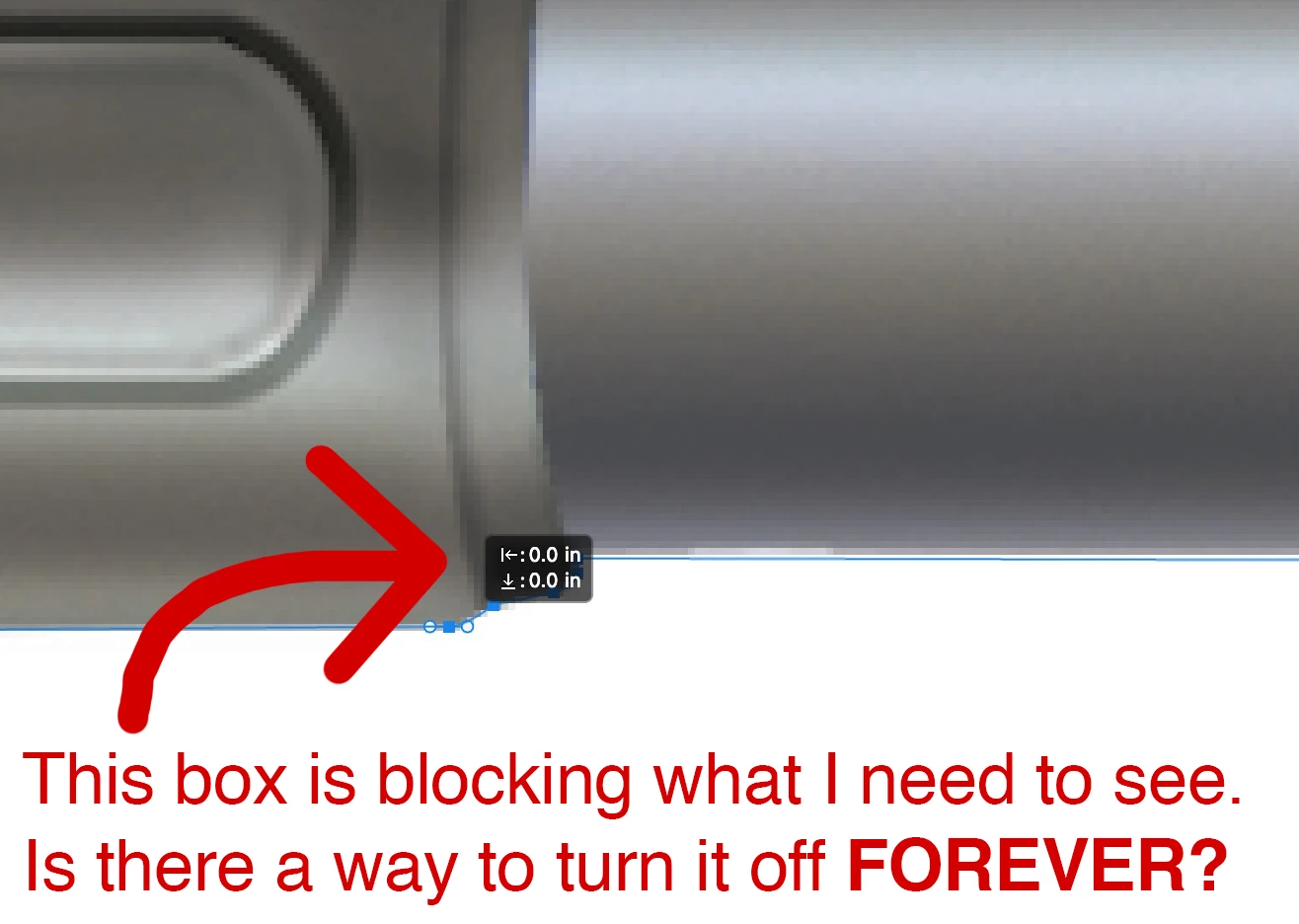
The tiny black x-y coordinate indicator gets in the way when I'm adjusting a path. How do I turn it off?

The attached image explains it better, sinceI'm not sure the right terminology, and there are several parts of the interface that could count as an "x-y coordinate indicator".

Thanks!
gener7
gener7Correct answer
Community Expert
Jan 31, 2024 1:39 AM UTC


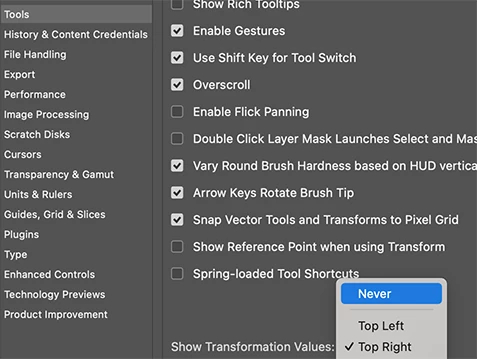
Under Photoshop Preferences > Tools > Show Transformation Values, select "Never".


4 replies

gener7
Community Expert
gener7Community ExpertCorrect answer
Community Expert
Jan 31, 2024 1:39 AM UTC


Under Photoshop Preferences > Tools > Show Transformation Values, select "Never".


Translate
Known Participant
Jan 31, 2024 6:16 PM UTC

YES.... THANK you so much. I looked everywhere. Can't believe I missed that.

Translate