

Chris  P.  Bacon
Inspiring
December 26, 2022
Question

How to set the lightness and brightness value right when changing the color of a paper texture?

  • December 26, 2022
  • 2 replies
  • 1125 views

I am following this tutorial

How to Change the Paper Color in Photoshop | RetroSupply Co.

to change the color of my paper texture.
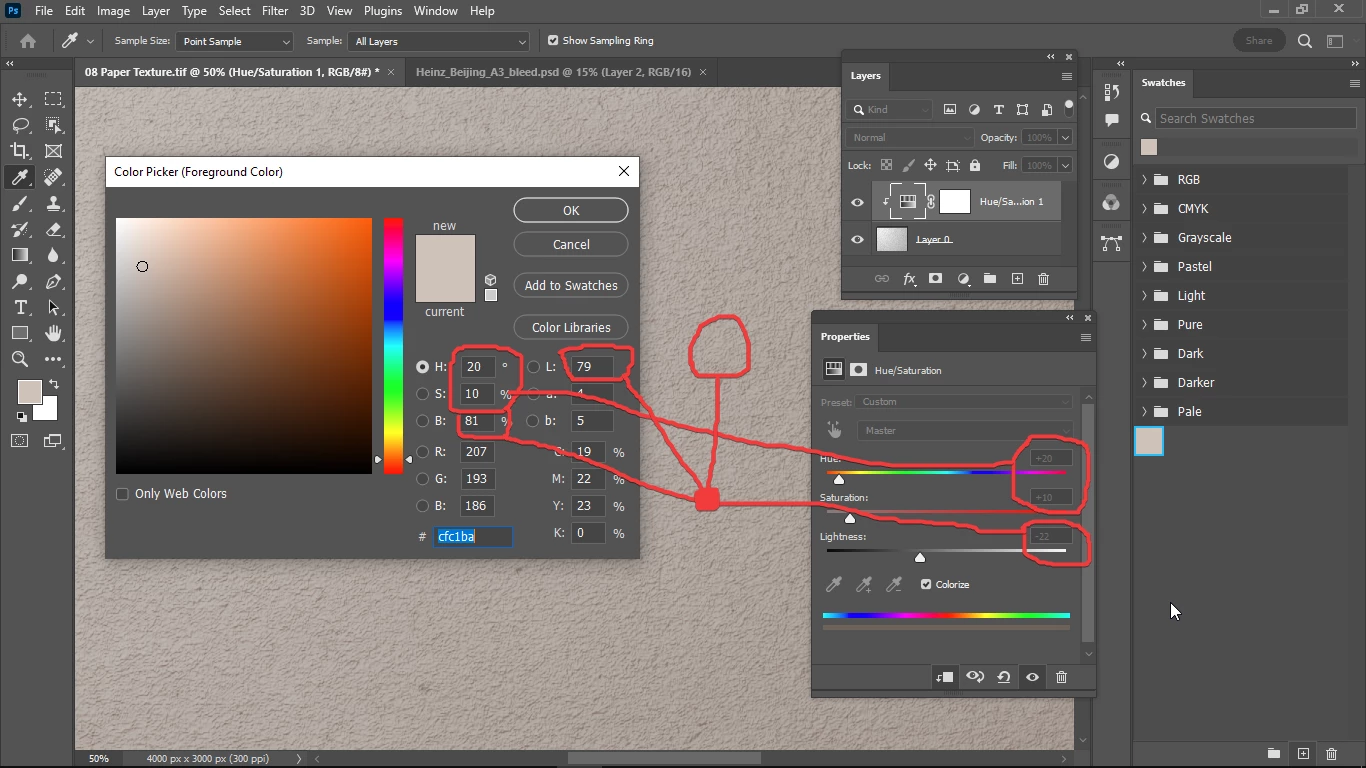
But the lightness value that would match my desired swatch color of -22 doesn't match the lightness and brightness values in the color picker (my choosen foreground color) panel.

How do I set the same lightness and brightness value in my Hue / Saturation panel, to match my swatch color?

This topic has been closed for replies.

2 replies

Mylenium
Legend
December 26, 2022

If you just want to change the color, use a colored solid on top and change the blending mode to color. No point in messing around with dynamic adjustments.


Mylenium

Chris  P.  Bacon
Inspiring
December 26, 2022

I was thinking about this was not sure which would be easier.

TheDigitalDog
Inspiring
December 26, 2022

The technique outlined is rather silly but to answer your question the numeric scale (-22) is Lstar so you need to be viewing Lab values. And you need a and b star values.

Let the output profile handle all this.

You seem (?) to want an Absolute Colorimetric conversion which will map paper white.

Author “Color Management for Photographers" & "Photoshop CC Color Management/pluralsight"
Chris  P.  Bacon
Inspiring
December 26, 2022

If you mean this is not a good or accurate way to set a paper texture color exactly to a swatch color, is what @Mylenium  said accurate or good enough?

TheDigitalDog
Inspiring
December 26, 2022
quote

If you mean this is not a good or accurate way to set a paper texture color exactly to a swatch color, is what @Mylenium  said accurate or good enough?


By @Chris P. Bacon

Only if you measure the paper color (and get Lab values).

Author “Color Management for Photographers" & "Photoshop CC Color Management/pluralsight"