

dublove
Legend
Nov 19, 2026 8:05 AM UTC
Answered

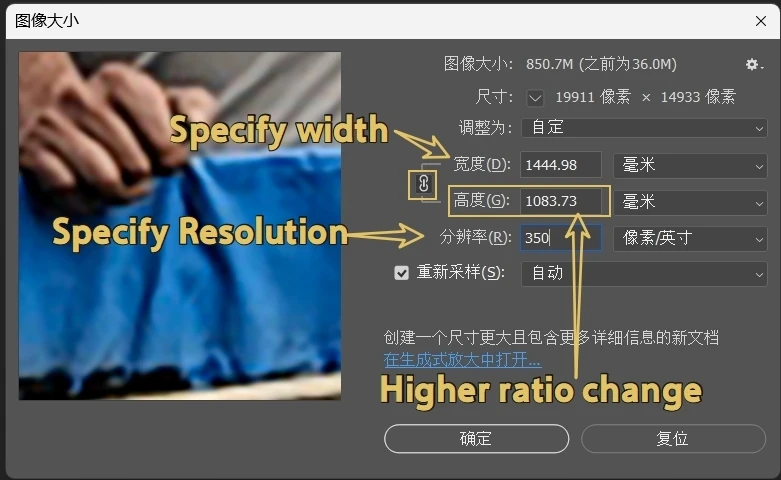
How to specify only the width and resolution when opening an image with a script in Photoshop, so that the height automatically changes proportionally?

I have pre specified the width, height, and resolution of the image. Unfortunately, due to the inability to directly and accurately obtain dimensions in InDesign, sometimes the width and height obtained in PS are incorrect.
Now I want to ask: Can it be achieved if only the width and resolution are specified, and the height varies proportionally with the width in ps?
    function openImage(imPath, myResolution, iw, iw) {

app.bringToFront();
app.preferences.rulerUnits = Units.MM;

try {
var myFile = new File(imPath);
var myDoc = app.open(myFile);
} catch (e) { }

myDoc.resizeImage(iw, ih, myResolution, ResampleMethod.BICUBICSMOOTHER);
sTID = function (s) { return app.stringIDToTypeID(s); };

 

    Stephen Marsh
    Stephen MarshCorrect answer
    Community Expert
    Nov 19, 2026 10:32 AM UTC

    ​@dublove 

    I'm not in front of Photoshop, but you can try setting the height variable to either null or undefined or perhaps just remove the parameter from the function call.


    3 replies

    Stephen Marsh
    Community Expert
    Stephen MarshCommunity ExpertCorrect answer
    Community Expert
    Nov 19, 2026 10:32 AM UTC

    ​@dublove 

    I'm not in front of Photoshop, but you can try setting the height variable to either null or undefined or perhaps just remove the parameter from the function call.


    Translate
    dublove
    dubloveAuthor
    Legend
    Nov 19, 2026 11:08 AM UTC

    ​@Stephen Marsh 

    I tried it and it seems like a good idea.
    Solved my long-standing confusion.
    I really can't understand why InDesign's Dimensions doesn't provide interfaces.
    I have tried many images and found that this value is the sub-pixel resolution in PS.


    It is not the camera information "image size" under XMP of the image

    Translate
    D Fosse
    Community Expert
    Community Expert
    Nov 19, 2026 10:21 AM UTC

    The standard way to deal with different aspect ratios is to not use Image Size, but instead use File > Automate > Fit Image. This resizes based on the long side, letting the short side fall wherever it wants.


    Translate