
Answered
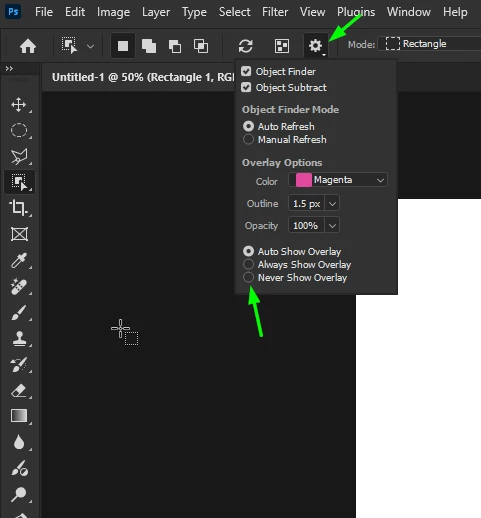
How to stop Pink area covering selection
- January 12, 2025
- 5 replies
- 1779 views
This might not be a bug, but it's a big distracting nuisance to me.
Whenever I select anything in the newest Photoshop, the selection area in addition to the border line, gets covered by a pnk area. See the attached photo. If I move the mouse, the pink follows the area. I realize it probably serves a purpose, but it gets in the way of whatever I'm doing.
Is there a way to get rid of it or make it transparent?


 AdChoices