


How to switch back FX to be Canvas Bound and not Layer Bound
This is new photoshop "improvement" is frustrating me beyond belief and I do not understand why it was changed.
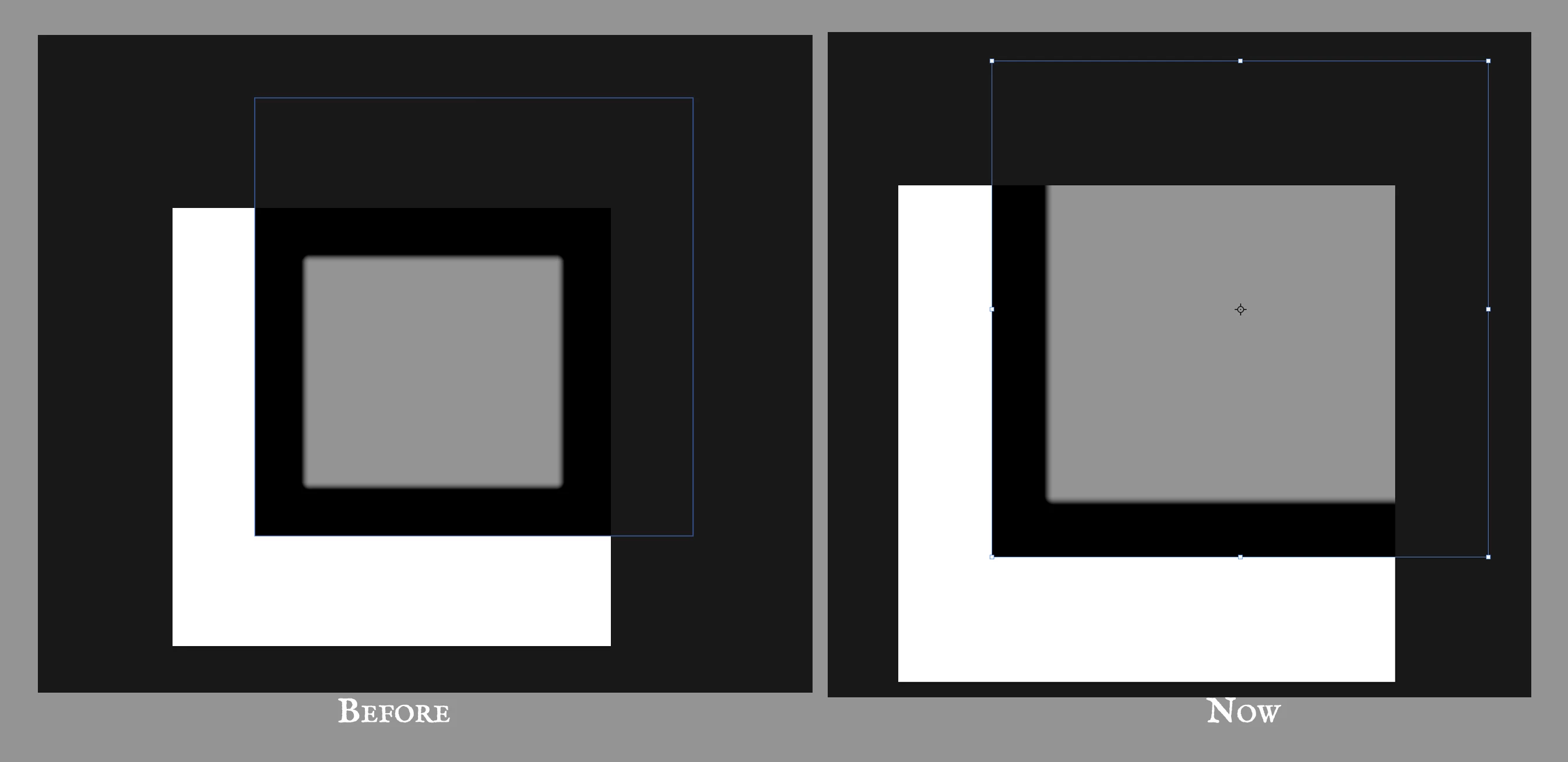
I posted a mock below to better explain how it used to work with "Before" and "Now".
So when you applied an FX to a layer before like Inner Glow, it remained bound within the canvas edges no matter how big the layer was, now however it is applied to the whole layer even when out of bounds. This is particularly detrimental when you want to keep a large image you might want to move around without cropping it to fit canvas.
The solution is to create a layer on top of it with the effect I want, but I do not want a workaround which increases the complexity of the document and add a lot of extra time to my work, I want to understand if there is an option to revert to legacy (to "Before").
Why adobe keep giving us "fixes" nobody asked for and making the life of those who has professionally worked with this software for over 20 years miserable is beyond me.
 AdChoices