


Participant
August 18, 2026
Question

How to turn off snapping when moving selections a tiny bit

  • August 18, 2026
  • 2 replies
  • 35 views

How do I turn off snapping when moving selections?

When i move a selection just a tiny bit it snaps back to its original place and its bugging me a lot-
Here is a video as demonstration:https://youtu.be/c_nLpqO3RMQ
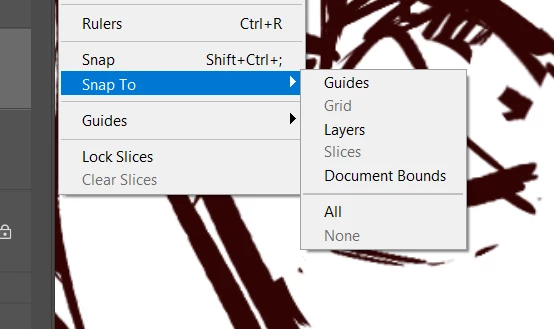
(and yes all the snapping modes are off:)

 

    2 replies

    D Fosse
    Community Expert
    Community Expert
    August 19, 2026

    Use the arrow keys. If you’re zoomed in to 100% or more, it moves by one pixel increments. Zoomed out, it moves by 5 or 10 pixels depending.

    Legend
    August 19, 2026

    I got a ‘Server Not Found’ -- for some reason, what you posted isn’t what I got.
    http://https//youtu.be/c_nLpqO3RMQ

    I removed the ‘http’ and got to your video.


    [back from watching the video]

    I see you use the lasso tool to select an area. Then I see a selection like you used the Rectangular Marquee tool. 

    Any idea what happens after you draw the selection with the lasso? Control-T??

    Larry