Participant
June 21, 2025
Answered

How to use the Patch tool in Photoshop 26.8?

The patch tool used to be next to the healing brush tool, but it's no longer there. How do I enable it again?

Trevor.Dennis
Trevor.DennisCorrect answer
Community Expert
June 22, 2025

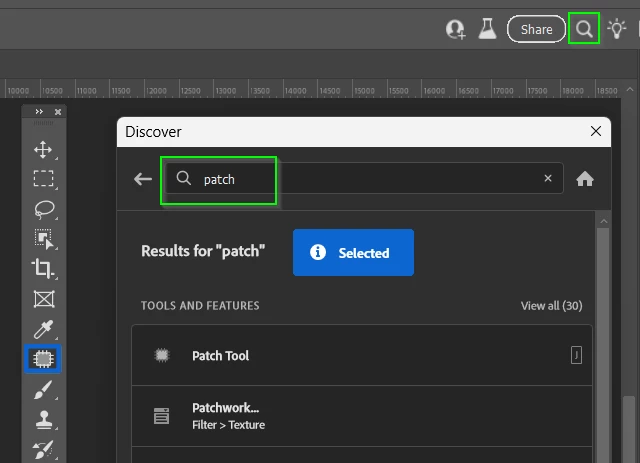
Glen, you mean the Discover panel?   

A very useful facility that will also link to tutorials on the selected/searched for tool/function.


4 replies

Glenn 8675309
Legend
June 21, 2025

I generally don't bother "looking for" any tool I don't see.   I open help and type in whatever tool I need- and it gets automatically selected.

Translate
Trevor.Dennis
Community Expert
Trevor.DennisCommunity ExpertCorrect answer
Community Expert
June 22, 2025

Glen, you mean the Discover panel?   

A very useful facility that will also link to tutorials on the selected/searched for tool/function.


Translate
Glenn 8675309
Legend
June 22, 2025

yes, that is what opens when you select HELP>PHOTOSHOP HELP.   I stopped clicking thru and trying to find a specific tool when I realized I could type in whatever in the hlep menu.

Translate
davescm
Community Expert
Community Expert
June 21, 2025

It still shares the same slot. If you don't see it, go to Edit > Toolbar > Restore defaults


Dave

Translate