Participant
Mar 25, 2021 10:37 PM UTC
Answered

How turn on recent file display?

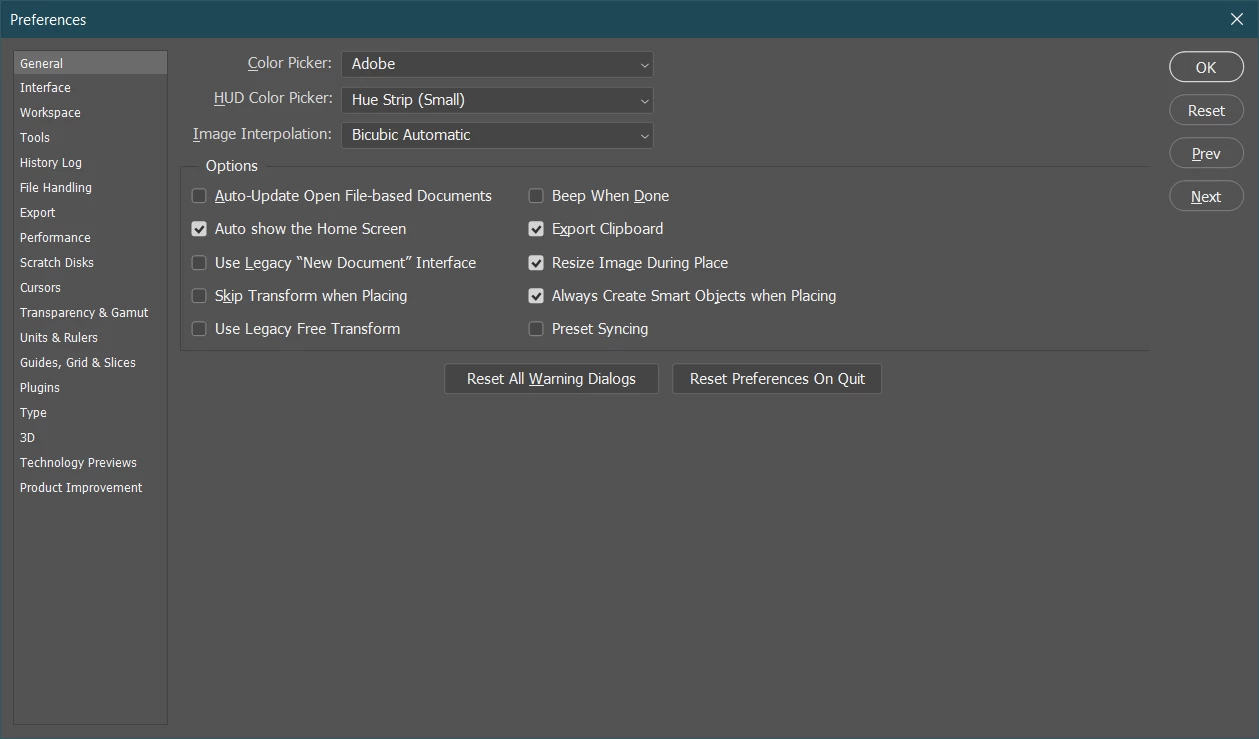
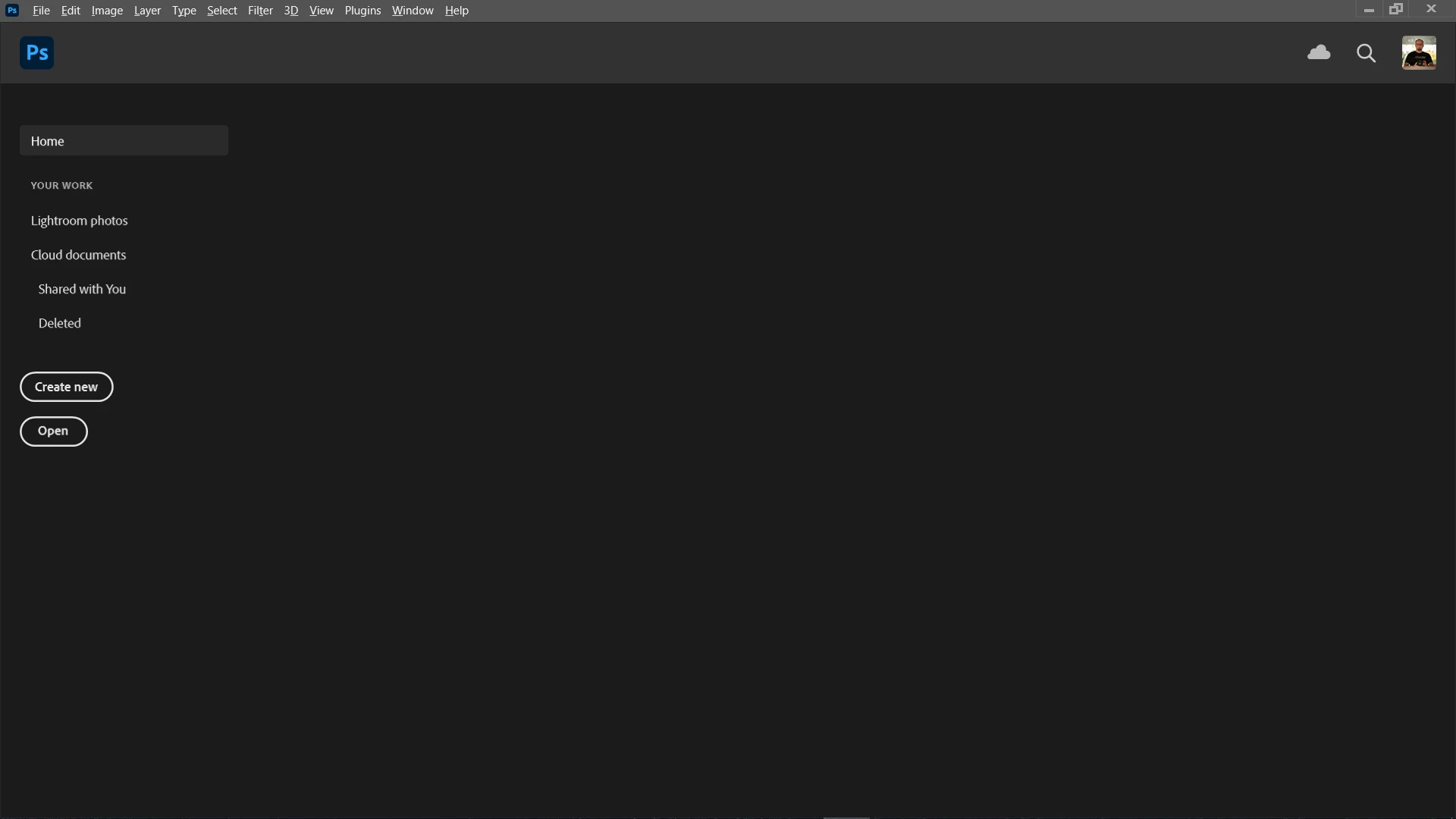
Hi, I have a problem with the PS startup screen. I don't see thumbnails of recently edited files. I reseted PS settings, reinstalled PS and unfortunately can't turn on preview.

Anyone have any idea?


RyczardCorrect answer
Participant
Mar 26, 2021 8:29 AM UTC

Yes, the files appear under recent files (File > Open Recent). I reset and even deleted manually. The system is Windows 10. But ... it turned out the problem is in version 22.3 as I went back to 22.2 everything is ok. Thumbnails are visible.

12 replies

gener7
Community Expert
Community Expert
Mar 26, 2021 5:27 AM UTC

The "Recent Files" setting is at the bottom of "File Handling" in the Preferences.

Translate
Participating Frequently
Nov 8, 2022 12:52 PM UTC

It is no longer there in Illustrator and Photoshop

Translate
gener7
Community Expert
Community Expert
Nov 9, 2022 7:42 AM UTC

I can only speak for the MacOS editions, but here's it is in Preferences for Illustrator 2023


And Photoshop 2023

Translate
Trevor.Dennis
Community Expert
Community Expert
Mar 26, 2021 4:50 AM UTC

Do you see files if you use File > Open Recent ?

You say you reset settings.  Does that mean that you reset Preferences?  If yes, I'm so far at a loss as to what the problem might be.


What operating system are you using?

Translate
RyczardAuthorCorrect answer
Participant
Mar 26, 2021 8:29 AM UTC

Yes, the files appear under recent files (File > Open Recent). I reset and even deleted manually. The system is Windows 10. But ... it turned out the problem is in version 22.3 as I went back to 22.2 everything is ok. Thumbnails are visible.

Translate