Known Participant
February 3, 2026
Answered

How will I remove noise and add the same noise again in an exr file?

  • February 3, 2026
  • 2 replies
  • 106 views

Hi, I am working on a .exr files where I have to create a background or basically cleanplate removing the foreground elements and characters. The Noise in the .exr files are quite disturbing when i work zoomed in. Is there away to remove the noise in an .exr images. The remove noise option is turned off in the Effect section . I do not want to change the original color depth in .exr file by converting it to 16 bit .

Also kindly let me how how to add the same type grain back to the composition.

Thanks.
    Correct answer Trevor.Dennis

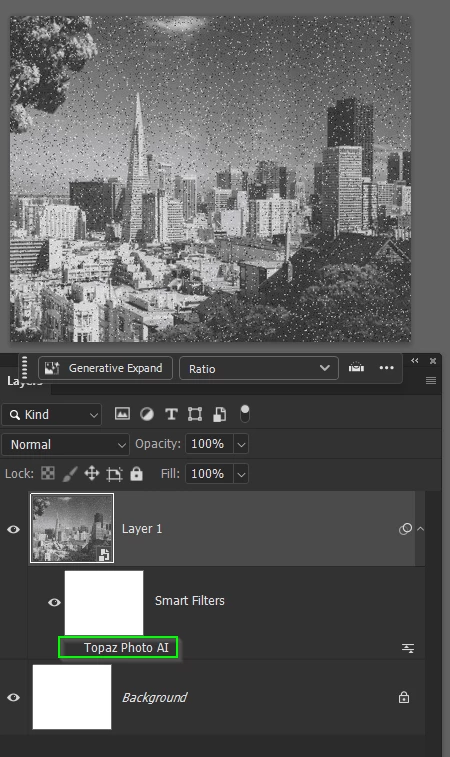
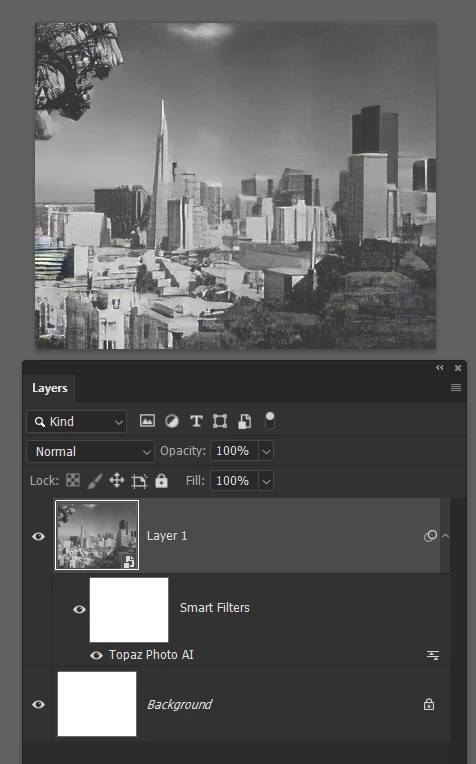
    If you make the layer a Smart Object, you can use whatever to remove the noise. Then turn it off when done.

    So, this is with the noise reduced/removed with Topaz Photo Ai


    When done turn off Topaz to reveal the original


    2 replies

    Trevor.Dennis
    Community Expert
    Community Expert
    February 4, 2026

    I just spent several minutes giving you a detailed answer, but the new forum software didn’t like it, and I lost all of it.

    Make the layer a smart object. Remove the noise


    When done turn off the noise reducing filter


    Trevor.Dennis
    Community Expert
    Community Expert
    February 4, 2026

    Now it has posted it twice, and although I have moderator rights, I can’t do anything about it.  Excuse me while I scream!  (Sorry Sil)

    Trevor.Dennis
    Community Expert
    Trevor.DennisCommunity ExpertCorrect answer
    Community Expert
    February 4, 2026

    If you make the layer a Smart Object, you can use whatever to remove the noise. Then turn it off when done.

    So, this is with the noise reduced/removed with Topaz Photo Ai


    When done turn off Topaz to reveal the original


    Known Participant
    February 4, 2026

    Thanks Trevor. It was a quick trick to start off. But after working and when i turned on the remove noise the original noise came back to the untouched areas whereas the areas which where newly painted remain smooth. Could there be a fix which it will closely restore and match the grains in the original. I am attaching a sample image. The goal is to remove the person and fill the background with green (for testing purpose) and restore the original grain back in areas altered.

    Thanks.


    Trevor.Dennis
    Community Expert
    Community Expert
    February 6, 2026

    @Trevor.Dennis I can’t think of any way to extract just the noise, but it might be doable. So what you’d need to do is remove the noise from everything, and then create a noise layer above the edited image. 

    There are various tools you can use.  A good while back I used to love the Grain effect in Camera RAW, but they simplified it making less useful.  I am pleased to see that now Grain is available as an Adjustment layer, it has regained the additional settings options, so that would probably be choice.

    Another option is to use a 50% Grey layer set to Overlay.  At the tonal halfway point, Overlay renders a layer transparent, so adding noise will show just the noise on the underlaying layers.  You would make that layer a Smart Object as you are bound to want to fine tune it after looking at it for a bit.  Or just use the Grain adjustment layer.

    [EDIT] Layer mask added to show before and after of the grain layer.