Participant
October 31, 2025
Answered

how would i go about making wave-like borders in Photoshop?

  • October 31, 2025
  • 2 replies
  • 167 views

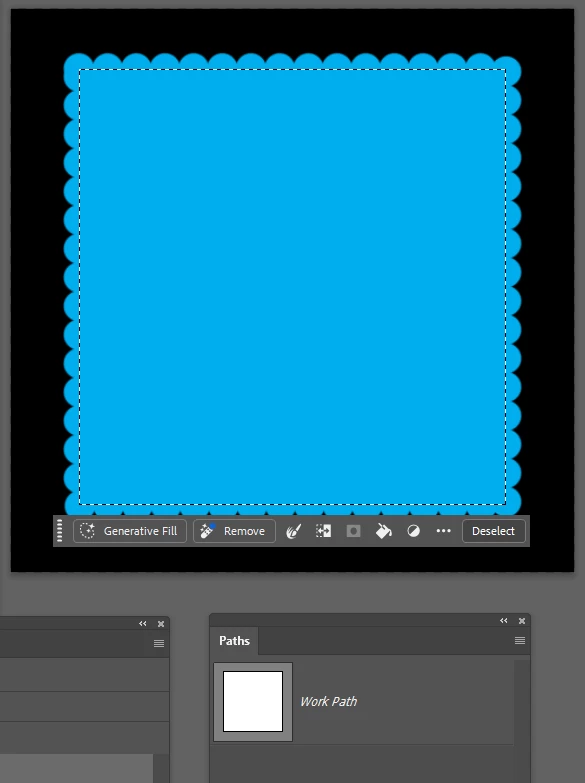
something like this. would try manually but they need to be consistent and i'd assume there's some sort of effect for this

Correct answer Trevor.Dennis

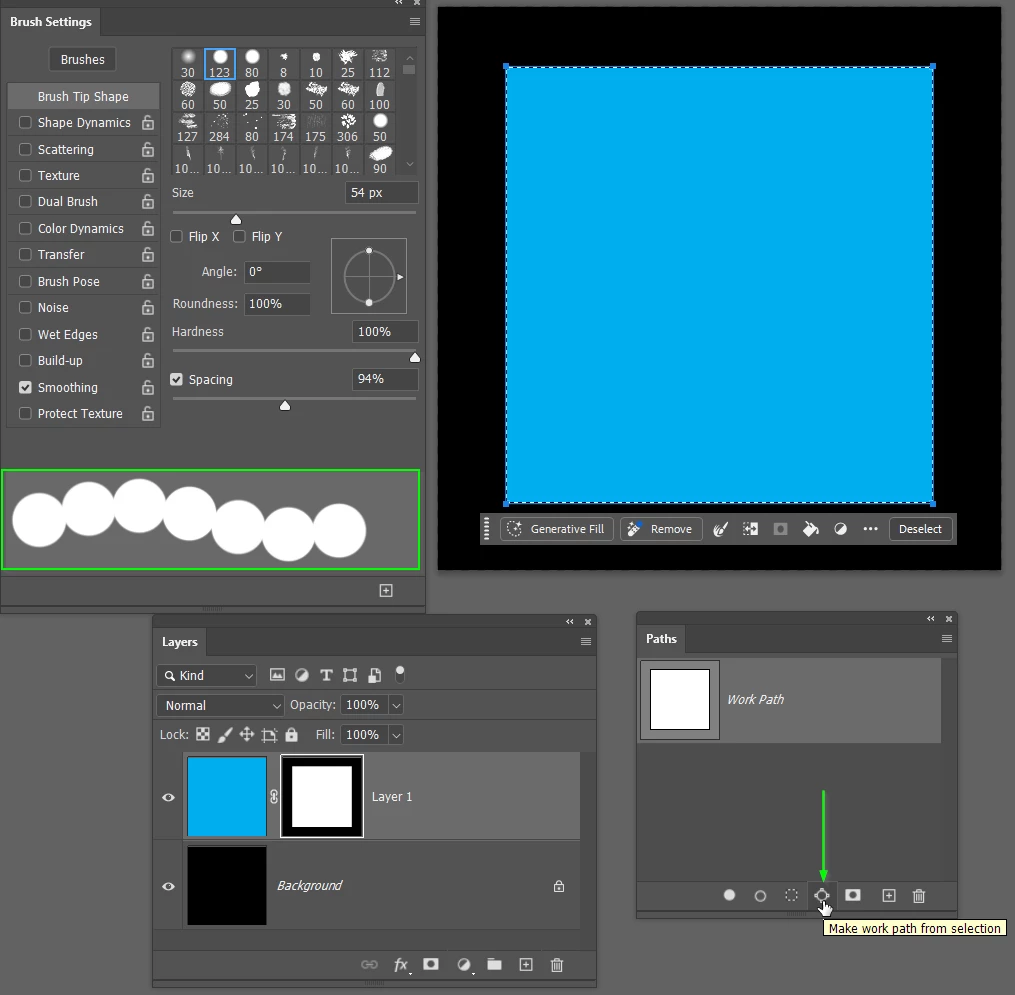
Another way would be to stroke a path with a appropriate;y spaced fully hard round brush preset.


Add a layer mask.

Ctrl click the layer mask to load it as a selection.

Use the Make work path from selection icon to create a path.


Right click the mask and choose Stroke Path and select the Brush tool.

You'll need to set up the brush size and spacing before this step.

If you need to edit then either undo the stroke and adjust brush size and spacing, and do it again.


If you decide to edit later on (too late to undo) then Ctrl click the path to load as a selection.

Incert the selection and fill that selection with black with the mask selected.

Then carry on with the new brush size and spacing.

-

2 replies

Trevor.Dennis
Community Expert
Trevor.DennisCommunity ExpertCorrect answer
Community Expert
November 1, 2025

Another way would be to stroke a path with a appropriate;y spaced fully hard round brush preset.


Add a layer mask.

Ctrl click the layer mask to load it as a selection.

Use the Make work path from selection icon to create a path.


Right click the mask and choose Stroke Path and select the Brush tool.

You'll need to set up the brush size and spacing before this step.

If you need to edit then either undo the stroke and adjust brush size and spacing, and do it again.


If you decide to edit later on (too late to undo) then Ctrl click the path to load as a selection.

Incert the selection and fill that selection with black with the mask selected.

Then carry on with the new brush size and spacing.

-

Conrad_C
Community Expert
Community Expert
October 31, 2025

This question was originally posted in the Photoshop community, but you mentioned Illustrator. Did you want an answer about Photoshop or Illustrator?


I’m not sure if Illustrator has a built-in effect that could create your pattern (there might be a plug-in that could), but creating it manually would take only a few seconds if you understand how to subtract shapes from other shapes, as shown in the demo below. Also, similar tools do exist in Photoshop for subtracting vector paths and shape layers from each other, but in Photoshop they’re a little harder to understand.


mikufan2Author
Participant
October 31, 2025

hi! thanks for the reply. i meant photoshop lol, typed illustrator by accident. would thiss work with the pathfinder in photoshop too?

Trevor.Dennis
Community Expert
Community Expert
November 1, 2025
quote

i meant photoshop lol, typed illustrator by accident. would thiss work with the pathfinder in photoshop too?


By @mikufan2


I fixed the subject line.