That's quite a big ask of the Sky Replacement tool. We are getting used to the incredibly good selections that 'Remove Background' and 'Subject Selection Tool' are now capable of, but I doubt that Sky Replacement has the same selection algorithm. So you have to cheat.
Use Sky Replacement and then select the Subject Selection tool, and drag a box around the ferris wheel.
That will make a decent selection with the spokes unselected. Copy that selection and move it to the top of the layer stack. You can see the black disk that is hiding the ferris wheel in Sky layer's mask.
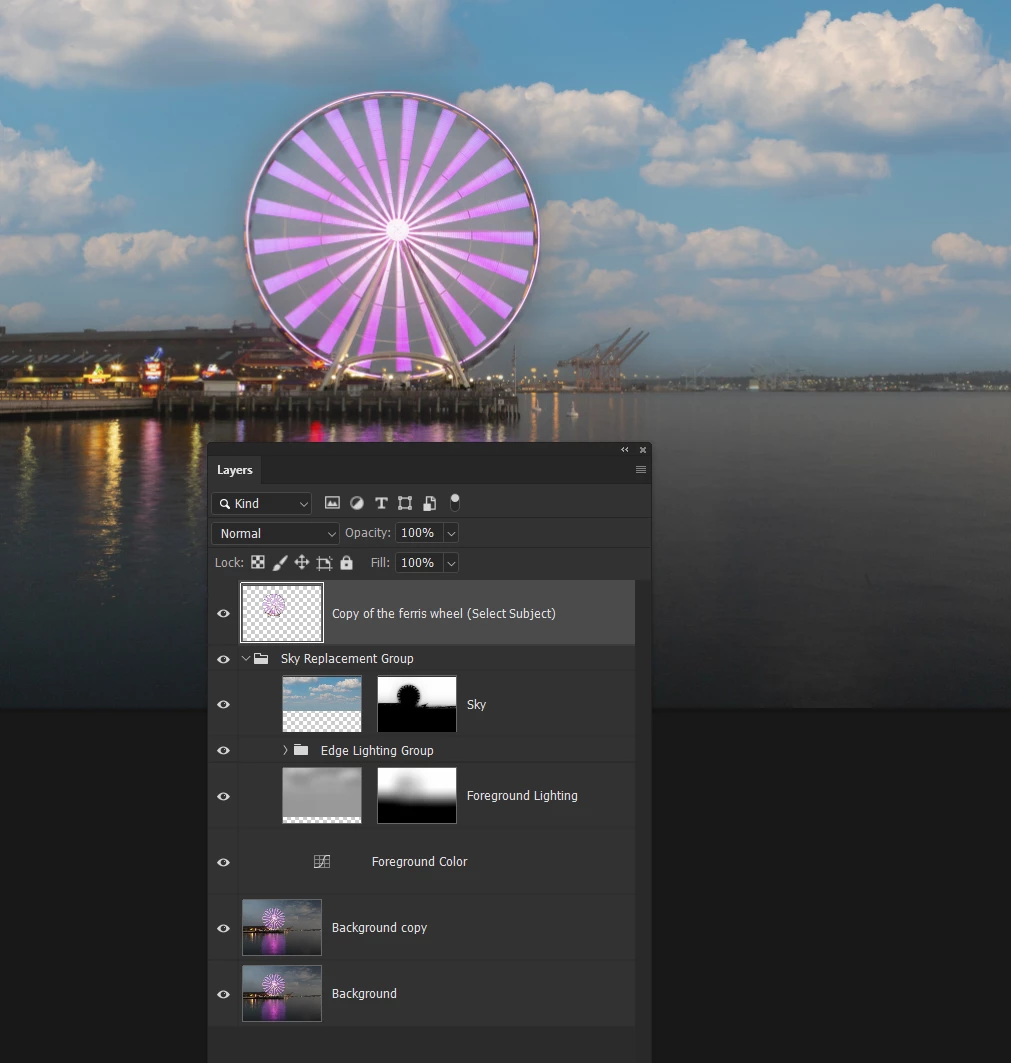
If we Alt/Opt click the layer mask to view it full screen, we can see that it did start to make a stab at selectinf the gaps between the spokes. Not a very good one though.
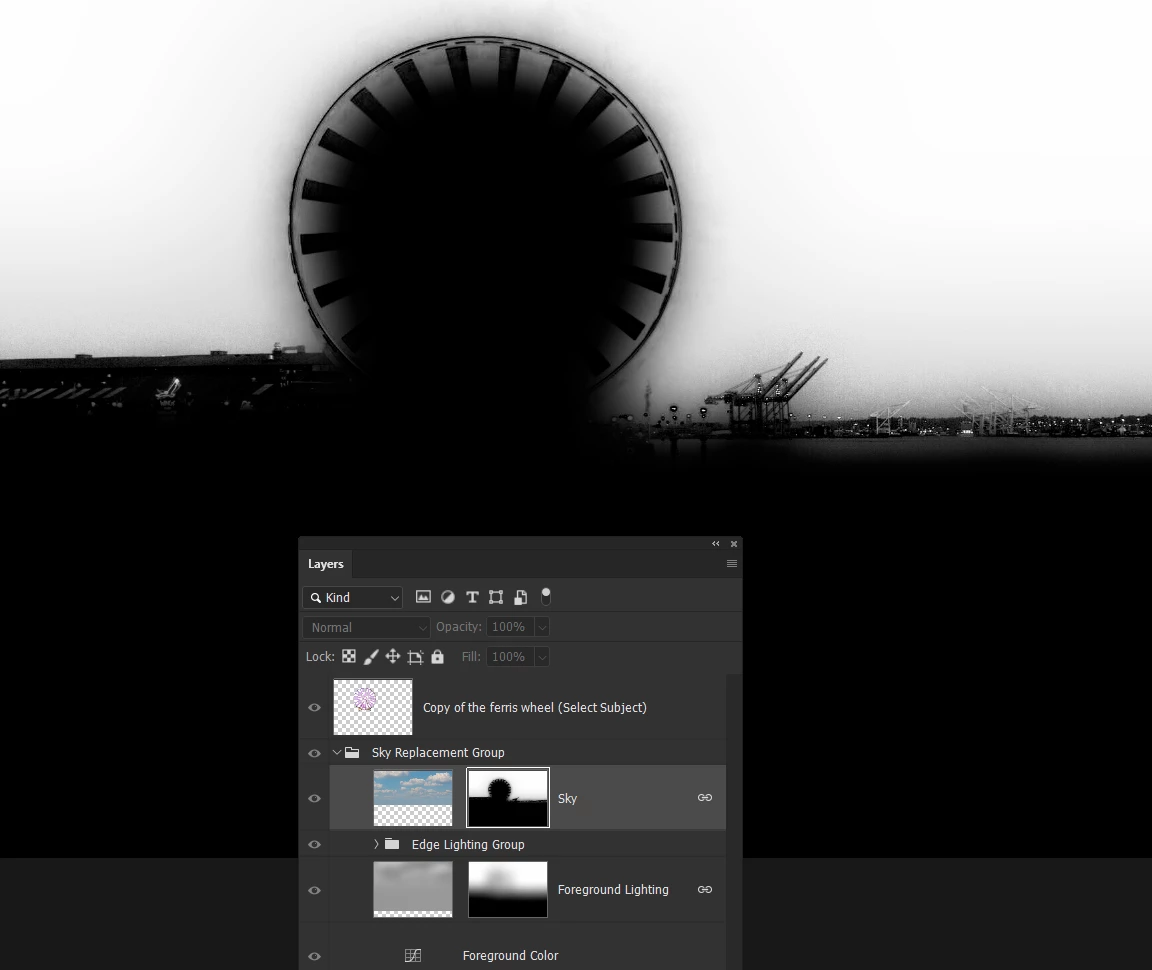
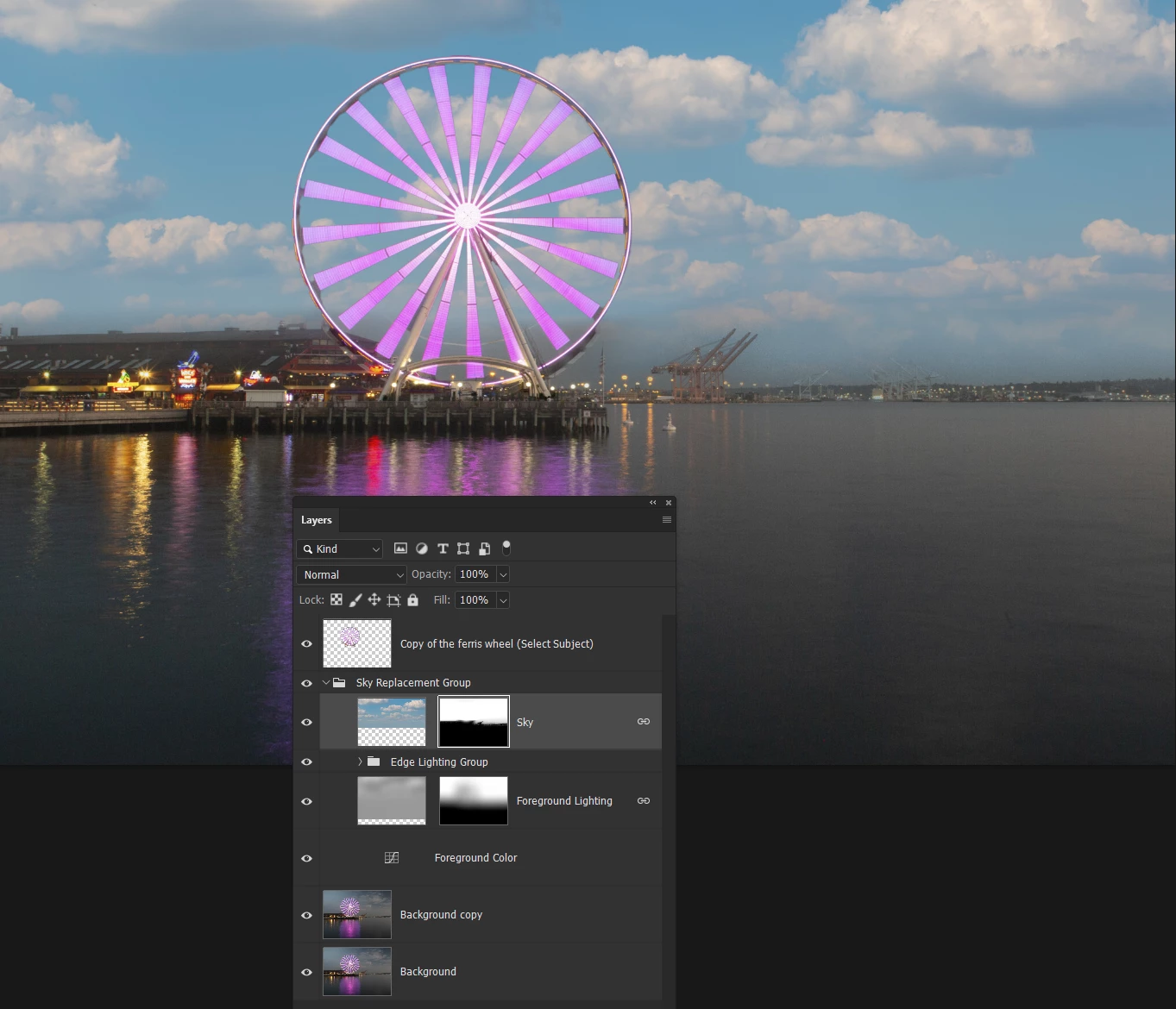
No worries. We'll paint out the ferris wheel with a soft white brush allowing the underlying Sky layer to show through.
Our copy of the ferris wheel above the Sky Replacement group completes our workaround. We can see that I did not paint out enough of the mask at the bottom of the ferris wheel, and the sky is much too bright for the original image.
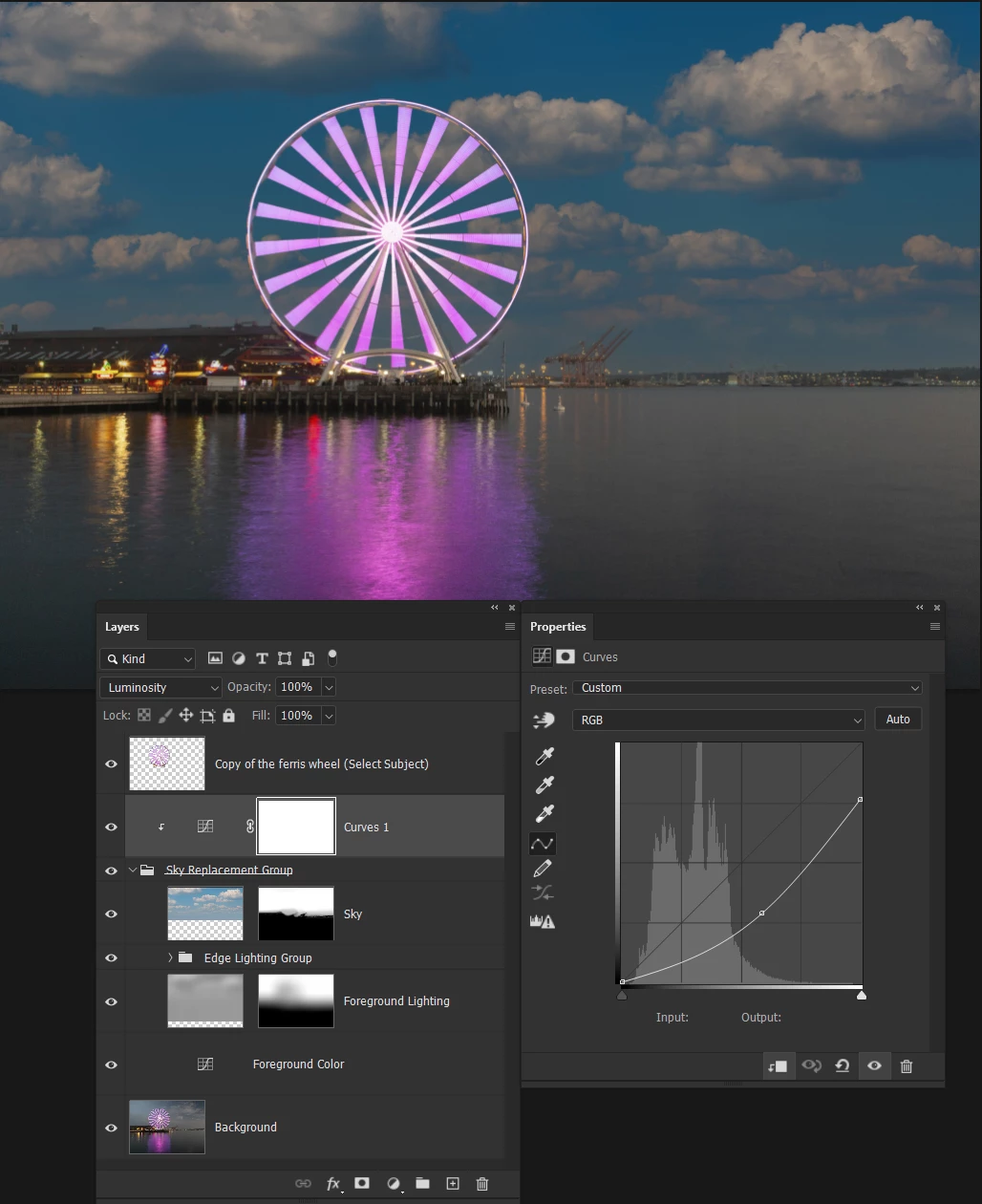
So I fixed the mask and clipped a curves layer to the Sky group. I also set the curves layer to Luminosity to prevent it influencing the colour of the new sky. The lit up ferris wheel now shows as it should against the sky.
It is definitely possible that the Development Team will recode Sky Replacement to use the new selection algoithum eventually, but IME these things can take a very long time, if they happen at all.






 AdChoices