
ingridg77791139
Participant
January 12, 2025
Question

I am having an issue when trying to print in photoshop

  • January 12, 2025
  • 3 replies
  • 164 views

I have been trying to print items I do a home with photoshop to assist my wife and her school.

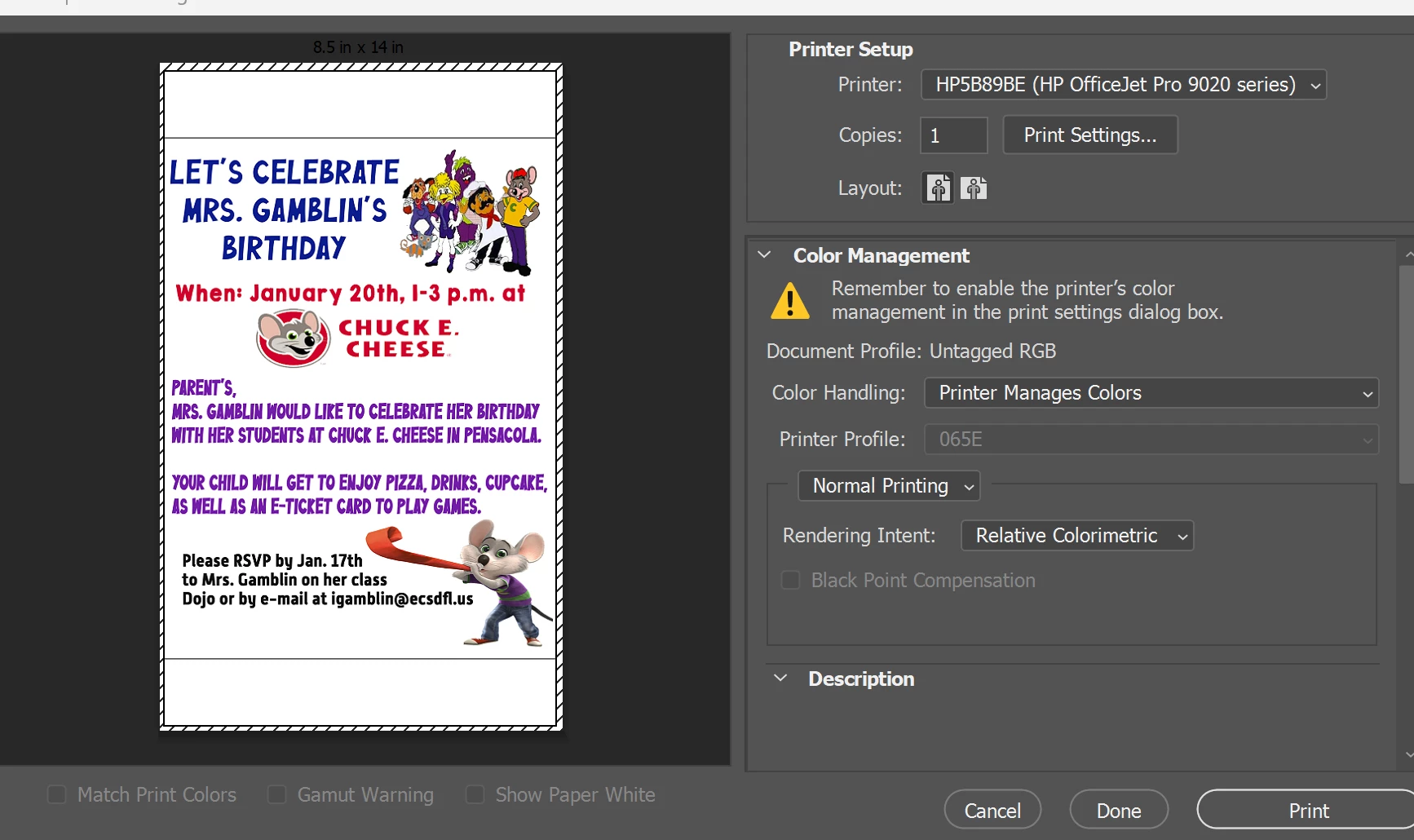
When I go to print an 8.5x11 document that I set at 300 dpi, this is the image I see on the print screen. Note the blank space above and below the print preview image.  It is size for a single letter page, but somehow I have gotten these white spaces. Can someone please tell me what to do. I have compared image size and canvas size and both are set at the same size.  I am at a loss for words.d
3 replies

NB, colourmanagement
Community Expert
Community Expert
January 13, 2025

@ingridg77791139 many printers have an unprintable end section as the media rollers have to hold onto the media. 

You may also have to select edge to edge or similar, but do be aware that most print drivers will then, very slightly, enlarge your document size.

So if it's SS to the media you may see a little cropped off. Beats me why printer makers did that.


I hope this helps

neil barstow - adobe forum volunteer,

colourmanagement consultant & co-author of 'getting colour right'

See my free articles on colour management

Help others by clicking "Correct Answer" if the question is answered.

Found the answer elsewhere? Share it here. "Upvote" is for useful posts


Peru Bob
Community Expert
Community Expert
January 12, 2025

Click on Print Settings... and see what is shown.

kglad
Community Expert
Community Expert
January 12, 2025

in the future, to find the best place to post your message, use the list here, https://community.adobe.com/

p.s. i don't think the adobe website, and forums in particular, are easy to navigate, so don't spend a lot of time searching that forum list. do your best and we'll move the post (like this one has already been moved) if it helps you get responses.


<"moved from cc desktop">