Participant
Aug 10, 2023 6:43 PM UTC
Answered

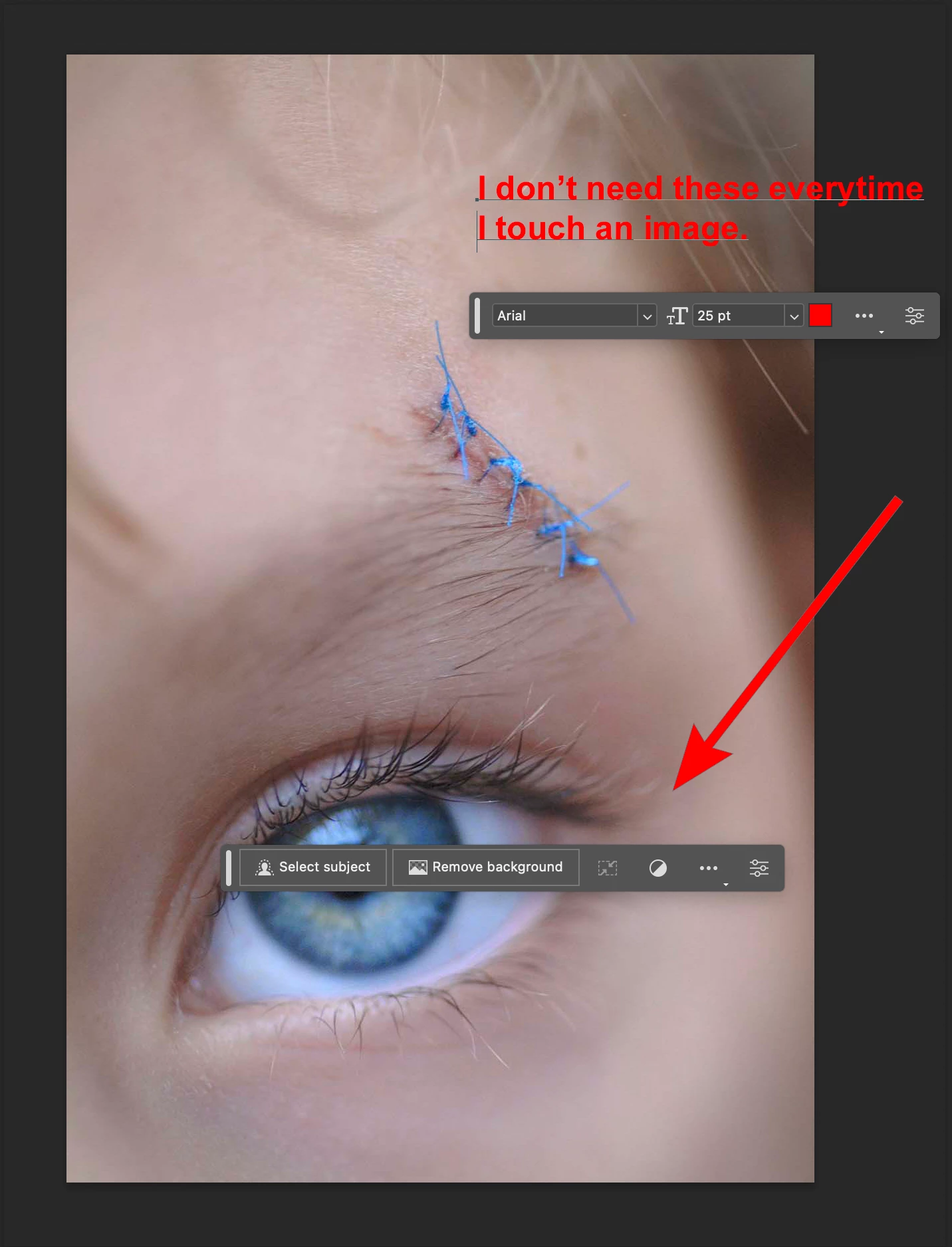
I am trying to find out how to turn off select subject/remove BG pop up in photoshop 2023.

How can I stop this madness? Everytime I touch an image there are these suggestion pop-ups.

This topic is closed to new replies. Start a new post to keep the conversation going.
Conrad_C
Conrad_CCorrect answer
Community Expert
Aug 10, 2023 6:45 PM UTC

There are two ways:


Choose Window > Contextual Task Bar to deselect it.

or

Click the More Options (…) icon on the contextual task bar itself, and choose Hide Bar.


1 reply

Conrad_C
Community Expert
Conrad_CCommunity ExpertCorrect answer
Community Expert
Aug 10, 2023 6:45 PM UTC

There are two ways:


Choose Window > Contextual Task Bar to deselect it.

or

Click the More Options (…) icon on the contextual task bar itself, and choose Hide Bar.


Translate