
Mar 9, 2019 11:00 PM UTC
Question

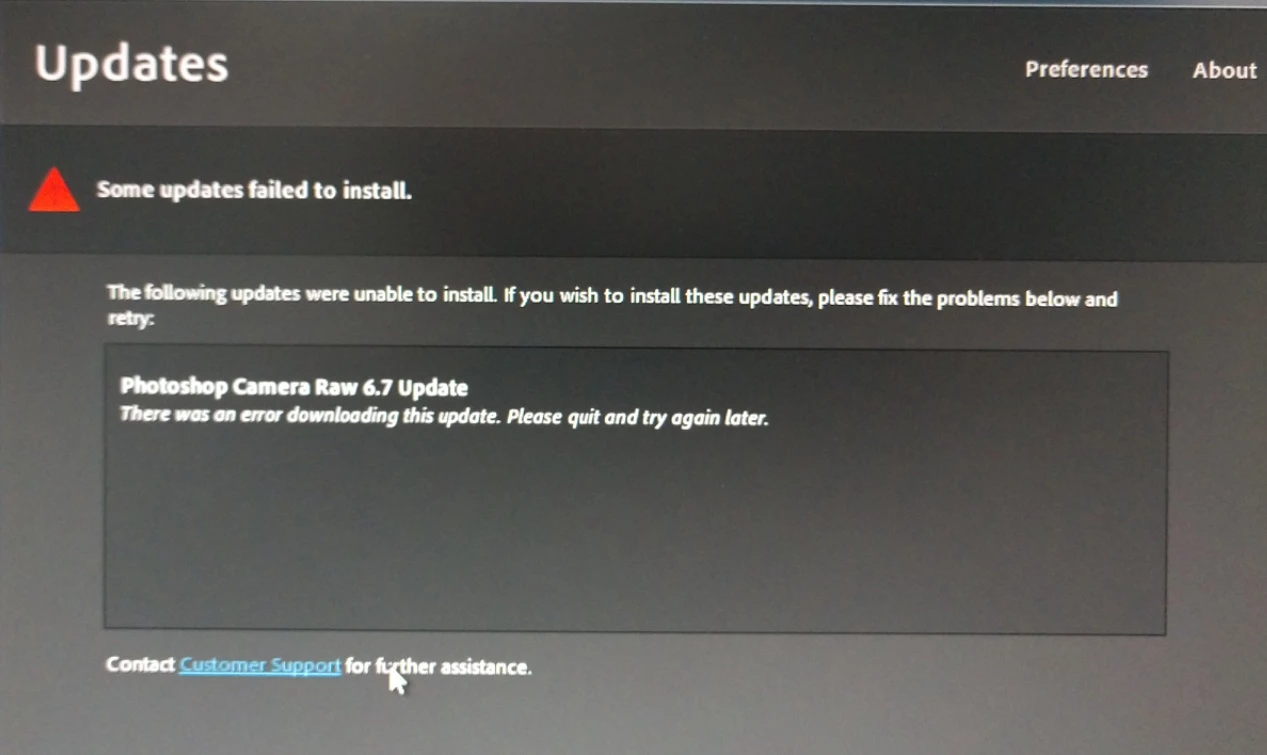
I am trying to update camera raw plug-in for CS5

I have spent the entire day trying to get this to work, but get the following error: See picture:  I have tried everything. Got a new Serial # from adobe, re-installing, nothing works. Can I get the plug-in file and drop it in the folder? I know where it goes, just can't get the file from ANYWHERE...any help APPRECIATED!
    This topic is closed to new replies. Start a new post to keep the conversation going.

    7 replies

    John Waller
    Community Expert
    Community Expert
    Mar 10, 2019 12:50 AM UTC
    Mar 10, 2019 2:05 AM UTC

    John,

    I did that, and it says successful, however I still can't open my raw files from my new Canon 5D Mark IV...

    Maybe it is not supported? But I don't understand why it wouldn't...Running 64BIT Windows 7

    Translate
    John Waller
    Community Expert
    Community Expert
    Mar 10, 2019 3:33 AM UTC

    The 5D Mark IV is definitely supported but only by Camera Raw 9.7 and later

    Cameras supported by Camera Raw

    CS5 is not compatible with Camera Raw later than 6.7 so you'll never be able to open those Raw files directly in CS5.

    However you can use the free standalone DNG converter to convert all your Raw files to DNG files. Then open the DNG files (not the Raw files) in CS5.

    Digital Negative (DNG), Adobe DNG Converter | Adobe Photoshop CC

    Translate
    Per Berntsen
    Community Expert
    Community Expert
    Mar 9, 2019 11:21 PM UTC

    The latest Camera Raw update for CS5 is 6.7, which you can download from the page John linked to.

    Translate
    John T Smith
    Community Expert
    Community Expert
    Mar 9, 2019 11:15 PM UTC

    At some point in the past (I don't know the exact date) Adobe "merged" the original update manager into the Cloud update manager, which means you are no longer using your original update manager

    I have read some messages that the latest (Cloud) updater sometimes doesn't work with old programs... Try installing your updates manually

    Updates start here and select product, read to see if you need to install updates in number order, or if the updates are cumulative for the individual product http://www.adobe.com/downloads/updates/

    Also, CS5 is about 9 years old, so the latest raw updates may not work

    Translate