
Participant
April 3, 2018
Question

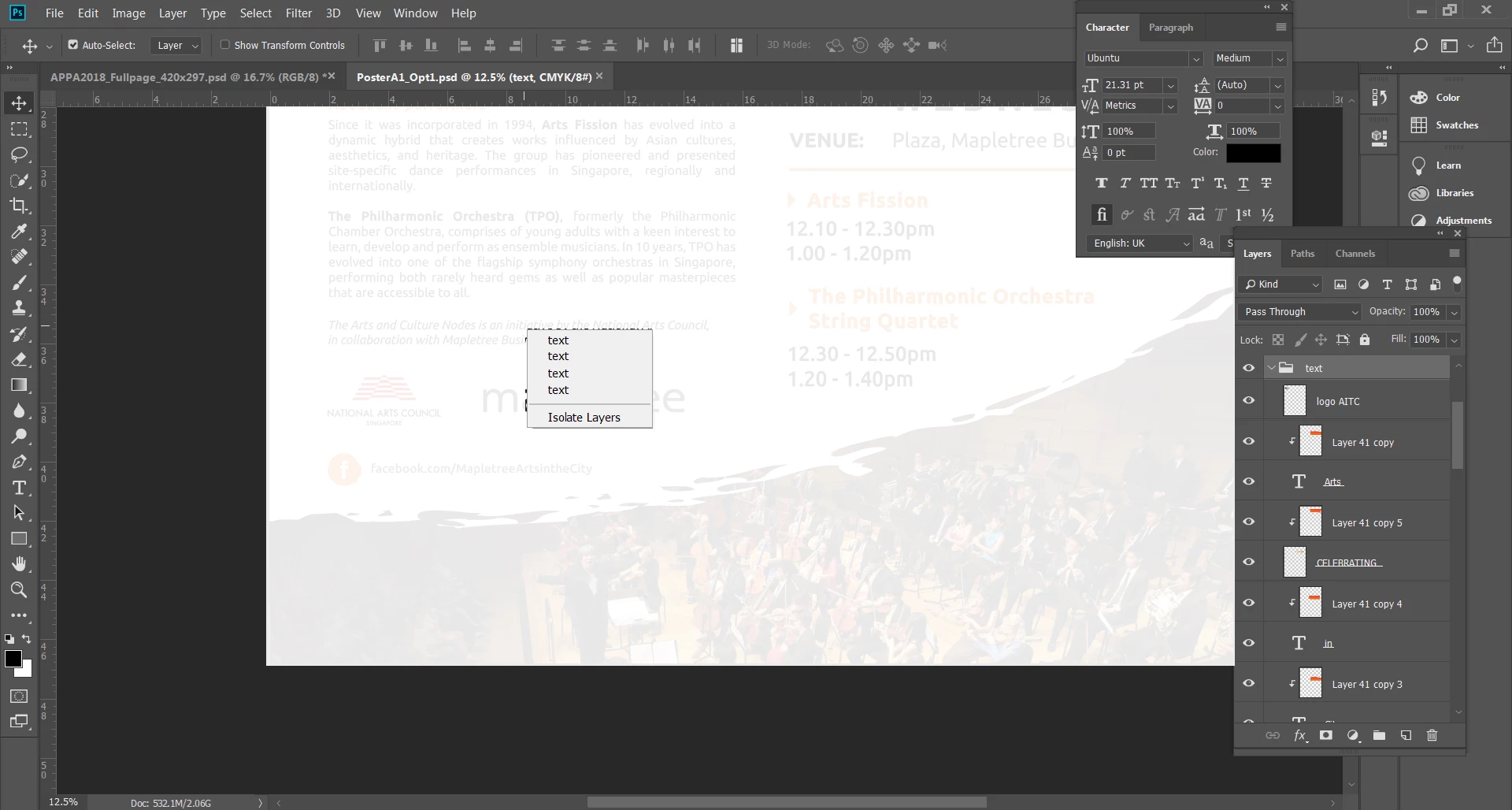
I can not select the layer by right-clicked after I update photoshop

  • April 3, 2018
  • 3 replies
  • 207 views

Hi there,

I just updated the latest photoshop version last week, but I meet a problem with selecting a layer when I right-clicked on that layer. My photoshop only allowed me to select the group even when I choose Auto-select the layer in the top panel. Therefore, I have to find the layer which I want to choose in the layer panel, It takes a lot of time when I have to work on many different layers. How can I fix it?
This topic has been closed for replies.

3 replies

Participant
April 4, 2018

Thanks everyone!

Finally I found the problem is about the photoshop version. Because I still couldn't select the list of layer whether I checked/unchecked Auto-Select or not. But I update again to version 19.1.1 2018 and everything is back to normal

melissapiccone
Community Expert
Community Expert
April 3, 2018

Uncheck

Melissa Piccone | Adobe Trainer | Online Courses Author | Fine Artist
macpawel
Participating Frequently
April 3, 2018

Uncheck Auto Select Button - left righ corner

Maybe it helps

pawel