

alvarobuenol
Participant
February 7, 2026
Question

I can't change the blending mode on a layer using the mouse scroll wheel

  • February 7, 2026
  • 2 replies
  • 47 views

I updated Photoshop to the latest version and now I can't change the blending mode on a layer using the mouse scroll wheel, nor do the arrow keys work to switch between blending modes and quickly see the effect. Now I have to click on the drop-down menu each time and choose an option. 
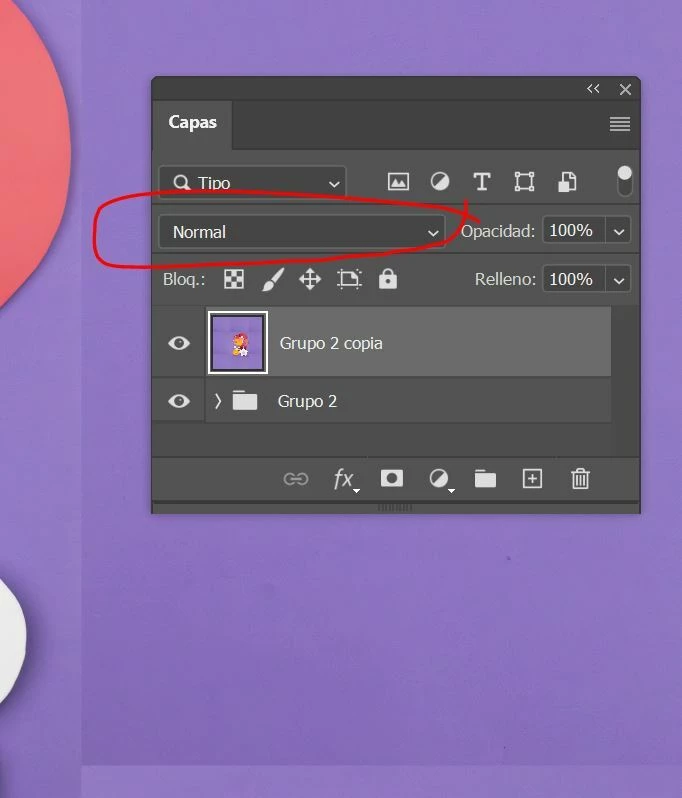
 

    2 replies

    Trevor.Dennis
    Community Expert
    Community Expert
    February 8, 2026

    Thanks Ged.  I did wonder if it was anything to do with zooming with the mouse, but I tried disabling all of those settings and it made no difference.  

    Trevor.Dennis
    Community Expert
    Community Expert
    February 8, 2026

    I can still use + and -  with the Shift key held down, and the Move tool selected.  It doesn’t matter where the cursor is.  Google thinks that we should be able to use the mouse wheel, but that does not seem to be the case any more. 

    Ged_Traynor
    Community Expert
    Community Expert
    February 8, 2026

    Trevor, there was a post in the old forum, where someone reported the same issue, Sameer K from Adobe confirmed that the change was intentional in order to address another issue, can’t find that post any longer though

    Sameer K
    Community Manager
    Community Manager
    February 9, 2026

    Yes! Thanks for remembering it. An older, and much more inconvenient bug had to be addressed: 

    PS versions after 26.11 have this gesture/interaction disabled by design. 


    Thanks!

    Sameer K