
Astrophylite
Participant
November 28, 2019
Question

I can't change the size of images in Photoshop on Windows

  • November 28, 2019
  • 2 replies
  • 17691 views

Hello

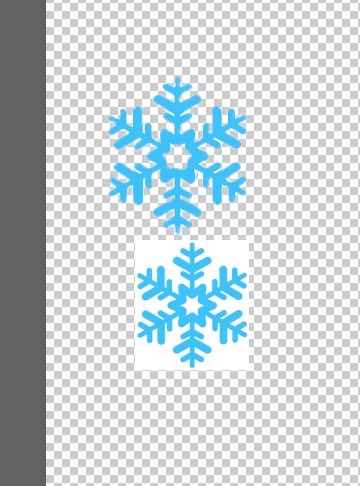
To do short, I have a random picture on Photoshop and I can't the the size, only the placement on the layer.

Is someone having an idea why ? Here is the picture 

If you want more details to try to help me, you can ask because I don't know what to say more right now
Thank you, have a great day.


{Thread renamed by moderator}

This topic has been closed for replies.

2 replies

JJMack
Community Expert
Community Expert
November 29, 2019

Image resize should resize all layer in a document. What you posted looks like there may be  more than a single layer involved.  You can link layer that you want to resize together  and then use free transform. You can not make a selection in some layer and resize the selected area.  Smart object layers and shape layers can not  be modified like that.


Supply pertinent information for more timely and effective answers. The more information you supply about your issue, the better equipped other community members will be to answer. Consider including the following in your question:

  • Adobe product and version number
  • Operating system and version number
  • The full text of any error message(s)
  • What you were doing when the problem occurred
  • Screenshots of the problem
  • Computer hardware, such as CPU; GPU; the amount of RAM; etc.
JJMack
Sahil.Chawla
Adobe Employee
Adobe Employee
November 28, 2019

Hi there,

To change the size of an image you need to select the correct layer in the layers panel and then go to Edit > Free Transform and resize the object by holding the bounding box from any of the four corners.


Regards,
Sahil