Participant
September 18, 2025
Question

I can't Gen Fill AI Tool, is it me or the program?

  • September 18, 2025
  • 3 replies
  • 105 views


3 replies

MarekMularczyk
Community Expert
Community Expert
September 18, 2025

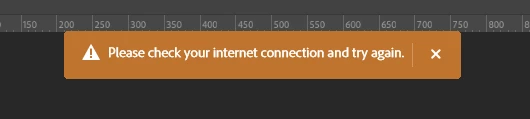
As I understand it, you're trying to use Generative Fill AI? What is not working? Are you getting any error message?


Adobe Community ExpertAdobe Certified Professional
Claire H.
Community Manager
Community Manager
September 24, 2025

Hi @Serendipitous_Twinkle5FD0, I'm just checking in to see if the suggestion helped or if you are still running into this issue? Let us know how things are going. Happy to keep troubleshooting with you if needed. Thanks! ^CH

AxelMatt
Community Expert
Community Expert
September 18, 2025

See here How to resolve connection errors with Creative Suite applications and check the appropriatze steps.

Especially take a look to your HOSTS file.


My System: Intel i7-8700K - 64GB RAM - NVidia Geforce RTX 3060 - Windows 11 Pro 25H2 -- LR-Classic 15 - Photoshop 27 - Nik Collection 8 - PureRAW 6 - Topaz Photo AI
Sameer K
Community Manager
Community Manager
September 18, 2025

Hey, @Serendipitous_Twinkle5FD0. Welcome to the Photoshop Community. I'll help you figure this out.


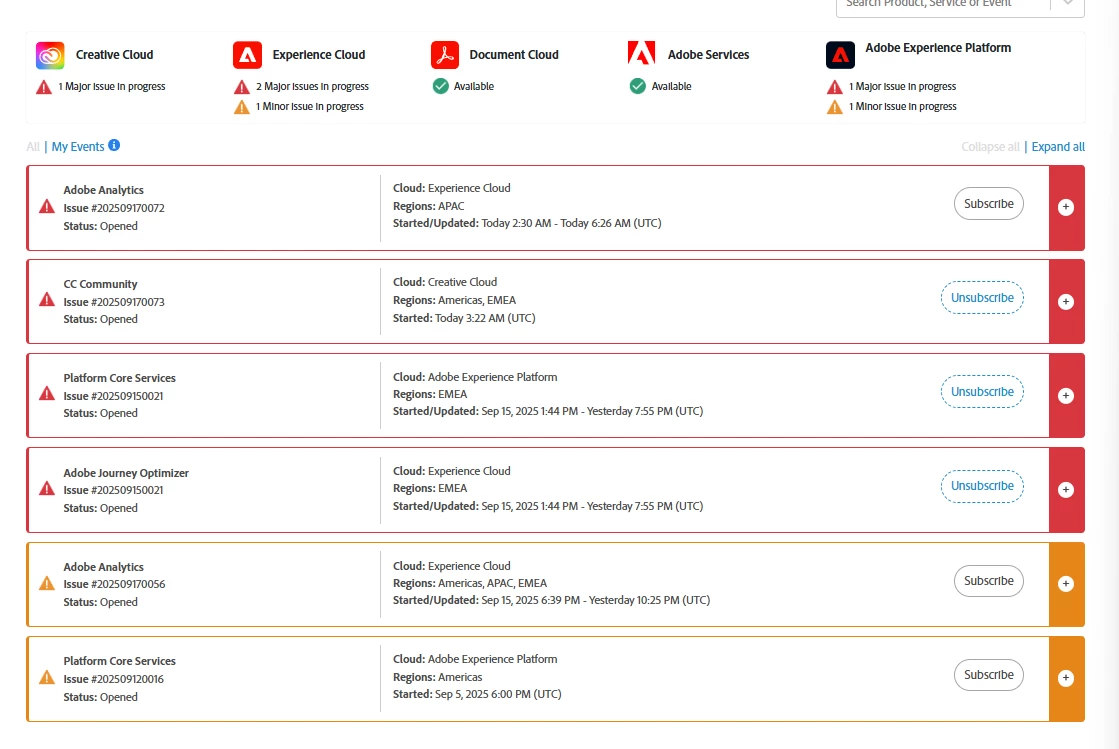
The outages being tracked on the Status page are unrelated to Generative Fill. Please share the system info from Photoshop Help > System info > Copy and paste into a text document > Upload and attach here. 


Does this happen with specific documents, after a particular action, or when using a tool? I've moved it to discussion for now; if we can identify specific steps, workflow, or triggers for this behavior, I'll move the post back to bugs. 


Thanks!
Sameer K
(Type '@' and type my name to mention me when you reply)