
Mar 5, 2023 5:55 PM UTC
Answered

I can't make a straight diagonal line with a brush tool

Hi,
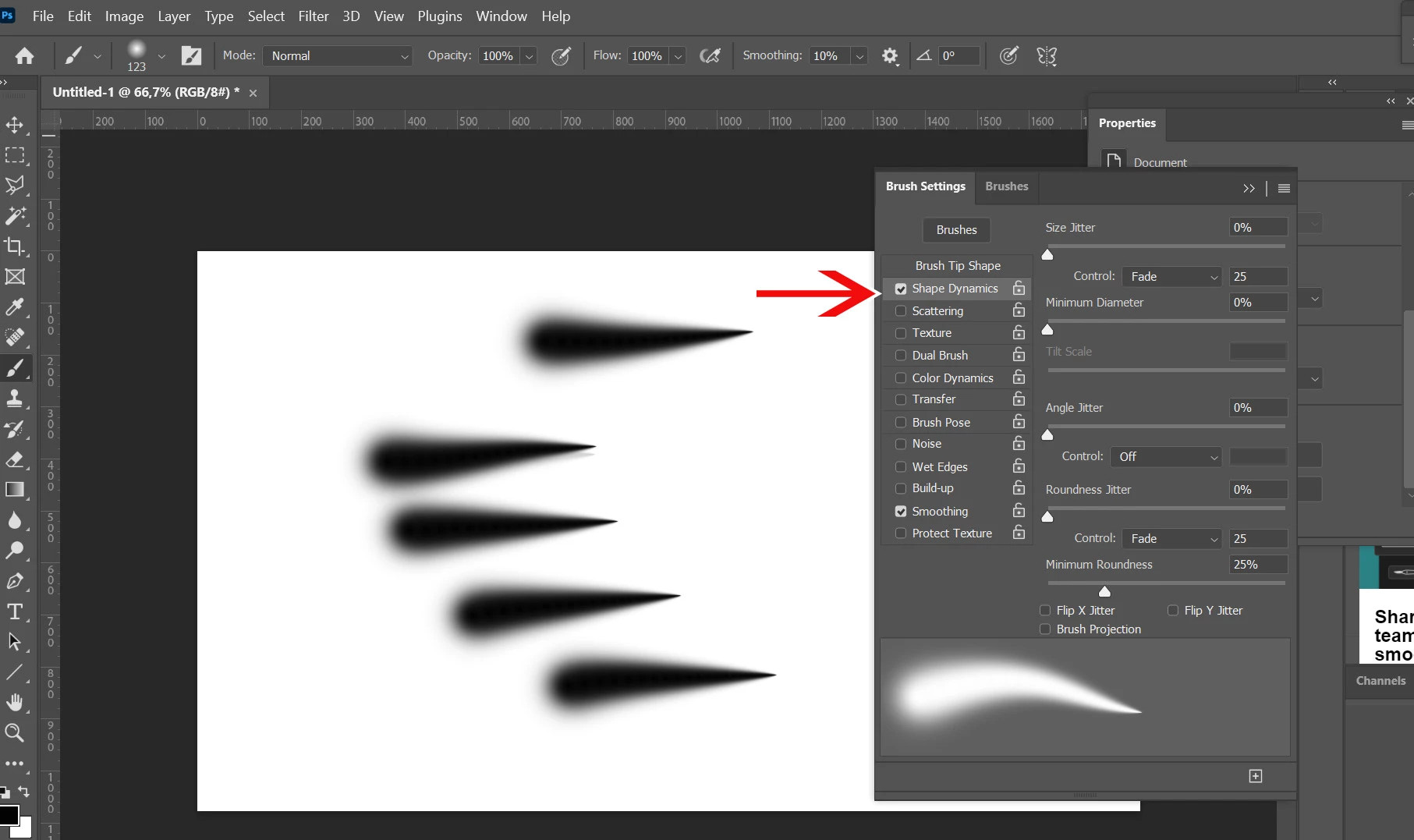
I'm a beginner when it comes to Photoshop, so I have a problem because I can't make a straight diagonal line with a brush. When I try to do this, I get strange bold lines ending in a sharp tip.
Is it possible that the pen I'm using for the graphic tablet has some bug and is not allowing me to create normal lines?
I am currently using XP-PEN Deco 01 V2 tablet and Photoshop 24.2.

Bojan Živković11378569
Community Expert
Mar 6, 2023 5:41 AM UTC

8 replies

Myra Ferguson
Community Expert
Community Expert
Mar 5, 2023 9:40 PM UTC

Oh, also... here's a quick tip for making a straight, diagonal line when using the Brush tool: click once where you want the line to start, hold Shift, and click where you want the line to end. Photoshop will draw a line between the 2 points.

Translate
Yifan Wang
Participant
Nov 8, 2023 1:15 AM UTC

Thank you Myra! This is most helpful.

Translate
Myra Ferguson
Community Expert
Community Expert
Nov 8, 2023 3:05 AM UTC

You're very welcome. 🙂

Translate
Myra Ferguson
Community Expert
Community Expert
Mar 5, 2023 9:39 PM UTC

It could be a function of the brush that you're using. You might try selecting one of the Default Brushes.

Translate
Bojan Živković11378569
Community Expert
Community Expert
Mar 6, 2023 5:41 AM UTC

Translate
Mar 6, 2023 6:24 PM UTC

Yeees! This option was checked and I didn't pay attention to it, thanks for all the suggestions

Translate