Participating Frequently
March 29, 2025
Answered

I can't open camera raw filter

  • March 29, 2025
  • 3 replies
  • 232 views

It always worked fine but in the last few weeks i'm not able to open Camera Raw Filter in Photoshop.

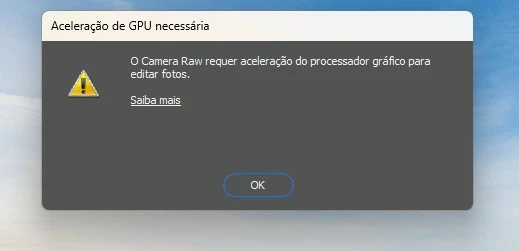
It gives me this message: "camera raw requires graphics processor acceleration to edit photos".


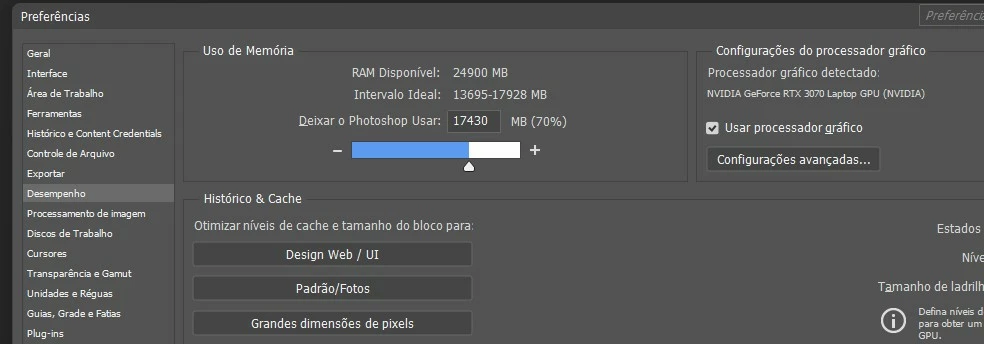
Photoshop was already unistalled and installed again; try to reset camera raw preferences; checked also if CUDA was enabled in my NVIDA 3D settings and it is.

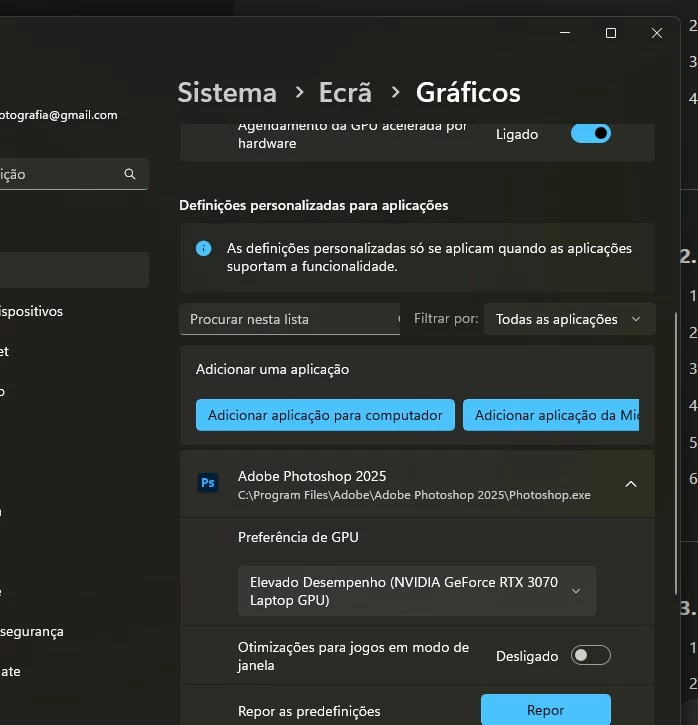
Also cheched in Windows, graphics settings, GPU preferences.


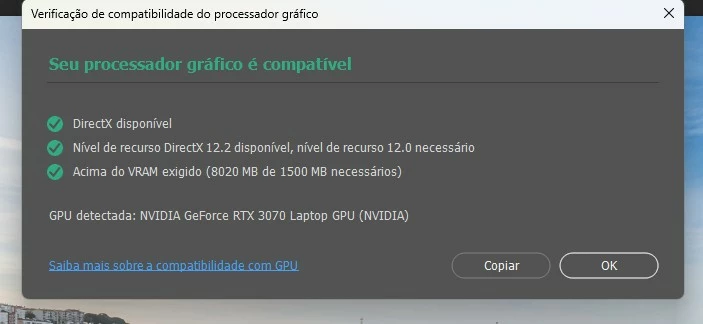
GPU is detected in general in Photoshop but camera raw filter not.

I have a NVIDIA RTX3070 Laptop, latest drivers Nvidia Studio version 572.83.


What more can i do to solve this issue?

Thanks!
 

Correct answer Ged_Traynor

@IVO237864061twd have a look at the below link

https://helpx.adobe.com/camera-raw/kb/acr-gpu-faq.html

Scroll down to this bit, to see if it helps

6. Check and delete the TempDisableGPU3 or TempDisableGPU2 files

3 replies

Ged_Traynor
Community Expert
Community Expert
March 29, 2025

@IVO237864061twd you're welcome 👍

Participating Frequently
March 29, 2025

It worked, amazing!

I have tryed so many things the last weeks, also reached Adobe support and nothing worked.


Many thanks for your help!

Ged_Traynor
Community Expert
Ged_TraynorCommunity ExpertCorrect answer
Community Expert
March 29, 2025

@IVO237864061twd have a look at the below link

https://helpx.adobe.com/camera-raw/kb/acr-gpu-faq.html

Scroll down to this bit, to see if it helps

6. Check and delete the TempDisableGPU3 or TempDisableGPU2 files