
Question
I can't print in color from Photoshop
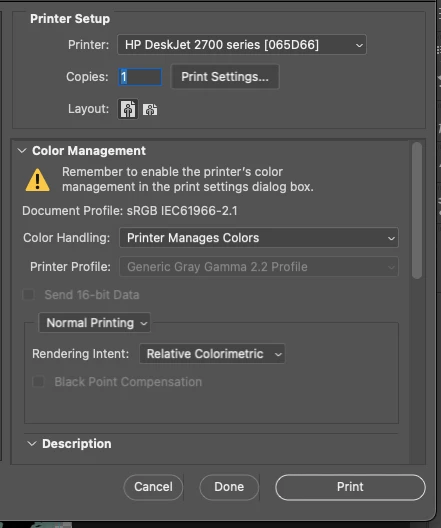
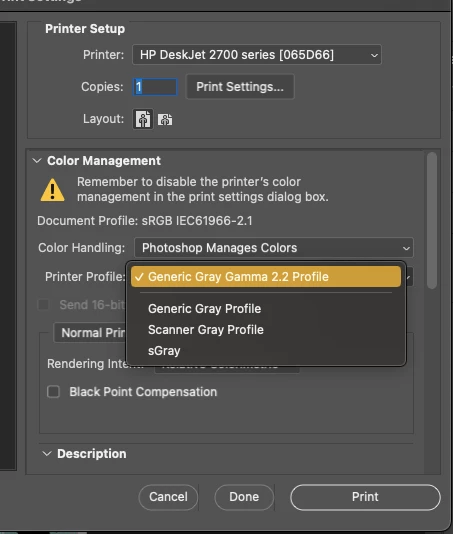
I can't print in color from Photoshop (I can from other applications such as Word, etc.). In the print window, it doesn't matter if I click on "Printer Manages Colors" or "Photoshop manages colors". The printer profile only shows "Gray Profile" options and prints in grayscale.
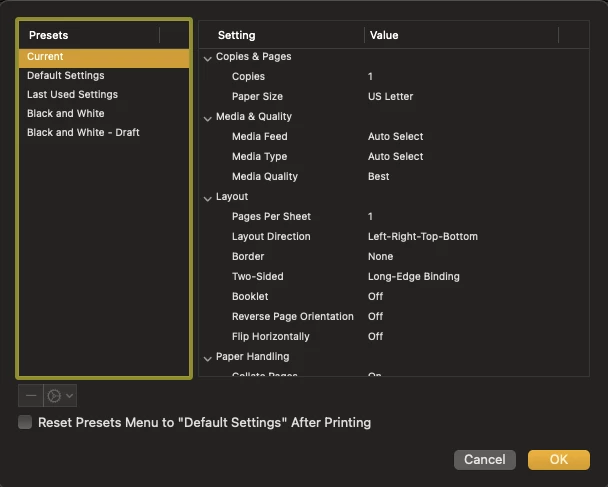
And in Print Settings, I don't have any option to change the color settings or anything like that.
I include the screenshots of what I get on the screen:
**I am using macOS***


 AdChoices