
kateg79601521
Participant
May 6, 2019
Answered

I cant find the brush presets menu!!

  • May 6, 2019
  • 3 replies
  • 1495 views

its driving me absolutely crazy! I have a project and has to be completed by tonight!
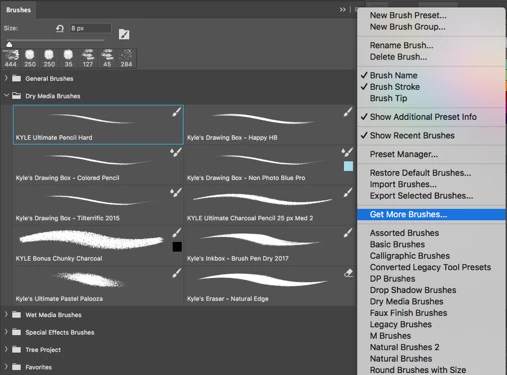
I can open up the brush tab but i dont have the option to pick assorted brushes, basic brushes, calligraphy brushes... etc

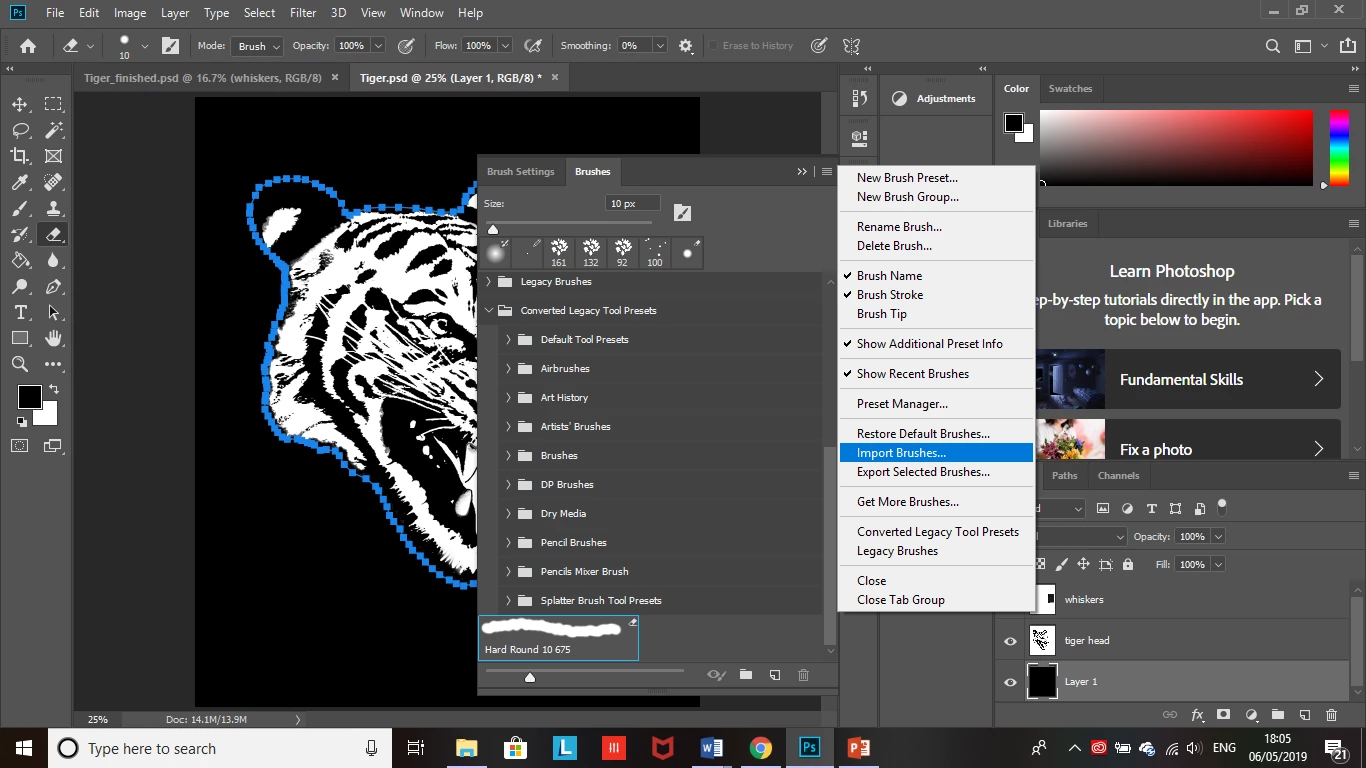
instead this is what i see I dont have those options !
    This topic has been closed for replies.
    Correct answer davescm

    Hi

    Expand the folder marked "legacy brushes", at the top of the folder list in your screenshot,  by clicking on the small arrow next to it.

    Dave

    3 replies

    kateg79601521
    Participant
    May 6, 2019

    The first screenshot shows the brush that i need which is the 'round brushes with size' I dont see the option when I click on the drop down menu? how can I find it?

    melissapiccone
    Community Expert
    Community Expert
    May 6, 2019

    The brushes are right there, I'm not sure what you are after. If you want the default brushes, just choose restore default.

    Melissa Piccone | Adobe Trainer | Online Courses Author | Fine Artist
    kateg79601521
    Participant
    May 6, 2019

    The first screenshot shows the brush that i need which is the 'round brushes with size' I dont see the option when I click on the drop down menu? how can I find it?

    jane-e
    Community Expert
    Community Expert
    May 6, 2019

    kateg79601521  wrote

    I dont see the option when I click on the drop down menu? how can I find it?

    Hi Kate,

    It’s here, circled. Click the disclosure arrow to expand Legacy Brushes.

    davescm
    Community Expert
    davescmCommunity ExpertCorrect answer
    Community Expert
    May 6, 2019

    Hi

    Expand the folder marked "legacy brushes", at the top of the folder list in your screenshot,  by clicking on the small arrow next to it.

    Dave