Participant
September 10, 2026
Answered

I have PhotoShop 21.2.4 When I select the Elliptical Marquee tool the Paths button does not show up. I'm trying to write text in a circle

  • September 10, 2026
  • 3 replies
  • 27 views

I have Photoshop 21.2.4 When I select the Elliptical Marquee tool the Path button does not show up. I'm trying to write text in a circle.  If I select the Pen tool the Path button shows up

    Correct answer jane-e

    @motivated_fighter6029 wrote: “When I select the Elliptical Marquee tool“


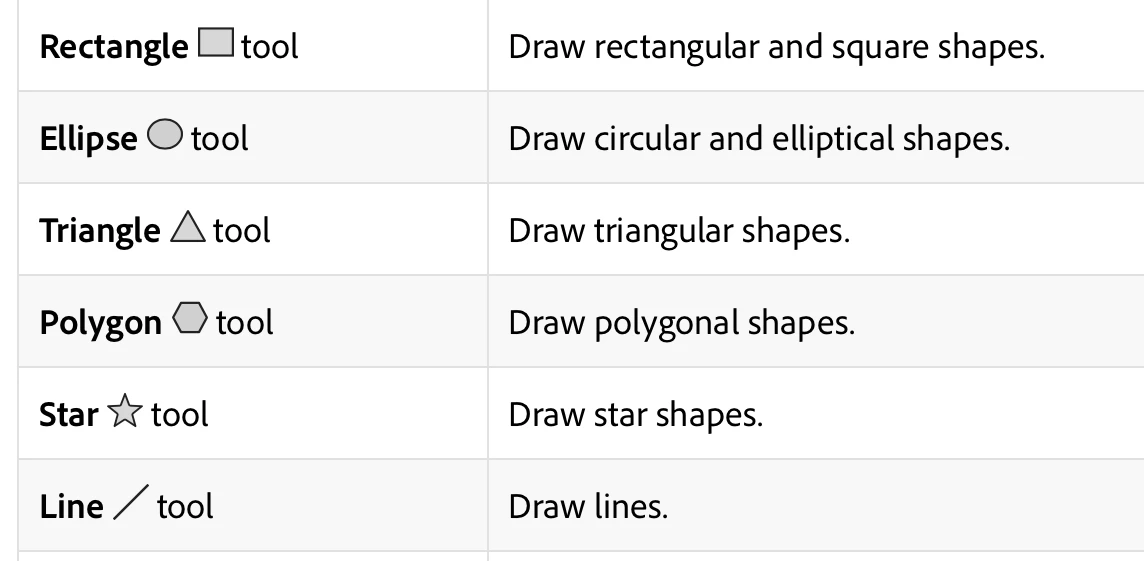
    The elliptical marquee tool makes selections, not shapes. You want the Ellipse tool instead. It’s in the Shapes group of tools. Once you select it, the options bar will let you choose to draw a path, shape, or pixels.


    https://helpx.adobe.com/photoshop/desktop/draw-shapes-paths/create-shapes/create-shapes.html


    Jane 


    3 replies

    Participant
    September 11, 2026

    Thank you

    Semaphoric
    Community Expert
    Community Expert
    September 10, 2026

    You don’t want the Marquee tool, you want the Elliptical Shape tool, set to Path in the Option bar.

    jane-e
    Community Expert
    jane-eCommunity ExpertCorrect answer
    Community Expert
    September 10, 2026

    @motivated_fighter6029 wrote: “When I select the Elliptical Marquee tool“


    The elliptical marquee tool makes selections, not shapes. You want the Ellipse tool instead. It’s in the Shapes group of tools. Once you select it, the options bar will let you choose to draw a path, shape, or pixels.


    https://helpx.adobe.com/photoshop/desktop/draw-shapes-paths/create-shapes/create-shapes.html


    Jane