
Elrungus
Participant
June 26, 2025
Question

I keep getting the error code: 12015
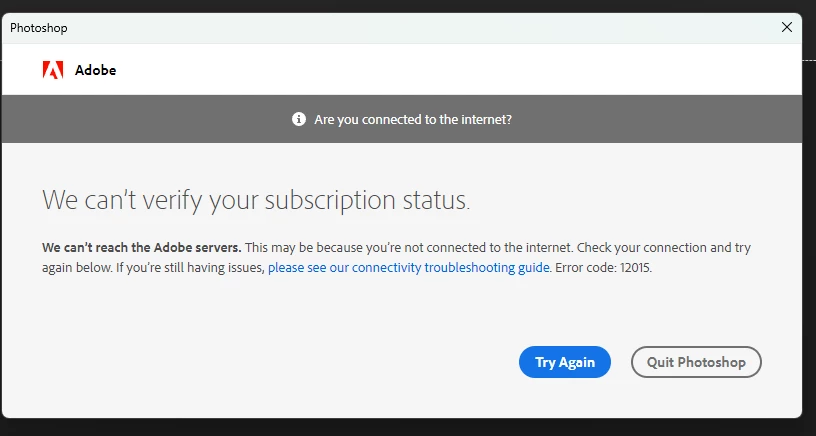
  • June 26, 2025
  • 7 replies
  • 1107 views

I'm not using a VPN and it was working a couple days ago any help would be appreciated many thanks

7 replies

Participant
July 1, 2025

Having the same issue, no solution seems to work.

Please adobe what is this behavior if i am paying for it why can't I use?

I have urgent projects to do but this nonsense glitches comes in theway always.


Sameer K
Community Manager
Community Manager
July 8, 2025

Hey, @a_u_2921. Thanks for the comment. If you're still seeing this error. 

Does a centralized IT team manage this machine? If so, you might need assistance from the IT team to troubleshoot this issue.


If it is a personal machine, could you try these steps?


1- In the Creative Cloud app, press CTRL + ALT + T (Win) to launch Creative Cloud Troubleshooter & select 'Close Creative Cloud and related processes' > click on Go.


2- Windows - Press Windows + R to open the Run Window. Type in %temp% and delete files or folders with 'NGL' in their names.


3- Restart the computer. Sign in to Creative Cloud again & check if the issue exists.


Let us know if the error persists. Thanks!

Sameer K

(Type '@' and type my name to mention me when you reply)

Elrungus
ElrungusAuthor
Participant
June 28, 2025

is there anything else i can try im still paying for it and i cant use the software

Elrungus
ElrungusAuthor
Participant
June 26, 2025

Its under the same email used for the purchase and the account  

Glenn 8675309
Legend
June 26, 2025

Make sure you are logging in with the same email used for the purchase- which is typically the email associated with your adobe account.

Elrungus
ElrungusAuthor
Participant
June 26, 2025

Its still saying the same thing 


Elrungus
ElrungusAuthor
Participant
June 26, 2025

I have tried it with and without my firewall on it still gives the same error

nikunj.m
Community Manager
Community Manager
June 26, 2025

Hi, we're sorry about the trouble! Please check out the steps suggested here: https://adobe.ly/3FZAysG


Let us know how it goes! 
Thanks,
Nikunj

Glenn 8675309
Legend
June 26, 2025

Running a firewall can cause this.