

Participant
September 27, 2026
Question

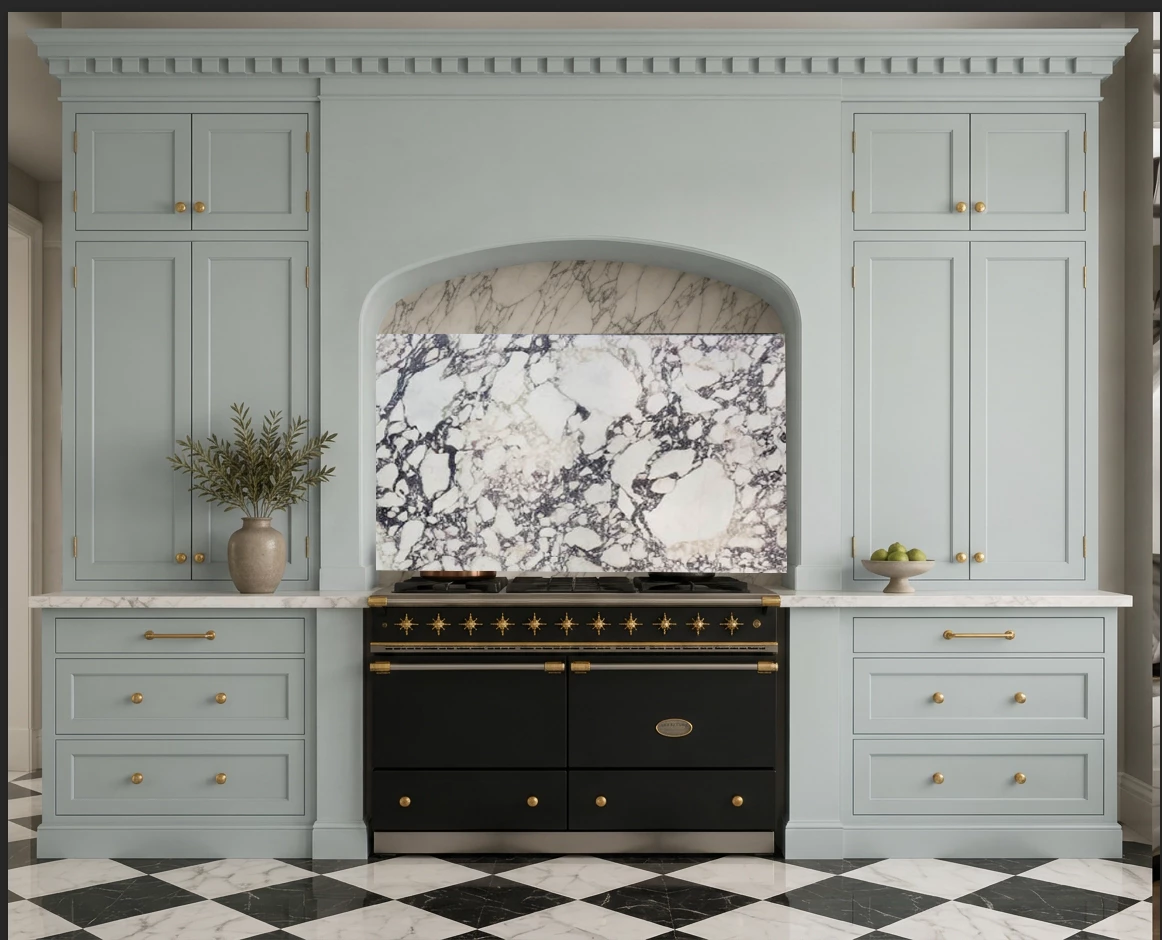
I'm trying to create a kitchen visualization and I want to switch a current photo of a marble backsplash against an arched plaster surround. How do I fit an image of my marble into the image so that it's the correct shape.

  • September 27, 2026
  • 2 replies
  • 39 views


    2 replies

    davescm
    Community Expert
    Community Expert
    September 27, 2026

    Put your marble in a Smart object, transform it to size and use a mask to get the shape. The easiest was to create a mask that shape is to use then pen tool to draw a path then create a mask from that path. Once done, you will need to add shadows to make it look realistic.
    Dave

    CORCTON34033231
    Community Expert
    Community Expert
    September 27, 2026

    Welcome! The classic way to do this is a layer mask plus a warp.


    First, place your marble photo as its own layer above the kitchen photo: File > Place Embedded, then press Enter to confirm. Next, select the existing backsplash area — the Object Selection tool is the fastest for this, or the Pen tool if you want a precise outline of the arch — then, with the marble layer active, click the Add layer mask icon at the bottom of the Layers panel, so the marble shows only inside that shape. Finally, choose Edit > Transform > Warp and drag the grid handles so the marble follows the arched plaster surround; dropping the marble layer's opacity to about 50% while you warp makes it easier to line up, then set it back to 100%.


    Adobe's help covers both steps: adding layer masks (https://helpx.adobe.com/photoshop/desktop/create-masks/layer-masks/add-layer-masks.html) and the Transform > Warp options (https://helpx.adobe.com/photoshop/desktop/crop-resize-transform/transform-manipulate-reshape/transformation-options-in-adobe-photoshop.html).