


質問
I need help to make something I already did 4 years ago, but not I forgot how to do it
Hi all,
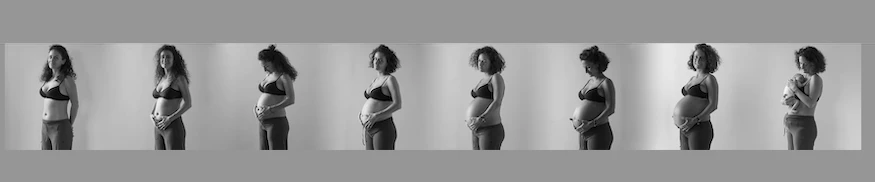
4 years ago, when my first daughter born, I shooted 8 photos to my wife, one each month, then I blended them in one image, reaching this result:
I did not open photoshop in the last 4 years, and now that I have to do the same things with my second son, I can't remember how to don't edit the pics but just blend the borders of the two pics and remove that clear detachment of grey between one pic and the other:
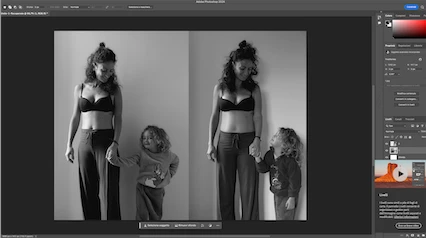
I'm looking for the easiest way since I'm not good at photoshop, I don't want to select the objets and remove the backgrounds, it is ok if it's not perfect, I just would like to remove that vertical line between the two pics (and make the same for the next 7 pics).
Who can help me?
 AdChoices