

mohamedh78426672
Known Participant
July 24, 2021
Resuelto

i need help with content aware fill [in PS CS6]

  • July 24, 2021
  • 2 respuestas
  • 998 visualizaciones

i want to make the image bigger because the subject needs more space, i selected the tranparent area but i can't find the content ware fill option, i only see content ware scale!
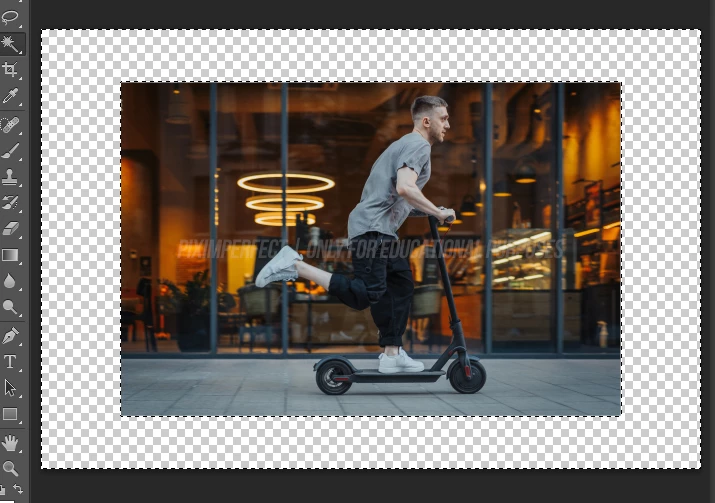
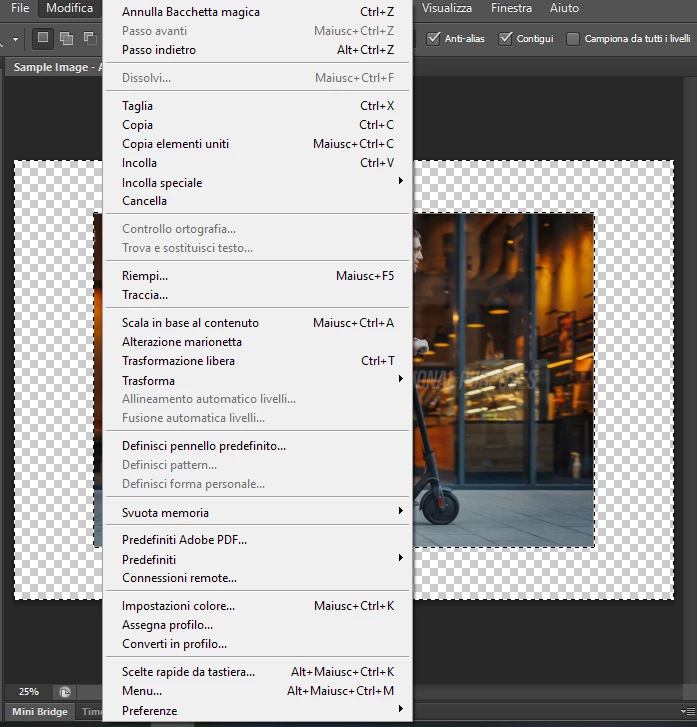


[version added to subject by moderator for clarity]


Este tema ha sido cerrado para respuestas.
Mejor respuesta de c.pfaffenbichler

Are you using an obsolete Photoshop version? 

Please read this (in particular the section titled "Supply pertinent information for more timely and effective answers”):

https://community.adobe.com/t5/using-the-community/community-how-to-guide-tips-amp-best-practices/td-p/11601738?page=1

2 respuestas

D Fosse
Community Expert
Community Expert
July 25, 2021

I think you need to adjust your expectations a bit. You can't use content-aware fill on such a big area. Or you can, but the result will be screamingly obvious. Aside from the duplicated portions, the perspective in the foreground is all messed up.


Apparently this isn't your own image. Don't violate any copyrights.

c.pfaffenbichler
Community Expert
Community Expert
July 24, 2021

Are you using an obsolete Photoshop version? 

Please read this (in particular the section titled "Supply pertinent information for more timely and effective answers”):

https://community.adobe.com/t5/using-the-community/community-how-to-guide-tips-amp-best-practices/td-p/11601738?page=1

mohamedh78426672
Known Participant
July 24, 2021

i'm using CS6 thank you

Ged_Traynor
Community Expert
Community Expert
July 24, 2021

Shift + Backspace should bring up the Fill dialog, from there you can select the Content Aware Fill option