Inspiring
October 14, 2026
Answered

I need Photoshop in Italian and in English

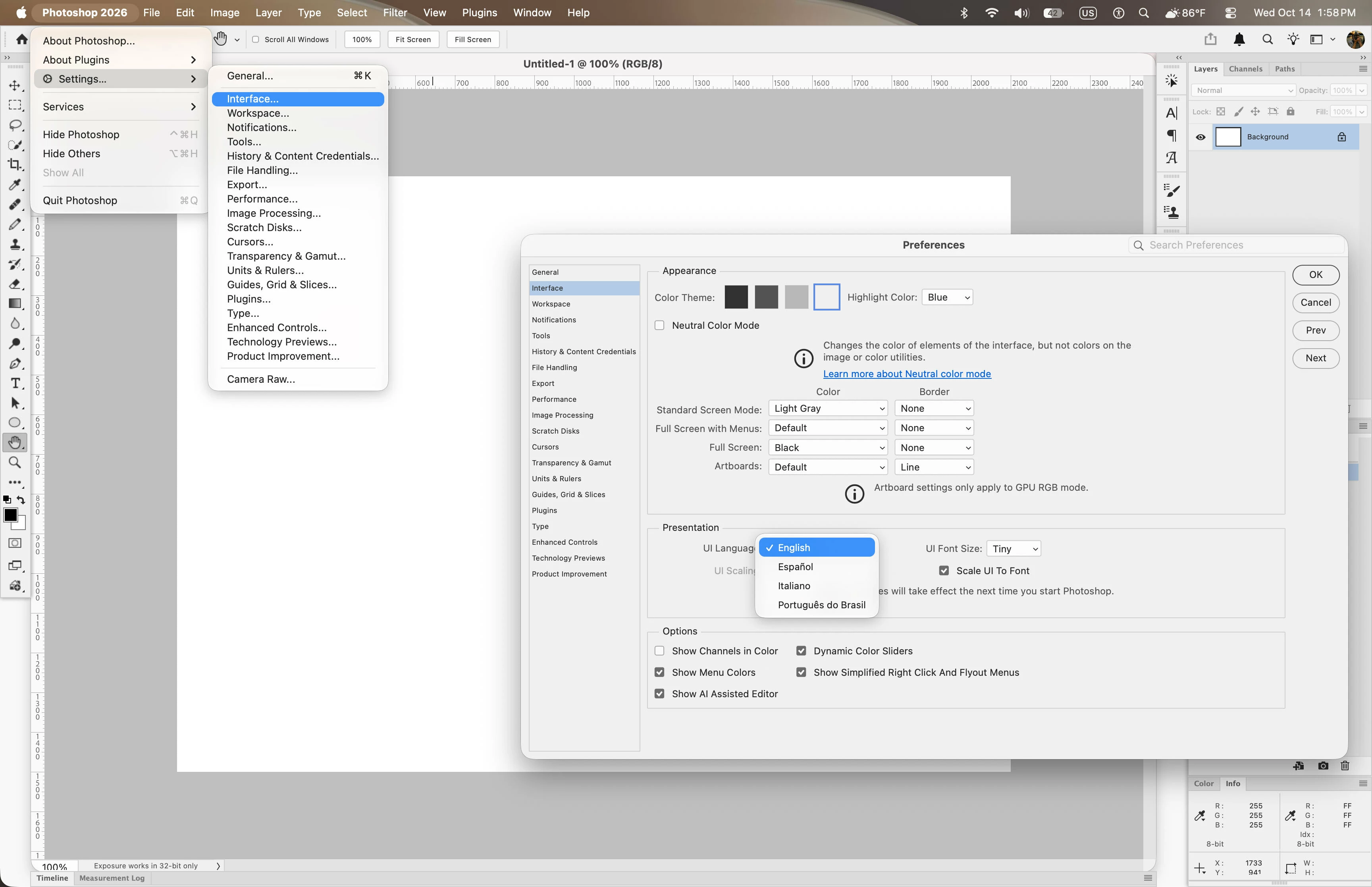
Hi, I have Photoshop installed in Italian (like all my other Adobe software). To use certain Actions, I need the interface to be in English. Is it possible to add the language so that I can choose which one to use each time in Photoshop's preferences? If that's not possible, how can I install Photoshop in English? I tried uninstalling it, then changing the language in the Creative Cloud app, and reinstalling Photoshop, but it's still in Italian.
Thanks

 

    Jeff Arola
    Jeff ArolaCorrect answer
    Community Expert
    October 14, 2026

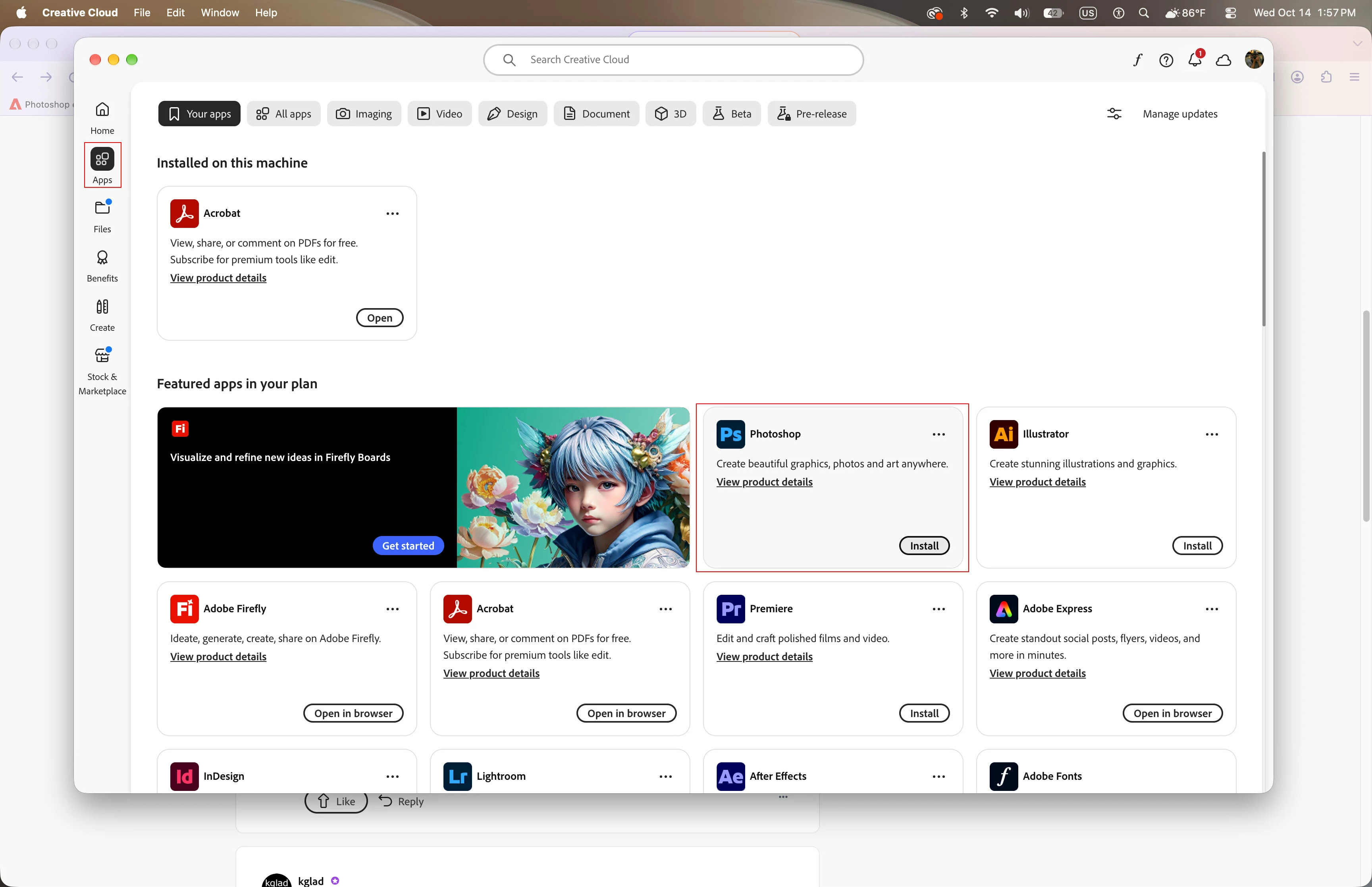
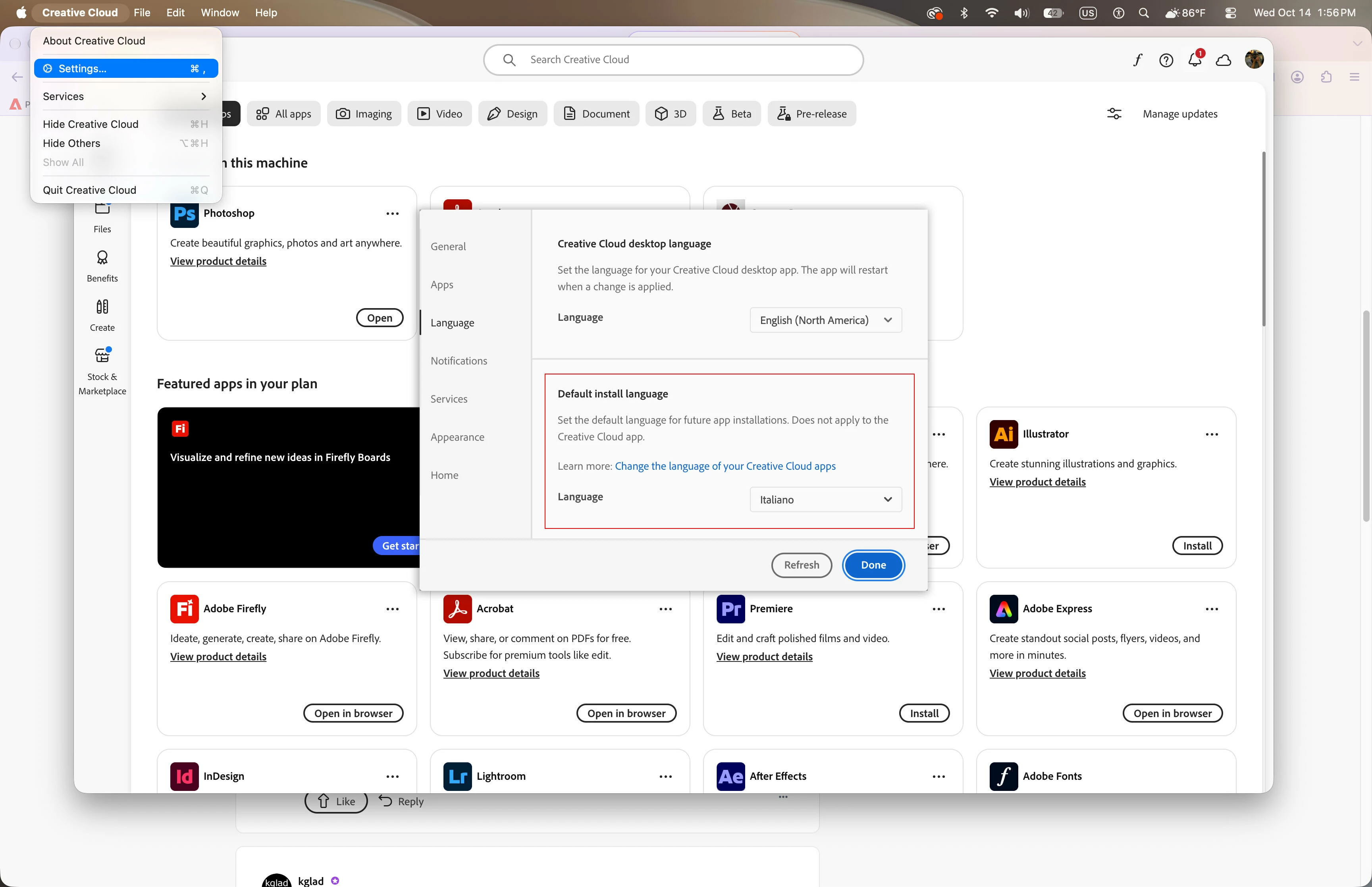
    What i do in order to have two or more languages available for Photoshop is change the install language in the Creative Cloud Desktop Application, then under Apps you should see Install beside Photoshop.


    5 replies

    Inspiring
    October 15, 2026

    Thanks Johan and Jeff, your suggestion works.

    Translate
    Jeff Arola
    Community Expert
    Jeff ArolaCommunity ExpertCorrect answer
    Community Expert
    October 14, 2026

    What i do in order to have two or more languages available for Photoshop is change the install language in the Creative Cloud Desktop Application, then under Apps you should see Install beside Photoshop.


    Translate
    Legend
    October 14, 2026

    One thing I have noticed about software engineers -- they do not seem to appreciate or anticipate how people will use their software. Now, Community experts may know of a way to make the flip easy; for now, I provide this webpage:

    Change language for Creative Cloud apps

    “Learn how to change the default language for installing Creative Cloud apps.”

    Step 6, the last step, is the step you may have missed:

    “To apply the language change to an app already installed on your computer, uninstall and reinstall the app.”

    Translate
    Larry
    Inspiring
    October 14, 2026

    Thank you Larry but I did it. I will try again.

    Translate
    JohanElzenga
    Community Expert
    Community Expert
    October 14, 2026

    To add a language (so you can switch languages in Preferences - Interface), do not uninstall the app. Just change the app language setting in the Creative Cloud app. You will see that Photoshop all of a sudden appears to be uninstalled, so you get the Install button again. Click it and you will see that the ‘new install’ will be very fast (because only another language pack will be installed).


    Translate
    -- Johan W. Elzenga