Known Participant
March 30, 2025
Answered

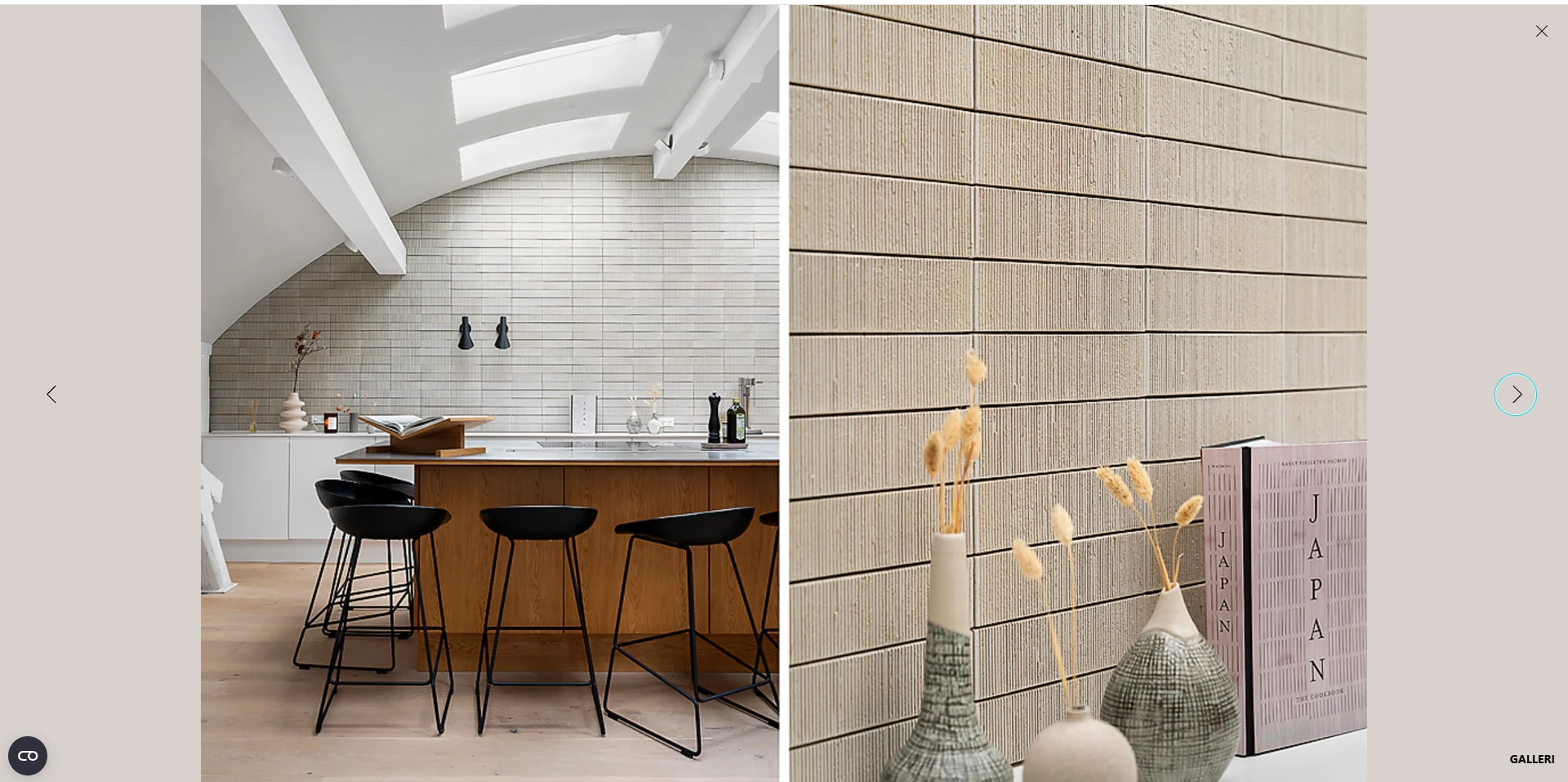
I need to put 2 high format pictures next to each other like the photo. its for real estate.

  • March 30, 2025
  • 4 replies
  • 1155 views

Can someone pls. help me, maybe i can make an action on it.

The real estate company wants 2 picture in one, when a tilt my camera.

i hope it make sence ?


Correct answer Nancy OShea

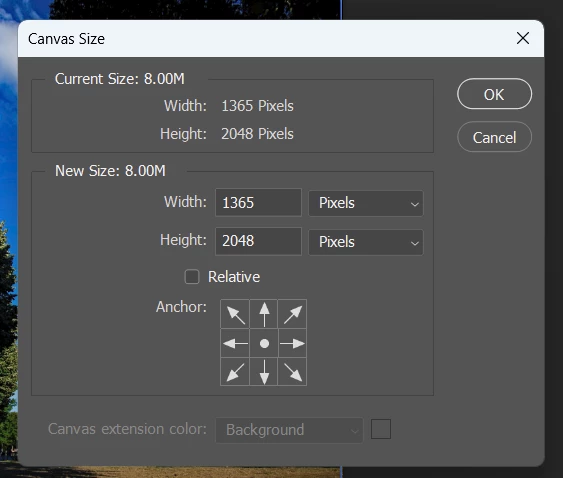
If the canvas is too big for your image layers, you have two options.

1. Edit > Canvas Size.

or

2. Scale image layers with the Transform tool (Ctrl +T).

See attached video clip.


4 replies

Participant
April 24, 2025

Hey! Yeah, that makes sense — sounds like you're trying to create a layout where two vertical (portrait) photos are shown side by side, kind of like a single wide image?

You can definitely do that by combining them in Photoshop. Try opening both images, then go to File > New, and create a canvas that’s twice the width of one photo but the same height. Then drag each photo into the new canvas and position them side by side.

If you're doing this often, you could record the steps as an Action in Photoshop, so it's just one click next time. Hope that helps — let me know if you're using Lightroom or another program, happy to help there too!

Nancy OShea
Community Expert
Community Expert
March 30, 2025

1. Create a new document of required height & width in pixels.

2. Open image 1.  Use Ctrl + A to select all. Ctrl + C to copy contents to clipboard.

3. Switch to new document and paste with Ctrl + V.

Repeat with second image.

4. Use the Move tool to adjust new document layers as needed.


Hope that helps.


Nancy O'Shea— Product User & Community Expert
Known Participant
March 31, 2025

Hey Nancy. So far so good. I need the last thing to do. When i do as you told me the picture is to big. How do i make it so it fits ?


Nancy OShea
Community Expert
Nancy OSheaCommunity ExpertCorrect answer
Community Expert
March 31, 2025

If the canvas is too big for your image layers, you have two options.

1. Edit > Canvas Size.

or

2. Scale image layers with the Transform tool (Ctrl +T).

See attached video clip.


Nancy O'Shea— Product User & Community Expert
Stephen Marsh
Community Expert
Community Expert
March 30, 2025
quote

I'm trying to put 2 portrait  photos into one image. How do I do it in photoshop. See e.g. It's for real estate agents


By @kim28649024vtu1


If this is something that you wish to automate for multiple/many images, then you will need a script to process sets of 2 images at a time and then "do something" with the 2 open images before saving, closing and moving on to the next pair. Such a script can be found here:


https://community.adobe.com/t5/photoshop-ecosystem-discussions/script-to-automate-load-files-into-stack/m-p/13499068#U14928257


The following variation is for 2 separate input folders, rather than a single input folder:


https://community.adobe.com/t5/photoshop-ecosystem-discussions/script-to-open-files-and-layer-them/m-p/12532657#U14933502


Alternatively, if you prefer to work semi-automatically but don't want to keep track of the files to open and work on, the following script can work through a source folder and keep track of the open/closed files for you.


https://community.adobe.com/t5/photoshop-ecosystem-discussions/how-to-open-a-number-of-images-but-one-at-a-time/m-p/13804564#U14972022


These three scripts can run an action on the set of open images, this is where you would record the extra steps to adjust canvas size, move the active upper layer to the right etc.


Stephen Marsh
Community Expert
Community Expert
March 30, 2025

I think your post Is getting lost in translation to English. Please feel free to write in your native language and let the forum use translation software. Perhaps you provide numbered step by step information to break down a complex topic into easier parts?

Known Participant
March 30, 2025

Ok.

Jeg prøver på dansk.

Jeg prøver at sætte 2 højformat  foto ind i et billede. Hvordan gør jeg det i photoshop. Se ex. Det er til ejendomsmægler

Trevor.Dennis
Community Expert
Community Expert
March 30, 2025

Hi Kim.  Do you just want to do this manually, or would you prefer to use a Script or Action?

Is this something you will need to do multiple times in the future working with this client?