
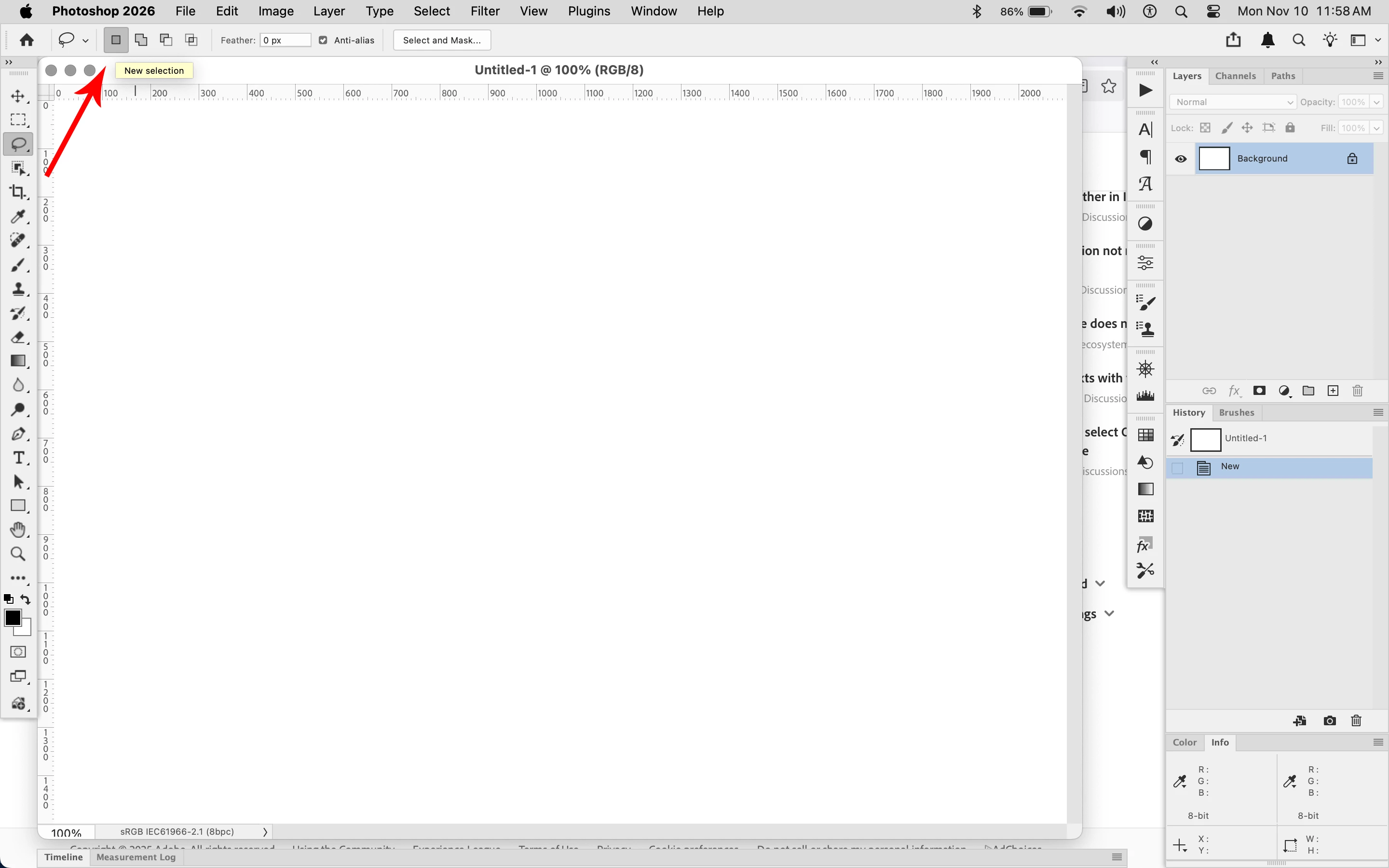
I used to be able to make one selection replace another
- 1 reply
- 92 views
- Translate
I've been a photoshop user since Version 2 in 1990. Yes, I'm a dinosaur.
I used to be able to make a selection with any tool, make my changes to that section, then make another selection and make my other changes. Maybe that doesn't sound like an issue but here's what
Used to happen.
1. make selection
2. level, curve, whatever
3. make new selection
4. level, curve, whatever
5. make new selection
6. level, curve, whatever
and so on...
Happening now
1. make selection
2. level, curve, whatever
3. make selection
3a. Why didn't photoshop make that new selection? Oh yeah. I made that NEW beautuful selection and I FORGOT to click off of that OLD selection before I started. So photoshop just ignored them both.
4. SIGH Loudly - Start again - make selection
5. level, curve, whatever
6. make selection
6a. Why didn't photoshop make that new selection? Oh yeah. I made that NEW beautuful selection and I FORGOT to click off of that OLD selection before I started. So photoshop just ignored them both.
7. SIGH Loudly - Start again - make selection
I don't see anything in prefrences that would help to keep me from having to "deselect" before making a new selection. Any ideas??
Photoshop 26.11.1 - Mac Sequoia 15.6.1



 AdChoices