
kirabug37
Participant
January 28, 2026
Answered

I've discovered a bunch of the fonts installed on my Mac aren't working (rendering as boxes) in Photoshop. Why?

  • January 28, 2026
  • 3 replies
  • 55 views

Many of the fonts that aren’t rendering appear to be non-Latin alphabets, but others, like Hoefler Text, don’t have anything “unusual” about them. Many of them are Apple system fonts so I can’t just go removing them. 
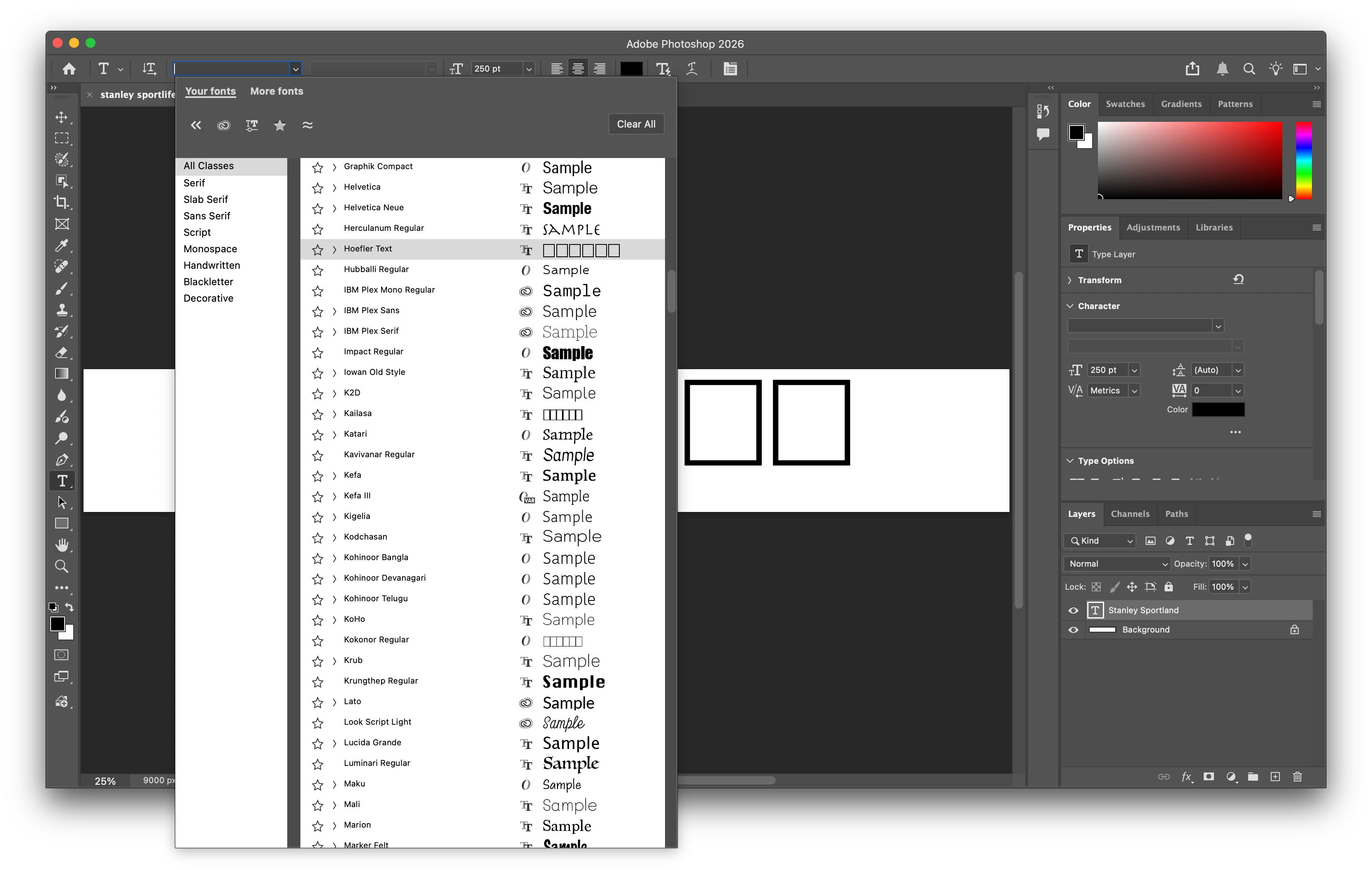
 

The fonts render correctly in Font Book. And there are no errors when I verify them. I can’t figure out why they’re not working in Photoshop. Help?
    Correct answer c.pfaffenbichler

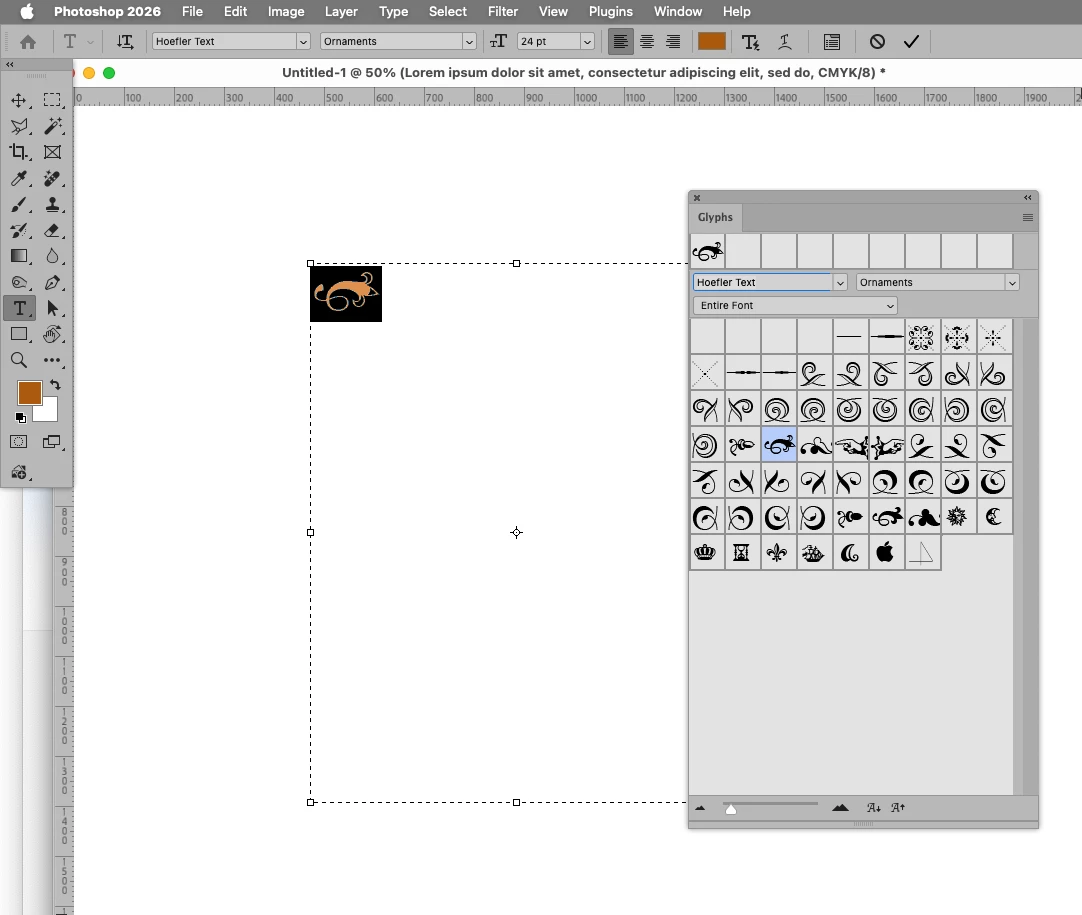
    Please expand the Hoefler-font to see which ones are actually affected and try using the Glyphs Panel for the ones that lack the »usual« letters. 

    Edit: Or rather »characters«. 


    3 replies

    c.pfaffenbichler
    Community Expert
    Community Expert
    January 28, 2026

    If a font lacks the characters »S«, »a«, »m«, … the rectangles will be used as stand-ins. 

    Trevor.Dennis
    Community Expert
    Community Expert
    January 28, 2026
    kirabug37
    kirabug37Author
    Participant
    January 28, 2026

    Tried those, no change

    c.pfaffenbichler
    Community Expert
    c.pfaffenbichlerCommunity ExpertCorrect answer
    Community Expert
    January 28, 2026

    Please expand the Hoefler-font to see which ones are actually affected and try using the Glyphs Panel for the ones that lack the »usual« letters. 

    Edit: Or rather »characters«. 


    kirabug37
    kirabug37Author
    Participant
    January 28, 2026

    That was it! I don’t know why it would default to the Ornaments view but all the other are working.