


Participant
November 8, 2020
Question

I was unable to convert to DNG

  • November 8, 2020
  • 3 replies
  • 343 views

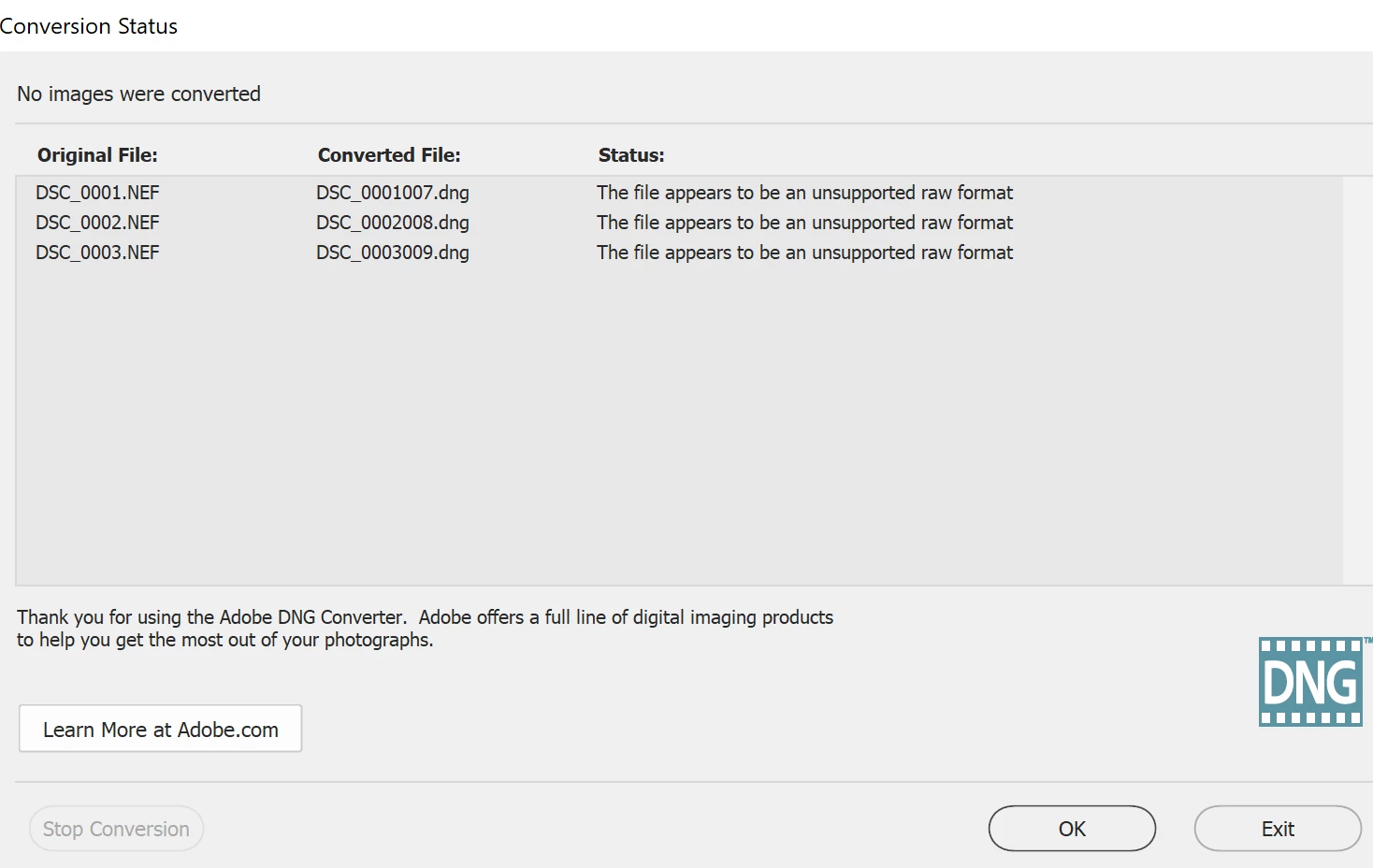
Hi, I have installed DNG Converter 13.0. Where I was unable to convert my NEF files from Nikon Z6 ii. Upon trying to convert it, it displayed as the raw file not supported. I have tried on changing the formats and the file variations, I got no luck in that. don't know where did I go wrong or the file isn't supported at all.


This topic has been closed for replies.

3 replies

Per Berntsen
Community Expert
Community Expert
November 30, 2020

Only Adobe knows when there there will be an update, and they don't usually announce the updates before they're ready.

I don't work for Adobe, and have no access to inside information.

Please understand that this happens every time a new camera is released. The camera manufacturers do not give Adobe information about upcoming cameras, so Adobe has to buy a camera, examine the raw files, and then provide support for it in an update. These updates happen, as far as I know, 4-5 times a year.

So when buying a new camera, it's a good idea to wait until it is supported by Camera Raw.

This page gets updated whenever a new version of Camera Raw has been released.

https://helpx.adobe.com/camera-raw/kb/camera-raw-plug-supported-cameras.html

Participating Frequently
November 30, 2020

I have the same issue and although "few weeks" past since Adobe Community Professional's reply there is no solution in sight. What Nikon s/w can be used to process NEF file? Per Berstern - could you help?

Per Berntsen
Community Expert
Community Expert
November 8, 2020

The Z6 II is a new camera, and you will have to wait for an update to the DNG converter for support for your camera.

This could take a few weeks, and in the meantime you have to use Nikon software to process the NEF files, or shoot jpg, or jpg + NEF and process the NEF files later.


When the update is released, there will also be updates for Camera Raw and Lightroom, so if you have a Creative Cloud subscription, you will be able to process the files without converting to DNG.


Participant
November 9, 2020

Thank you, I was a bit confused in my system if I had any corrupted files or any. 

Thanks for your time.